


VMware 3V0-643 Practice Verified Answers - Pass Your Exams For Sure! [2021]
Valid Way To Pass VCAP-NV Deploy 2020's 3V0-643 Exam
NEW QUESTION 12
An NSX administrator has been troubleshooting a communication issue between Edge device TS-Comm-Edge-01 and the TS-Comm-DLR-01 logical router with no success and has reached out to you for further assistance. The following troubleshooting has already been performed.
Temporarily disabled the firewall between both devices.
Unsuccessful ping from TS-Comm-Edge-01 to TS-Comm-DLR-01
Unsuccessful ping from TS-Comm-DLR-01 to TS-Comm-Edge-01
Determine and resolve the communication issue between the two devices.
Requirements:
vCenter: vcsa01a.crop.local
Credentials: [email protected] / VMware1!
Troubleshooting Information:
Edge: TS-Comm-Edge-01 (192.168.33.1)
DLR: TS-Comm-DLR-01 (192.168.33.8)
Transit Network: TS-Comm-Transit
IP Subnet: 192.168.33.0/29
Ensure communication between both devices is successful.
NOTE:
IP addresses must remain unchanged.
HOL LAB for Practice:
See the explanation part for complete solution.
Answer:
Explanation:
SOLUTION:
Troubleshooting:
TS-Comm-Edge-01
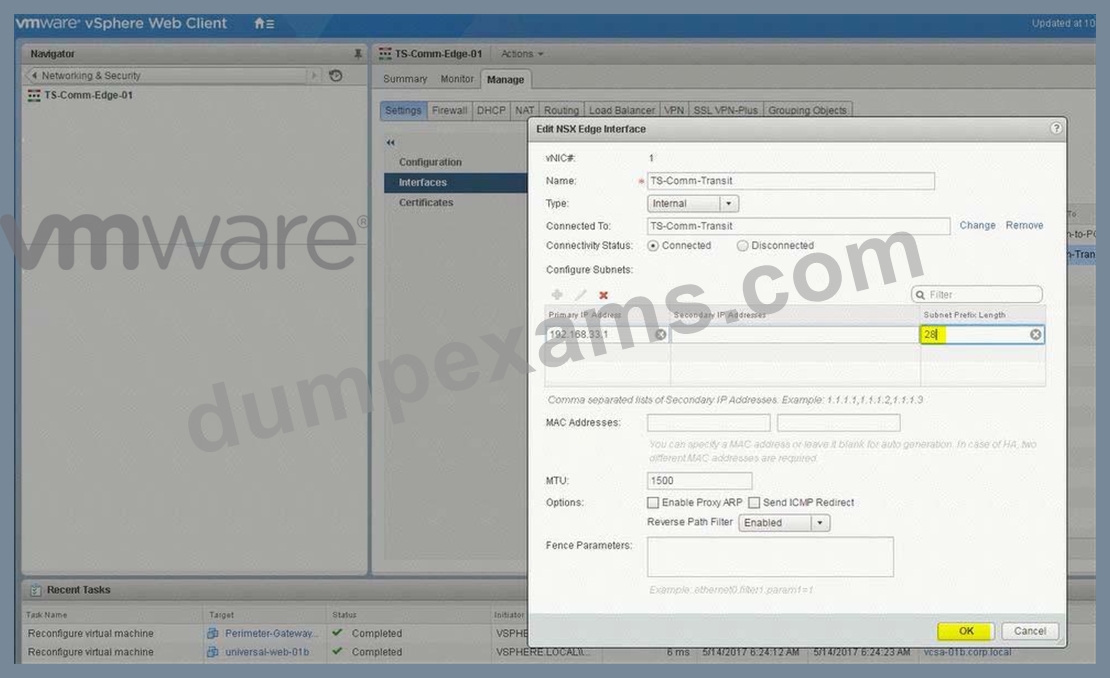
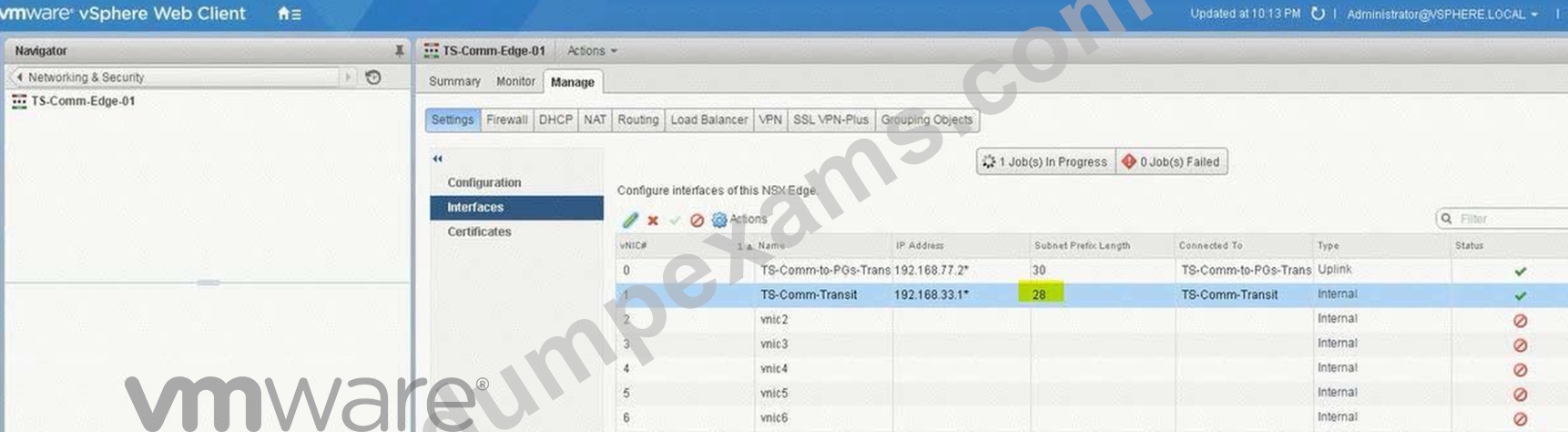
Interfaces -> TS-Comm-Transit (change the subnet mask to 28)
Verification:
SSH to TS-Comm-Edge-01 (192.168.7.2) and ping 192.168.33.8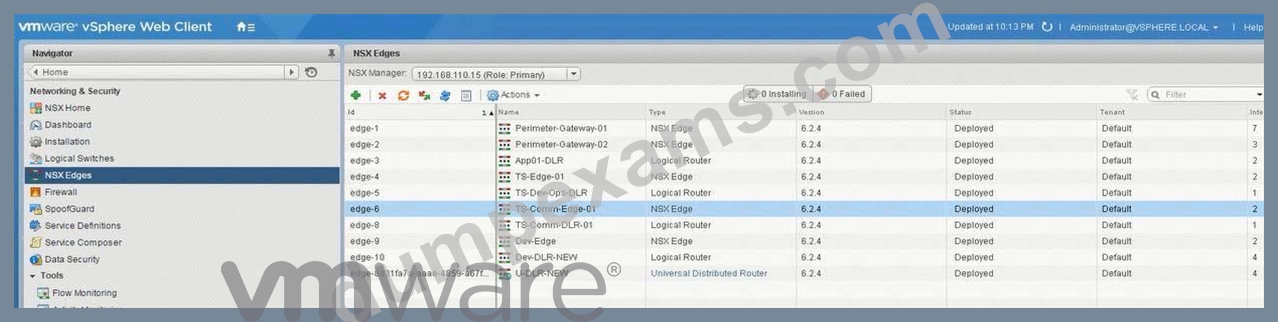
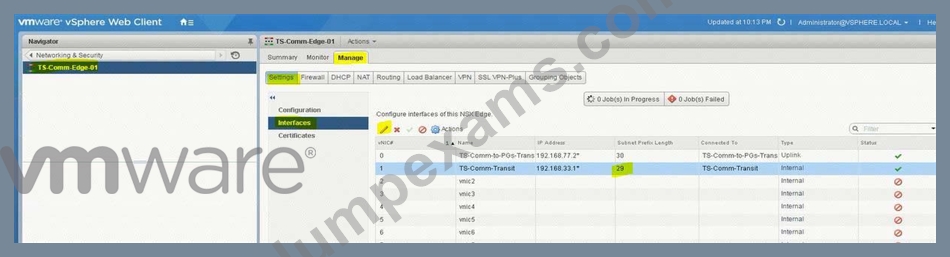
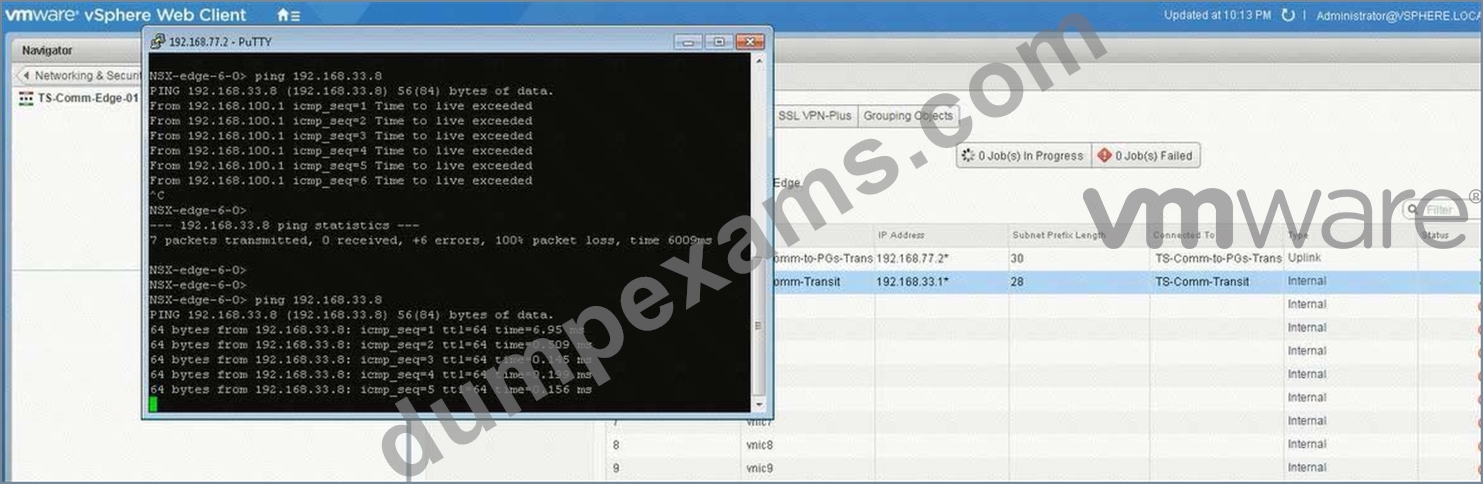
(2) select Ts-Comm-DLR-01 from Nsx Edge. select Manage tab. select Settings.
select interface. check the ip address and mask. and change the mask to /28.
click ok.
(3) select Manage Tab. select Routing. select global configuration. click edit.
select OSPF enter router ID 192.168.33.8 click ok. click on enable
click on publish changes.
(4) select OSPF. click edit. enable OSPF. Enter Protocol Address 192.168.33.7 enter forwarding address 192.168.33.8 (ip address of the vnic). click enable graceful restart. click ok.
(5) under area. click + Sign and add area 0. select type normal. select authentication none. click ok.
(6) under area to interface mapping. click on + sign. select interface uplink enter area 0. enter hello interval 10. dear interval 40. enter priority 128 enter cost 1. click ok. click publish changes.
(7) select TS-Comm-Edge-01. select manage select routing. select global configuration.
click edit under dynamic routing configuration.enter router id ts-comm 192.168.33.
click ok. click publish changes.
(8) select OSPF. click edit. enable OSPF. enable graceful restart. click ok.
select vnic transit. enter area 0. click on blue icon. change the subnet mastk to /28. click ok.
(9) select Firewall under manage Tab. click disable. click publish changes.
do the same steps for Ts-comm-DLR-01. and disable the firewall.
NEW QUESTION 13
Management requires you to build a new logical topology for a new application that will include a hardware search appliance (HAS). The new application must contain a web tier and database tier on separate IP domains. Use the existing App01-DLR to complete the task.
Requirements:
vCenter: vcsa-01.corp.local
Credentials: [email protected] / VMware1!
vDS: vds-mgt-edge-a
Existing DLR Name: App01-DLR
New object prefix - App01
New object suffic - New
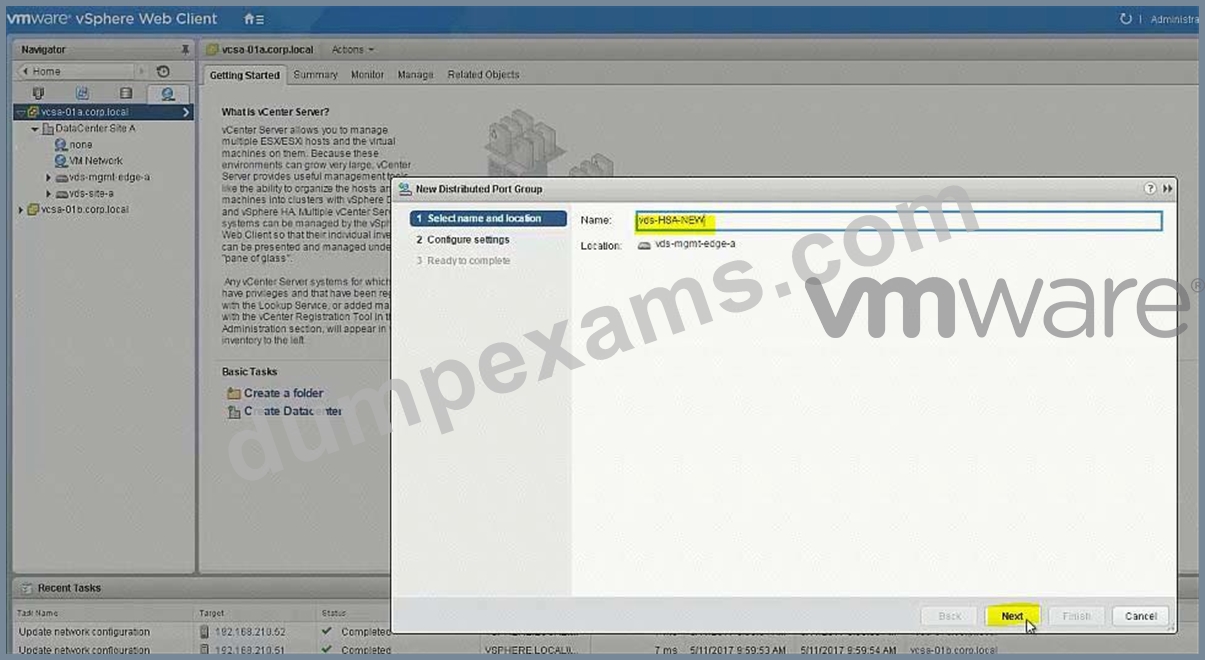
Create a new distributed port group for this task named vds-HSA-NEW.
The HAS must reside on the same IP subnet as the database.
The new application must contain a web tier and database tier on separate domains to be used at a future date.
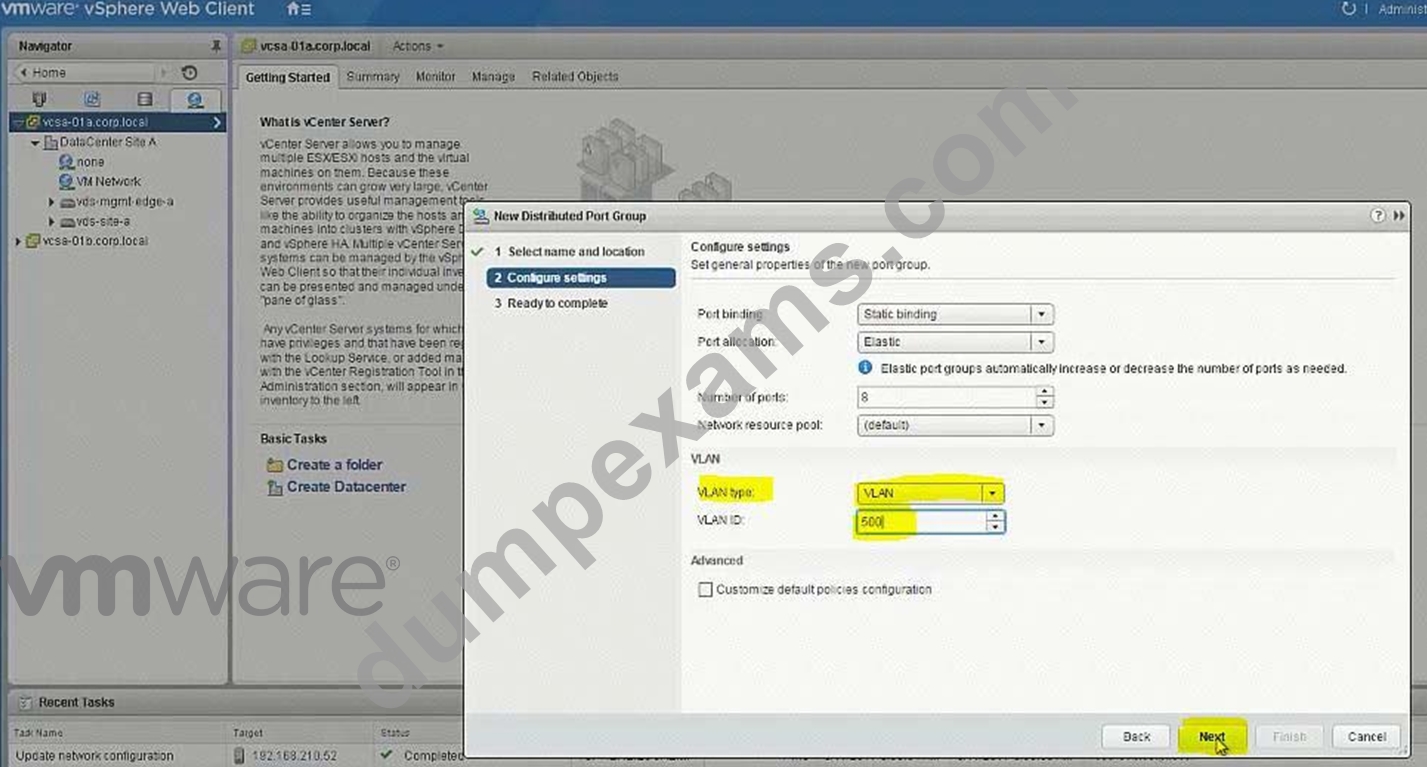
Once deployed the HAS will be connected to a network with VLAN ID 500.
The proper physical switch ports for the uplinks have already been trunked to include VLAN 500.
VLANs configured in the compute racks are isolated to a single rack.
Any objects/items created must be named with a prefix of App01 and a suffix containing their function with NEW (for example: App01-Function-NEW) NOTE:
The hardware appliance and application virtual machines have not been deployed. Attempts to connectivity to the appliance will not succeed.
HOL LAB for Practice:
Bridging and other questions 7, 8, 9 and LAB - HOL-1925-02 Module 1
See the explanation part for complete solution.
Answer:
Explanation:
SOLUTION:
Step 1: From SiteA vCenter web client -> Networking -> Data Center SiteA -> create a new distribution port group named vds-HAS-NEW with VLAN ID 500 in vds-mgmt-edge.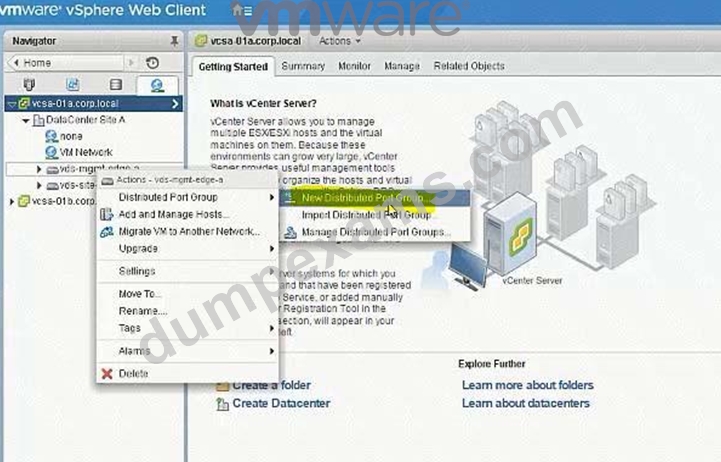
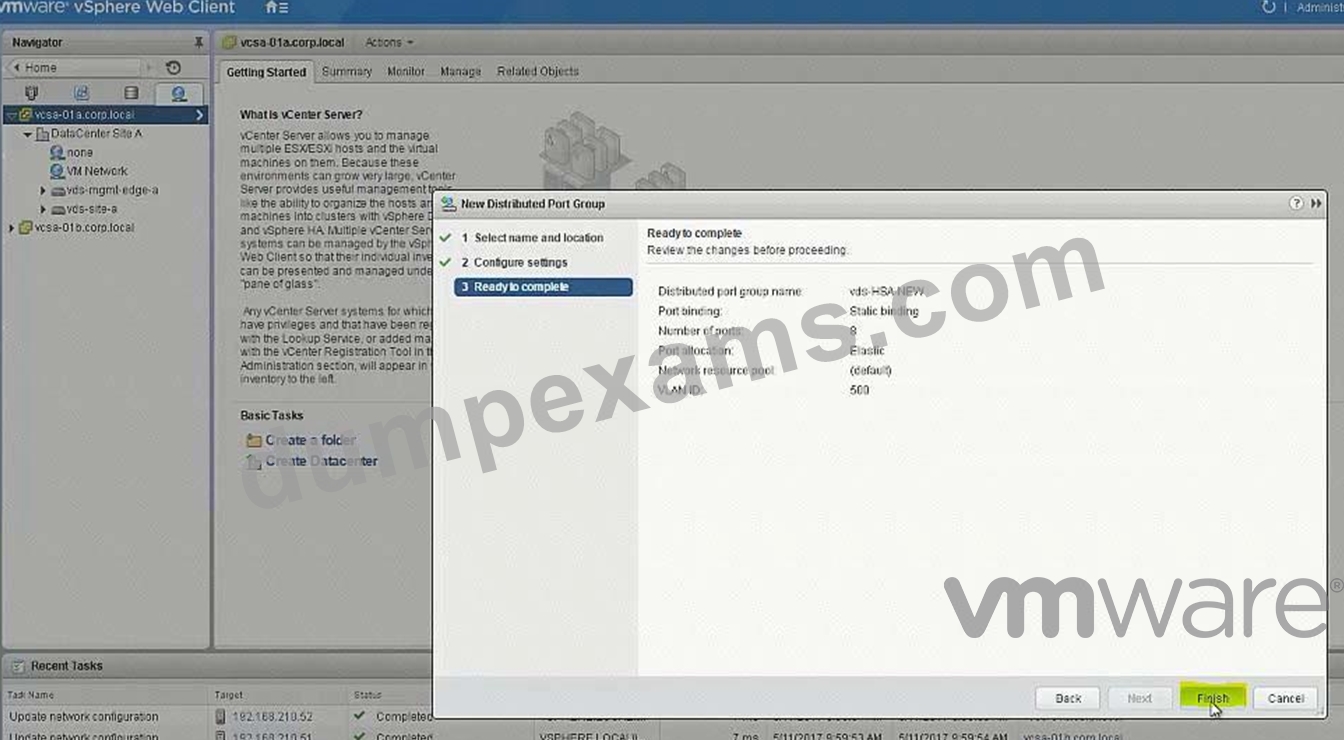
Create LS on 192.168.110.15 = App01-WebTier-NEW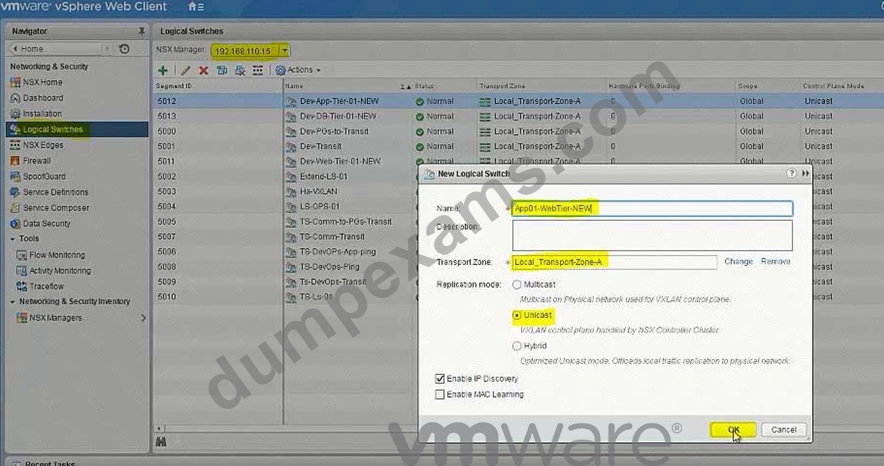
Create LS on 192.168.110.15 = App01-DBTier-NEW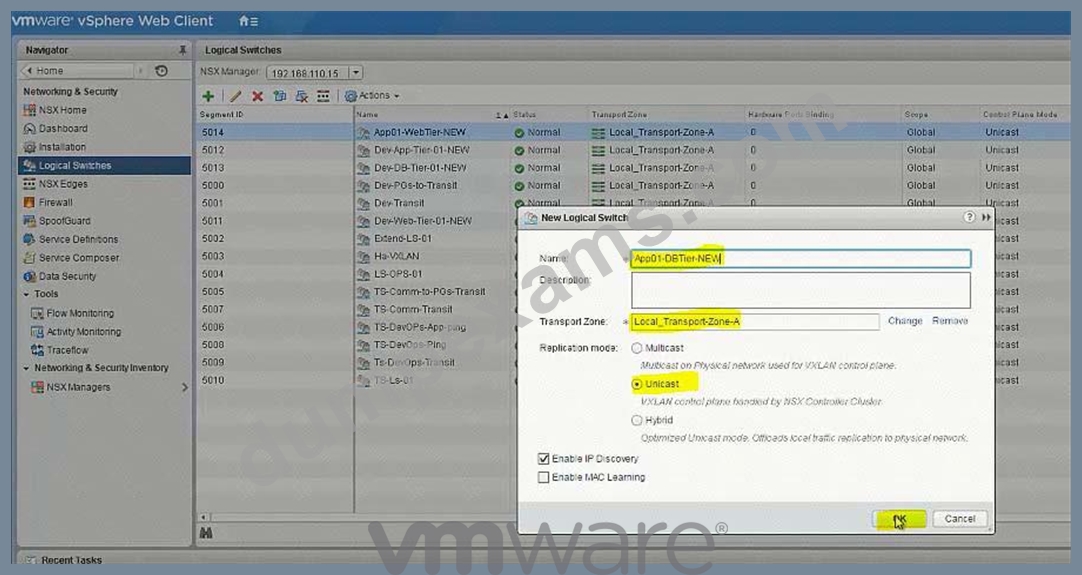
NSX Edges -> App01-DLR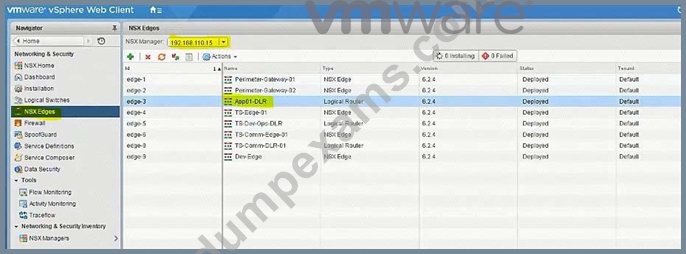
8) got NsX Edge and select App01-DLR. select Manage, select settings and click on + Sign (9) Enter interface name App01-Web-New, select type internal. select App01-Webtier-New LS Enter ip address 192.168.1.1/24. repeat the same steps for App01-DBtier-New but take ip addres
192.168.2.1 /24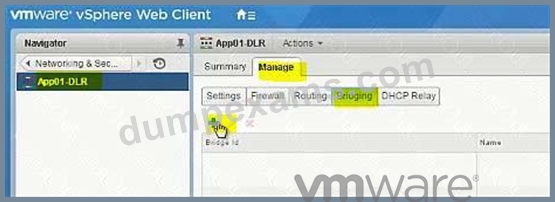
Name: App01-Bridge-NEW
Logical Switch: App01-DBTier-NEW
Distributed Port Group: vds-HAS-NEW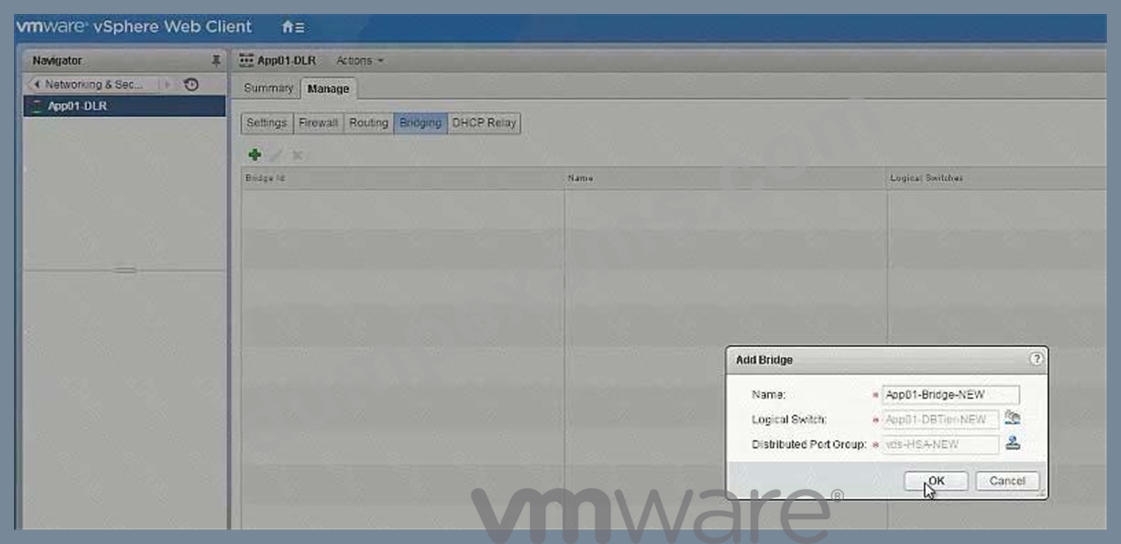
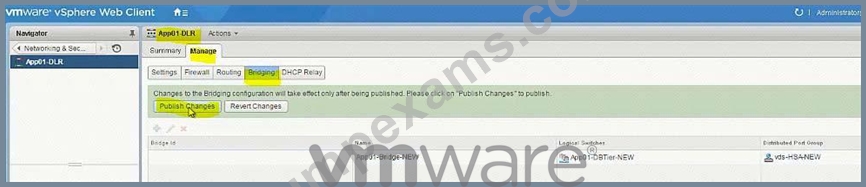
(11) be sure under App01-DB-New the bridging is enable.
NEW QUESTION 14
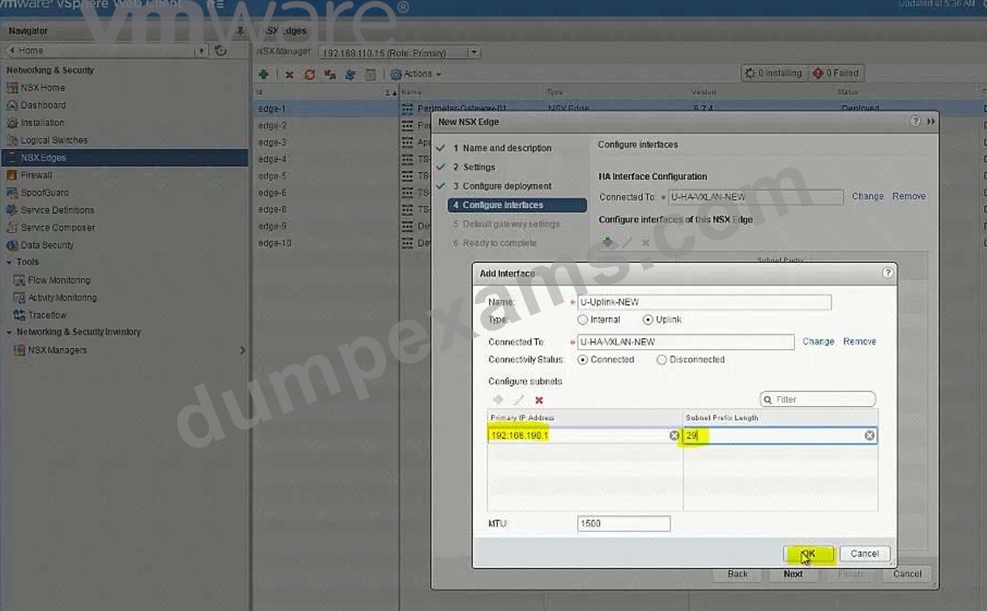
Build a multi-tier network capable of supporting application virtual machines deployed across multiple vCenter instances.
Requirements:
vCenter: vcsa-01a.corp.local
Credentials: [email protected] / VMware1!
Resource Pools: Management and Edge Cluster 1A
The underlying physical network does not support multicast.
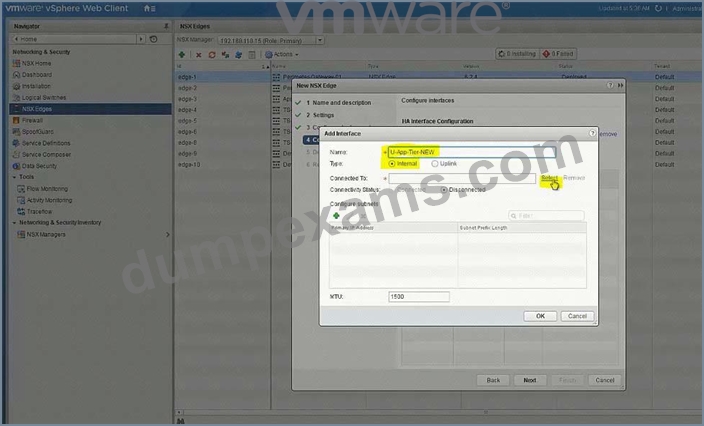
All new items created must have a prefix of "U" followed by their function name and a suffix of "New".
i.e. U-App-Tier-NEW.
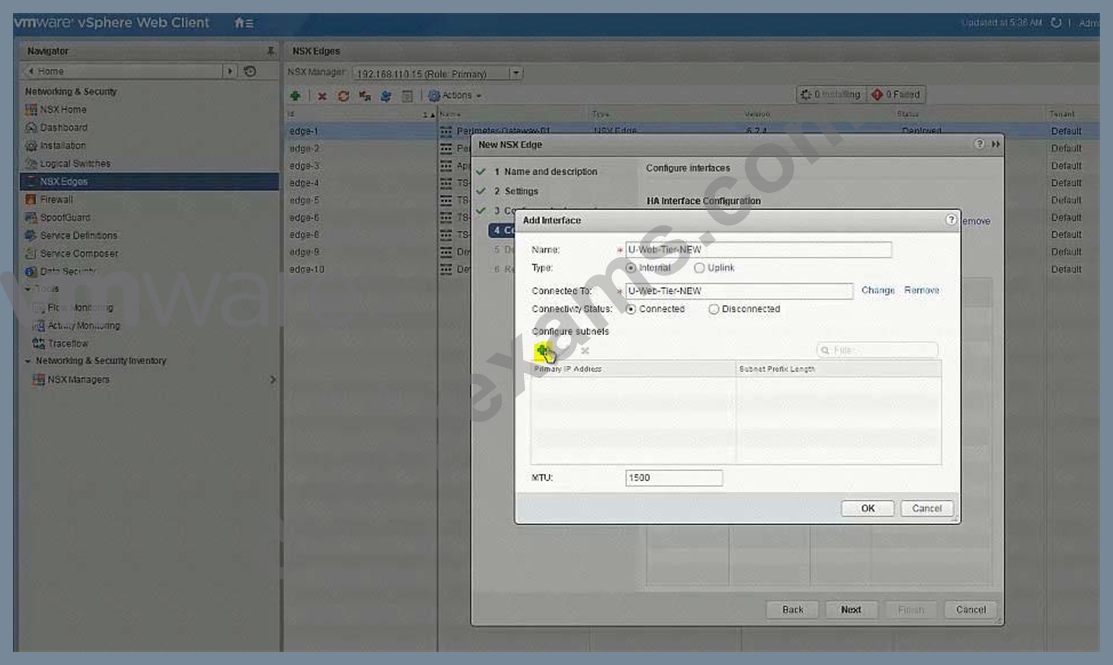
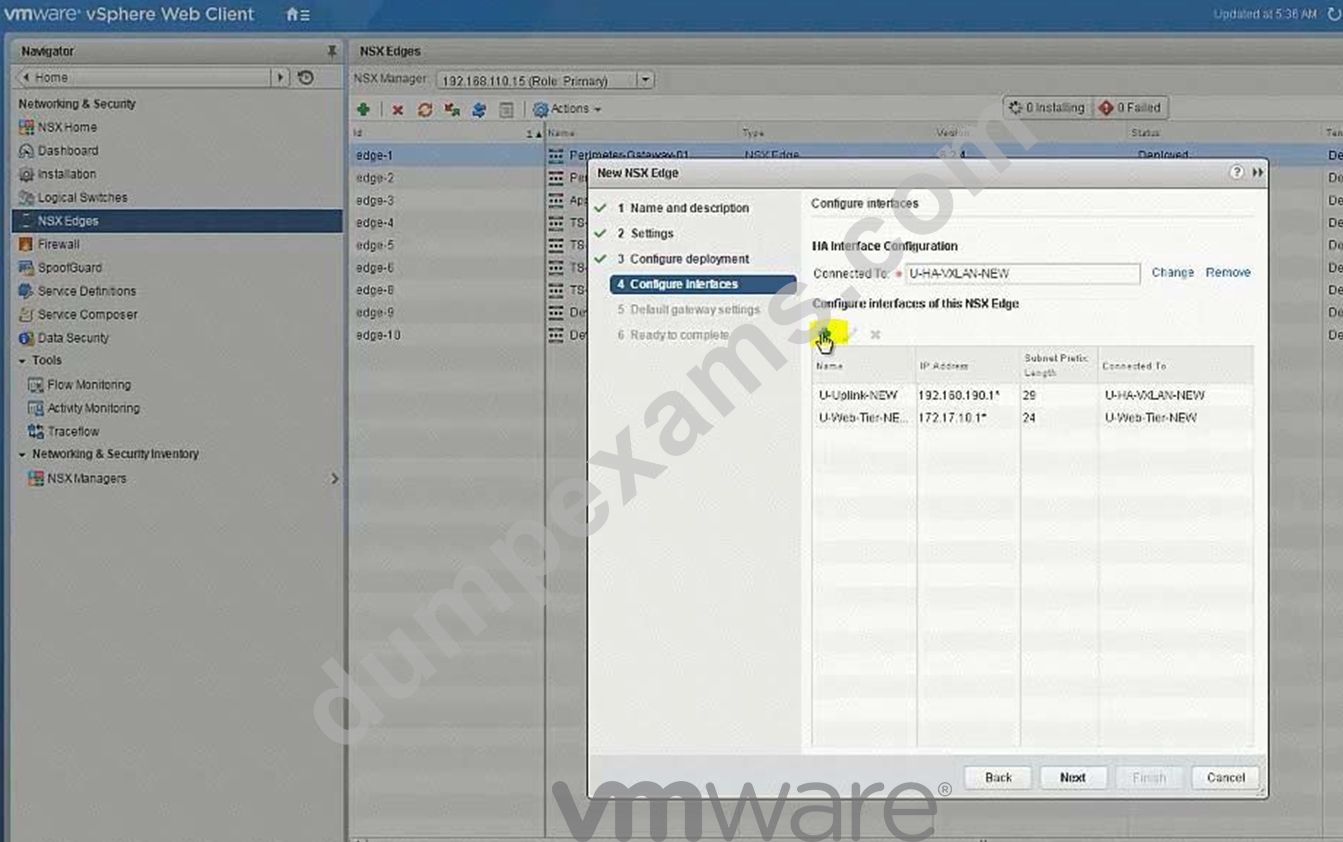
Create a LS for HA management interface calle U-HA-VXLAN=NEW but do not enable HA on any of the edge devices deployed.
Deploy logical switches using separate subnets for the three tier application shared by both NSX Manager instances.
Deploy the required east-west routing component used across multiple vCenter instances for the multi-tier network.
Utilize a default gateway up to the Perimeter-Gateway02 (tenant router) from the east/west router.
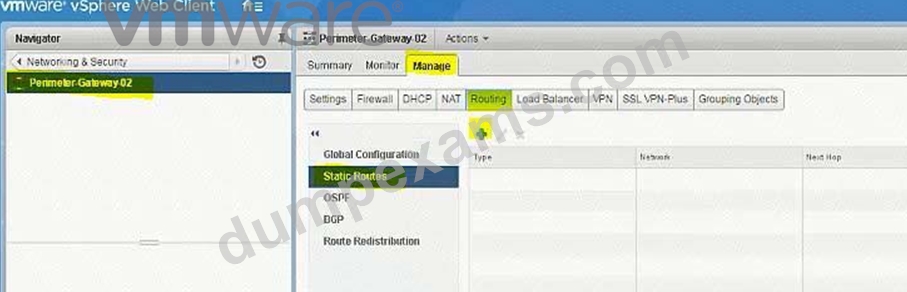
Utilize a static route from the tenant router to reach the three tiers of the application.
Subnets for the tiers:
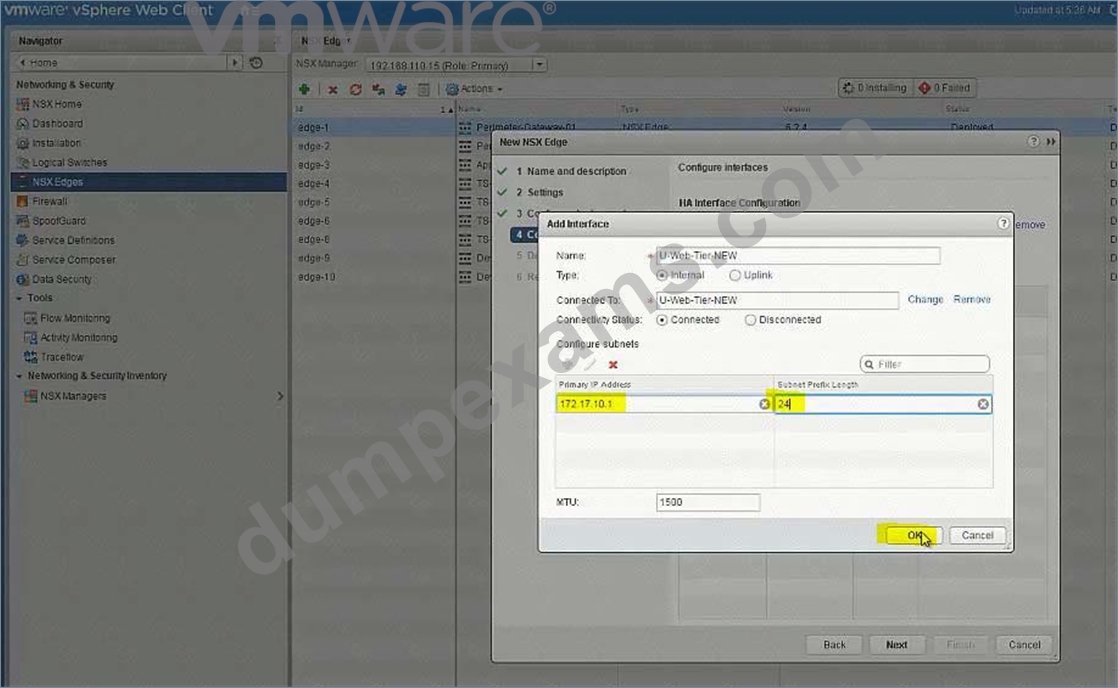
172.7.10.0/24 for the Web Tier.
172.17.20.1/24 for the App Tier.
172.17.30.0/24 for the Database Teir.
Use the first available IP address for the router on each of the tiers.
Subnet for the Transit VXLAN uplink from the application tier routing to the tenant router.
192.168.190.0/29
Uplink IP address of the application tier should be the first available IP address.
Downlink from the tenant router will use the second available IP addresses.
The password for new edge device(s) must be VMware1!VMware1!
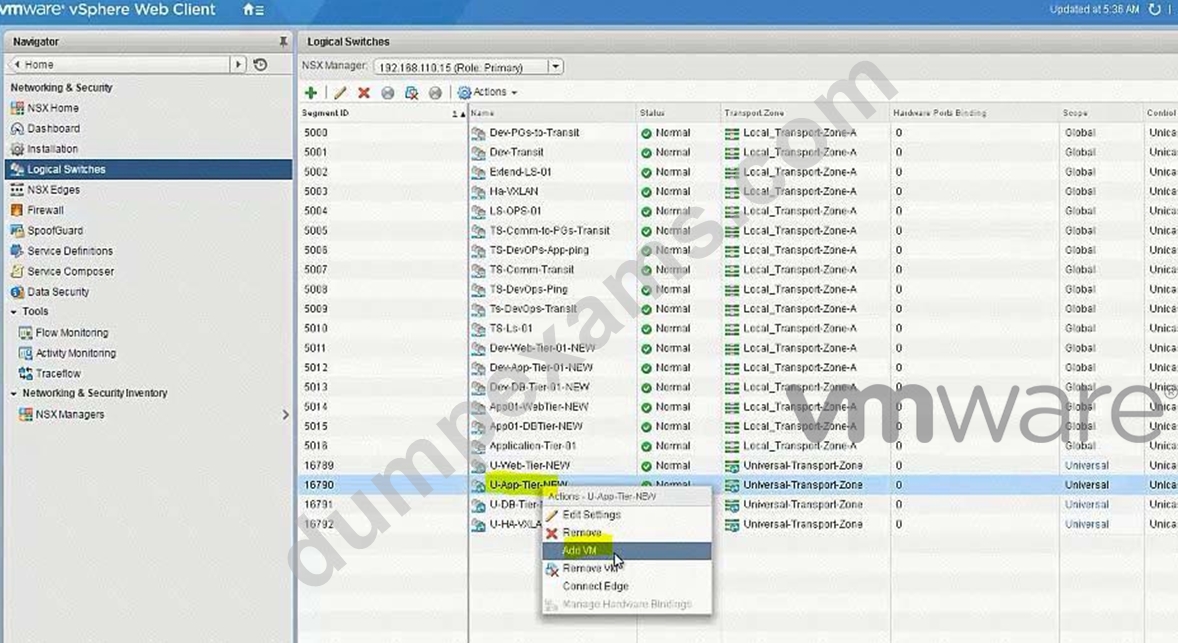
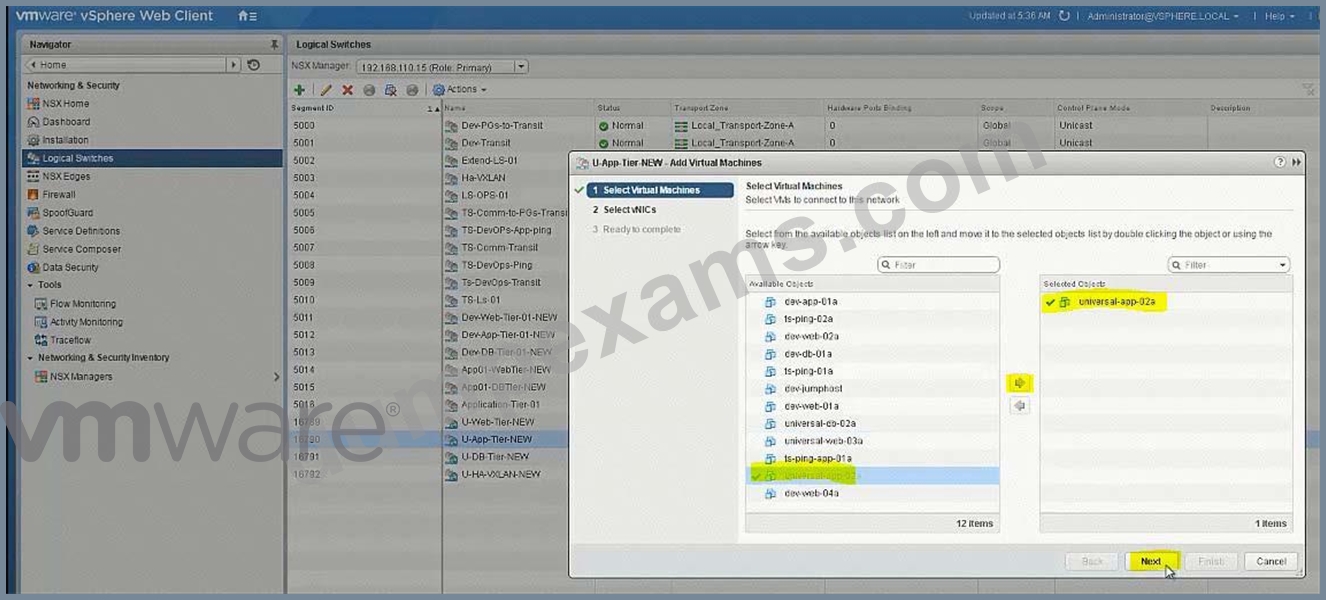
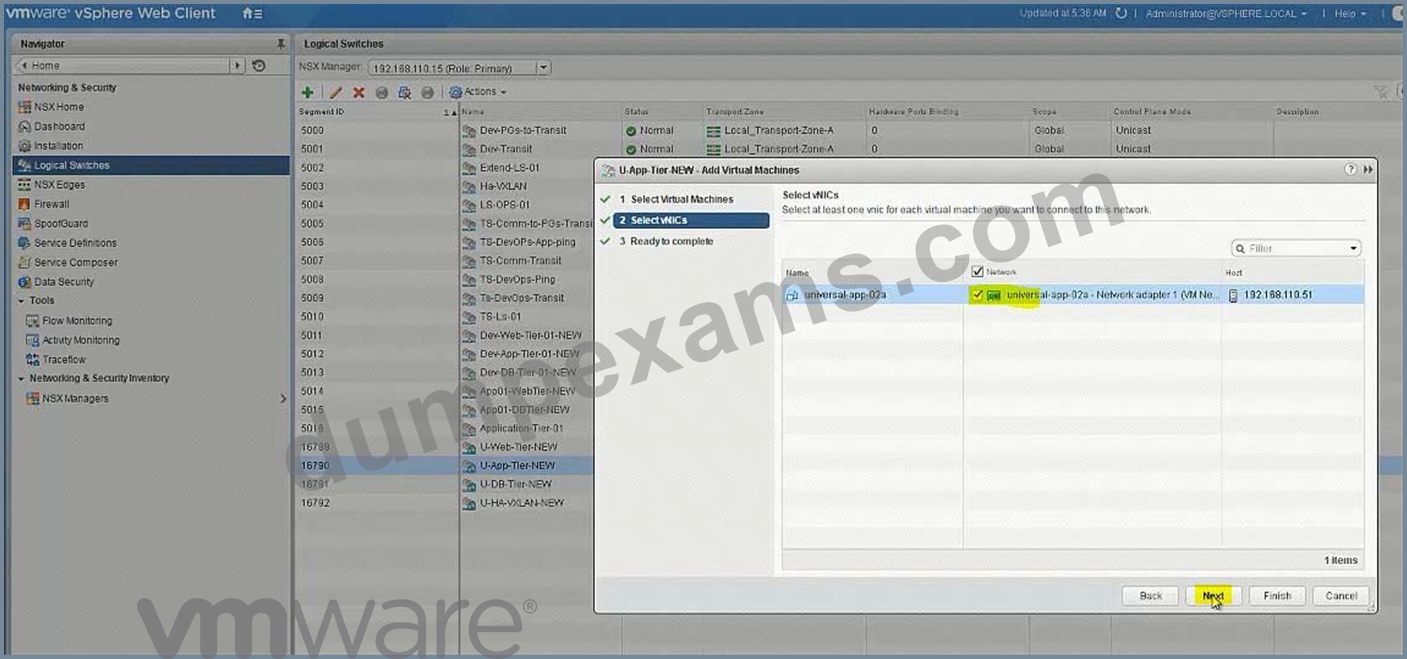
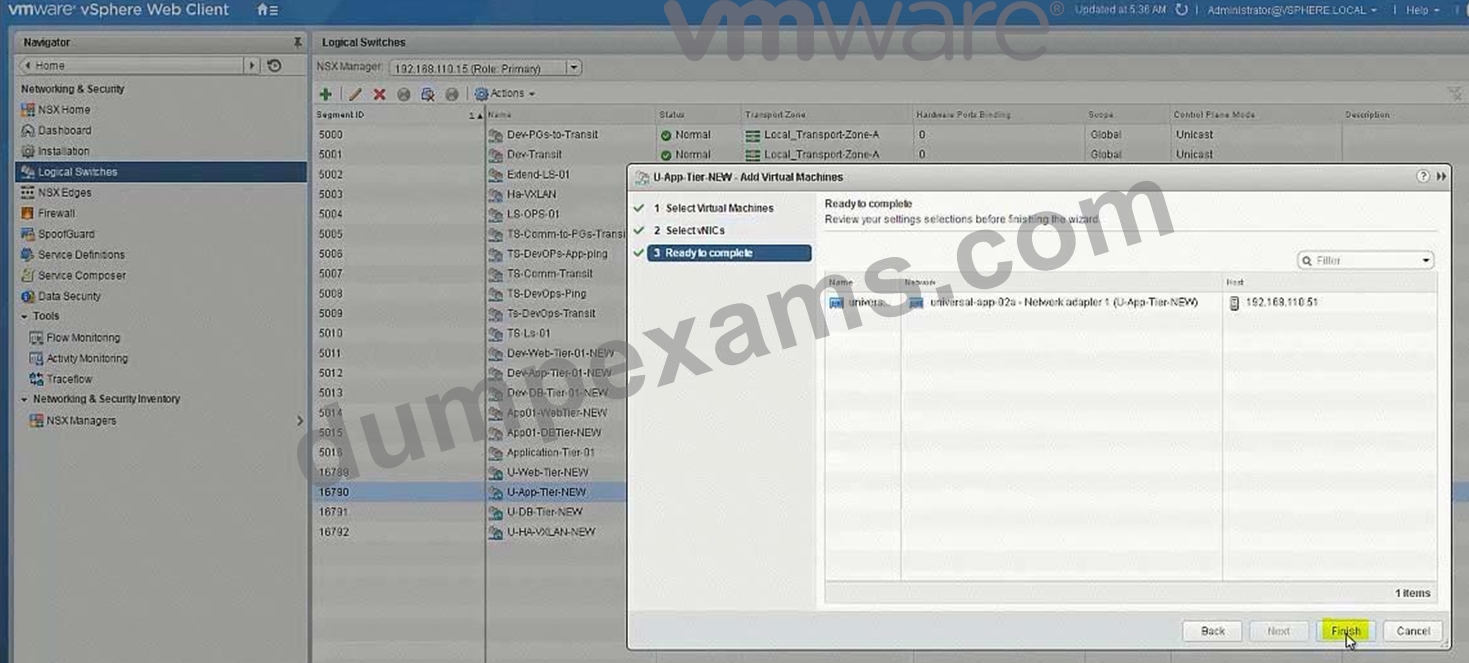
Add all virtual machines with a prefix "universal-" to their respective segments.
Ensure all LIFs are reachable from ControlCenter.
HOL LAB for Practice:
See the explanation part for complete solution.
Answer:
Explanation:
SOLUTION:
universal transport zone
logical switches
U-HA-VXLAN-NEW
U-Transit-NEW
U-Web-Tier-NEW
U-App-Tier-New
U-DB-Tier-New
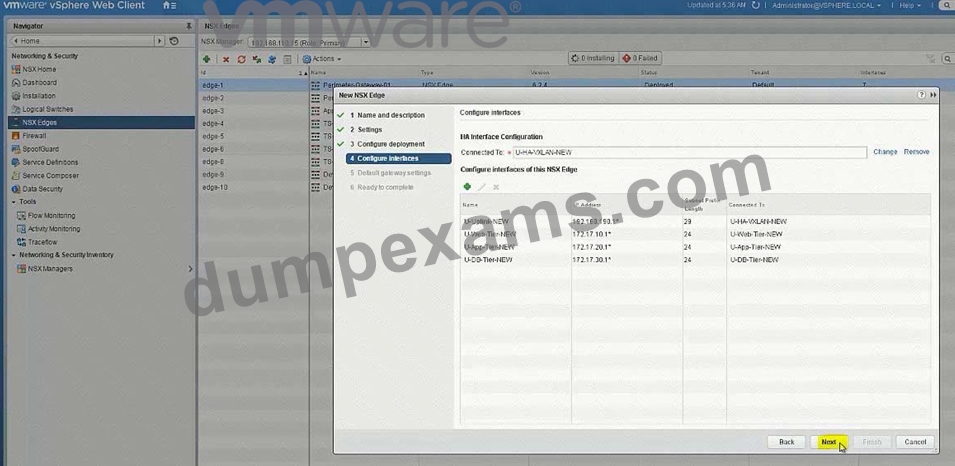
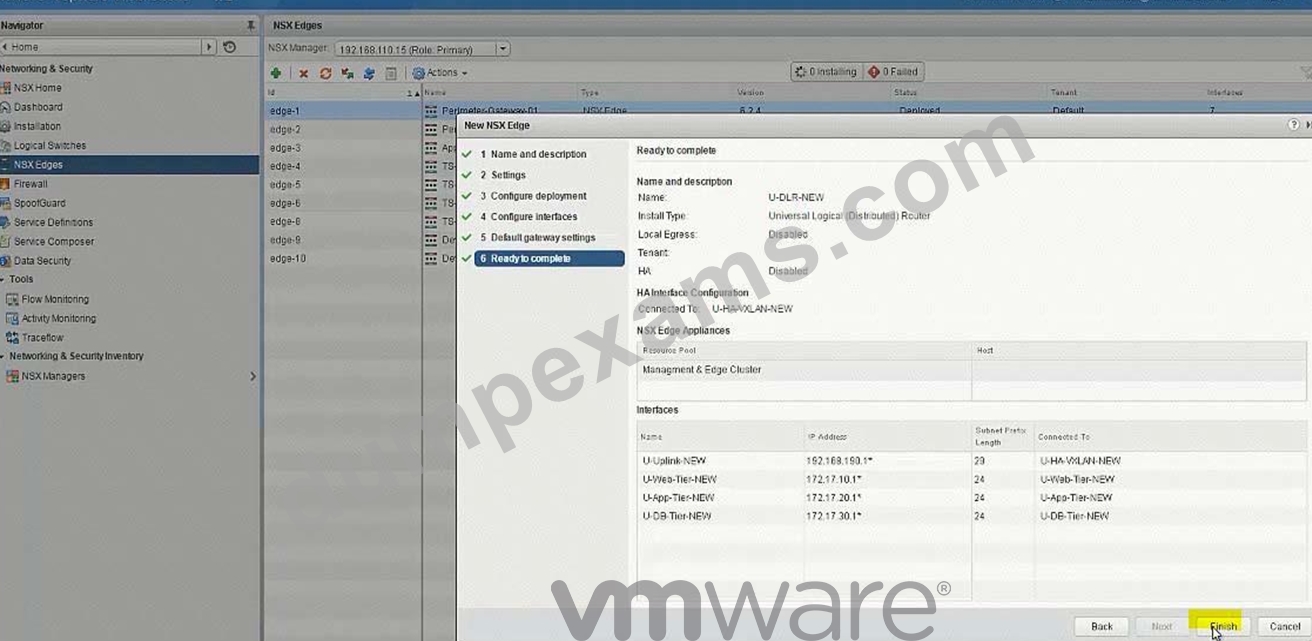
New DLR U-DLR-NEW
HA Interface - U-HA-VXLAN-NEW
Interface below
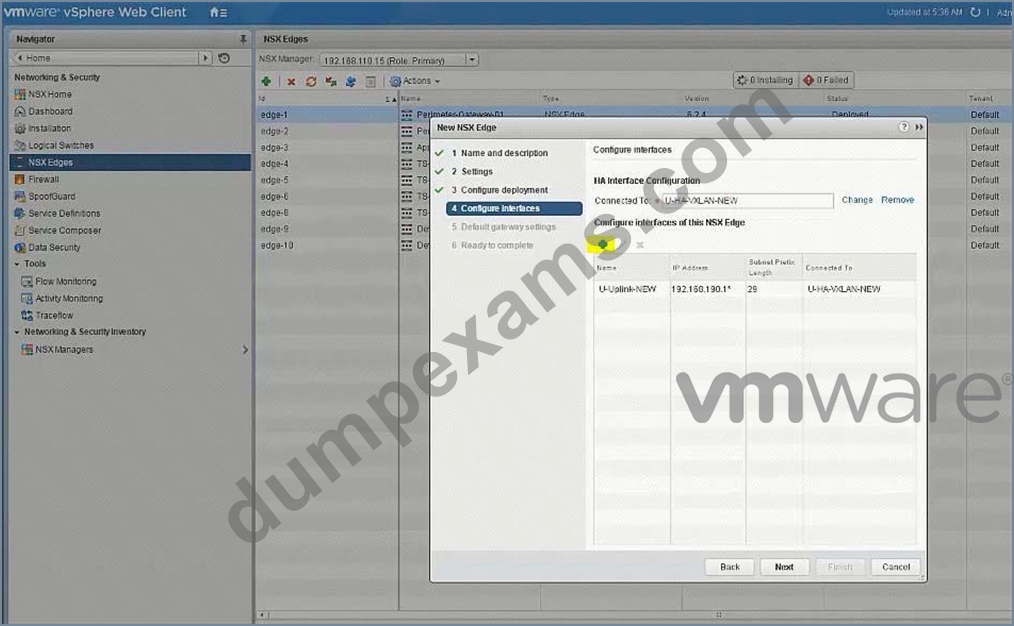
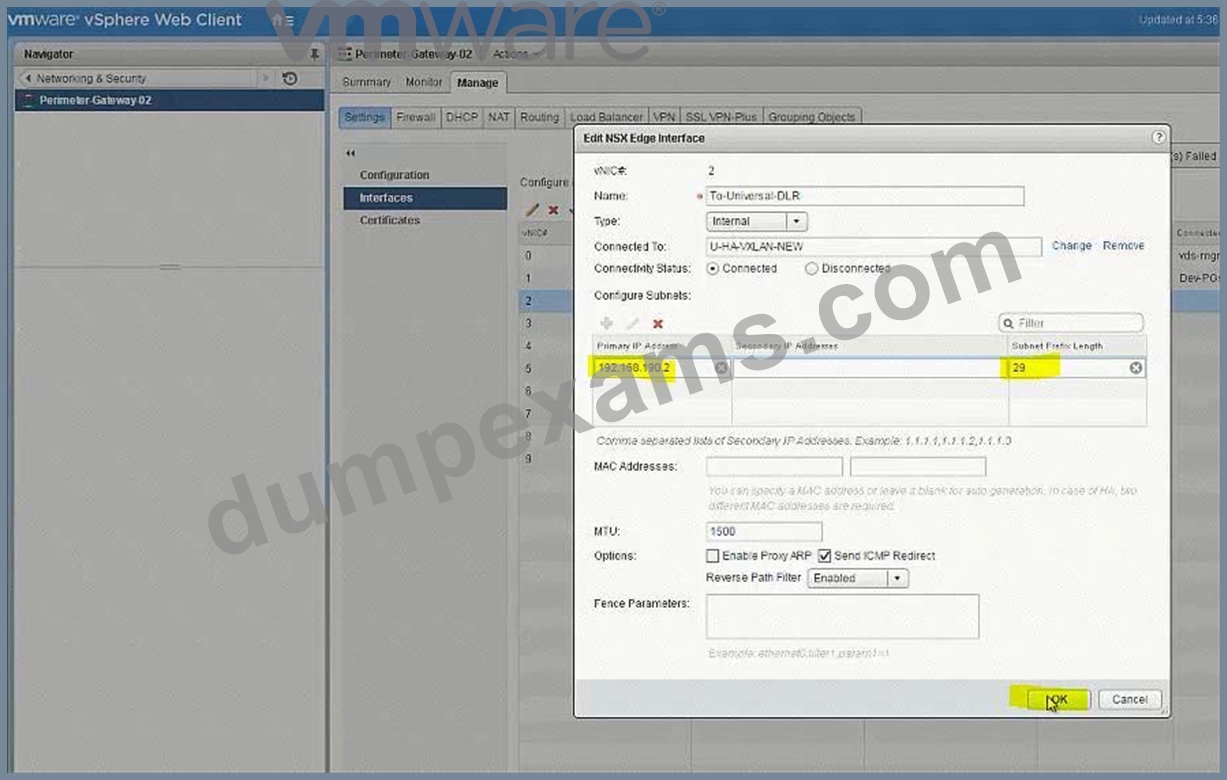
- U-Transit-NEW uplink 192.168.190.1
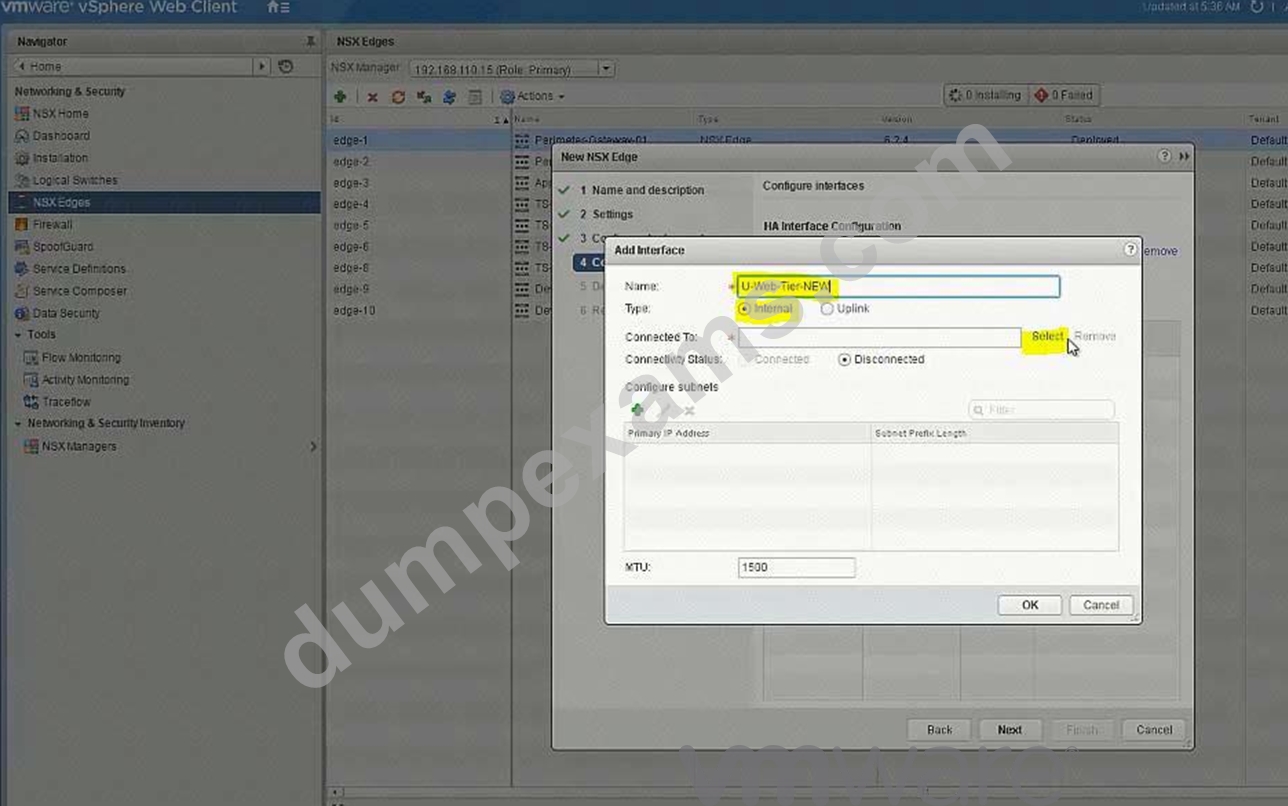
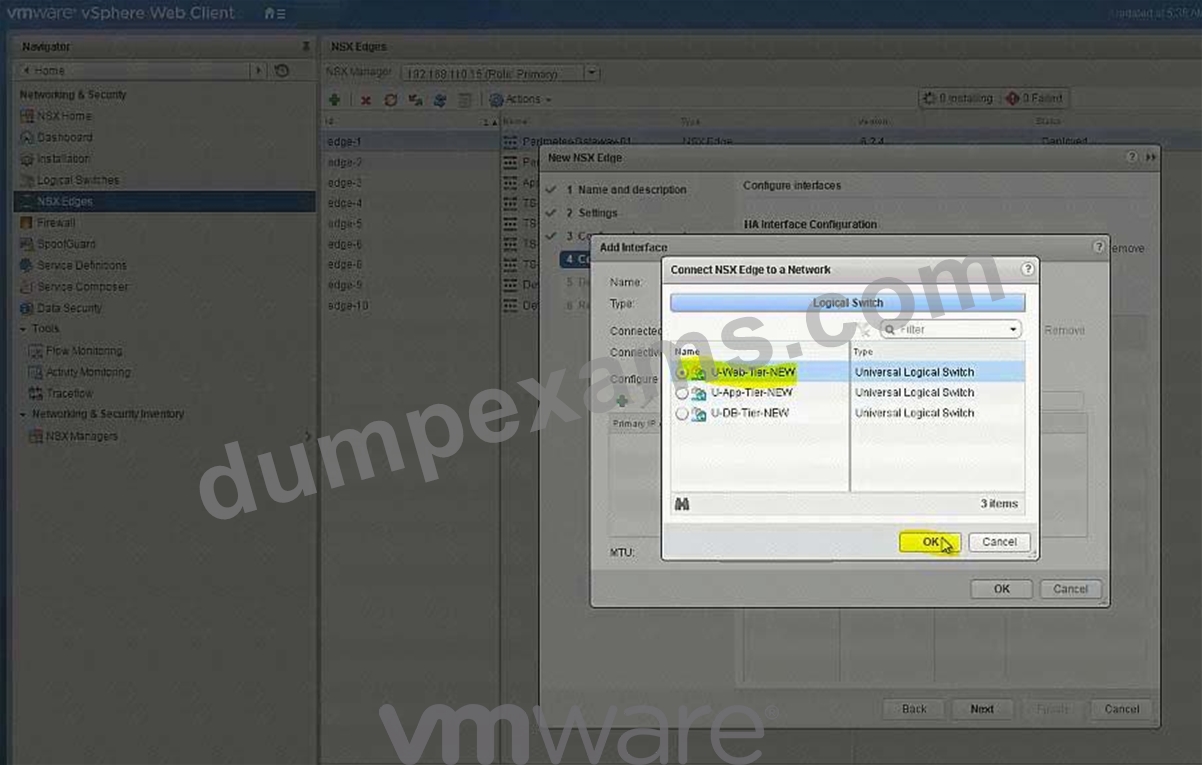
- U-Web-Tier-NEW internal 172.17.10.1
- U-App-Tier-NEW internal 172.17.20.1
- U-Db-Tier-NEW internal 172.17.30.1
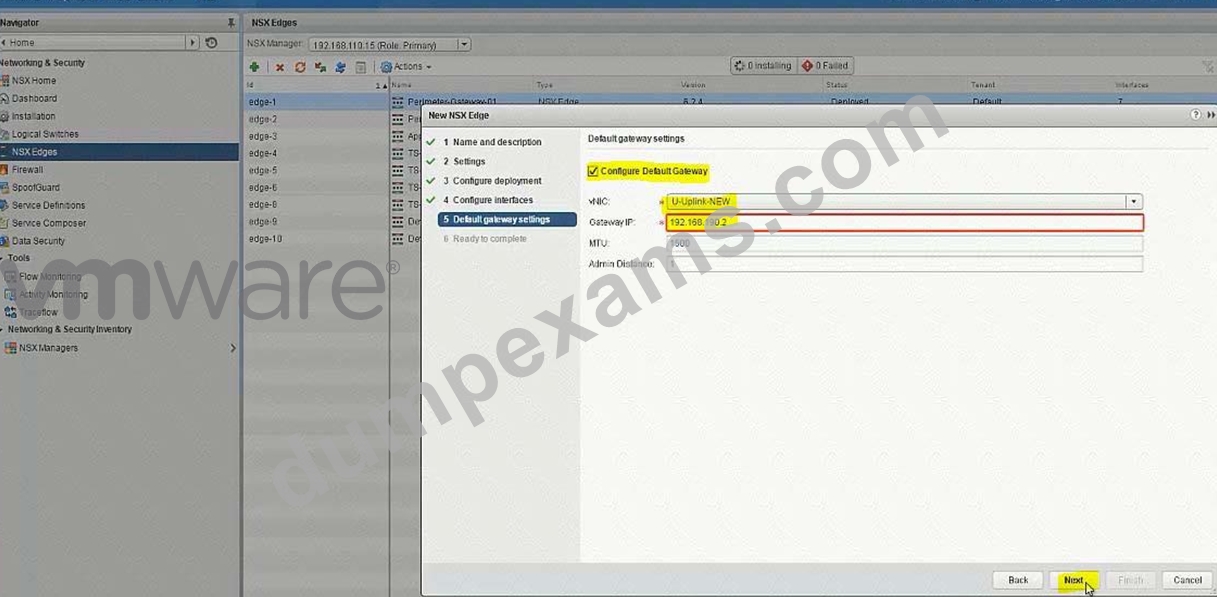
Gateway
-U-Transit-NEW
Ip 192.168.190.2
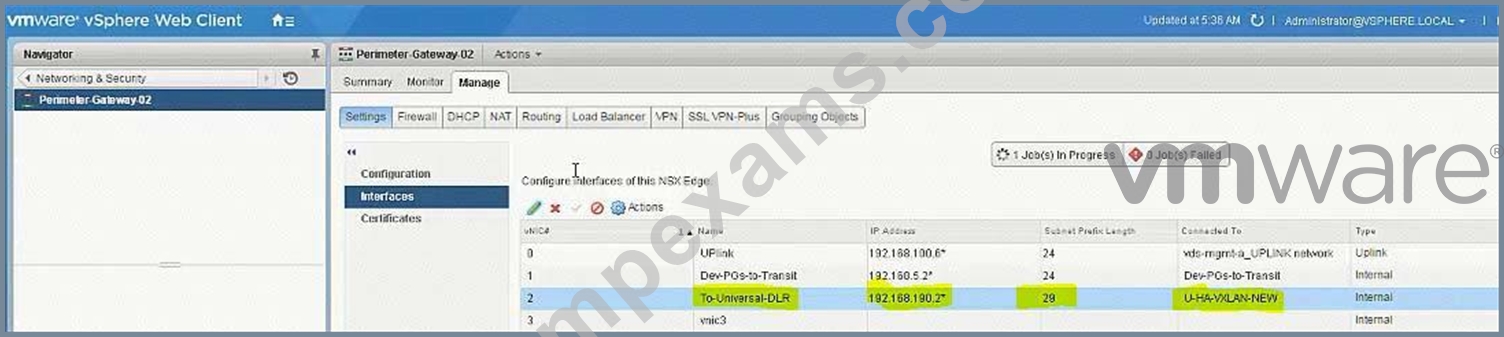
PGW02 vnic4 U-Transit-NEW 192.168.190.2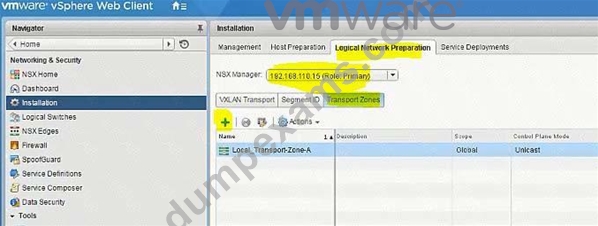
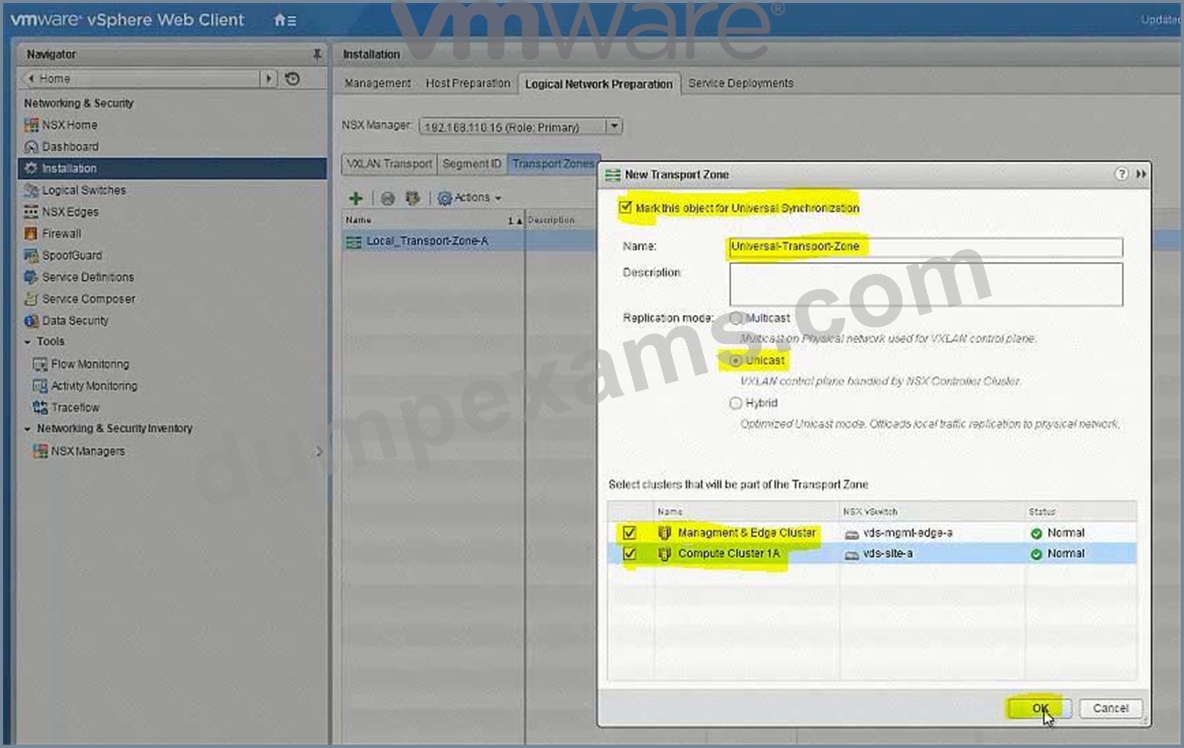
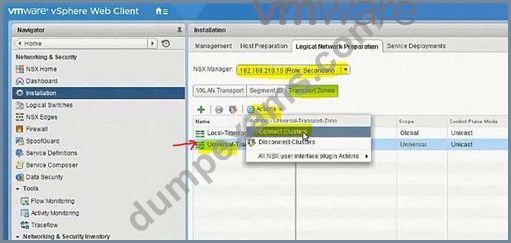
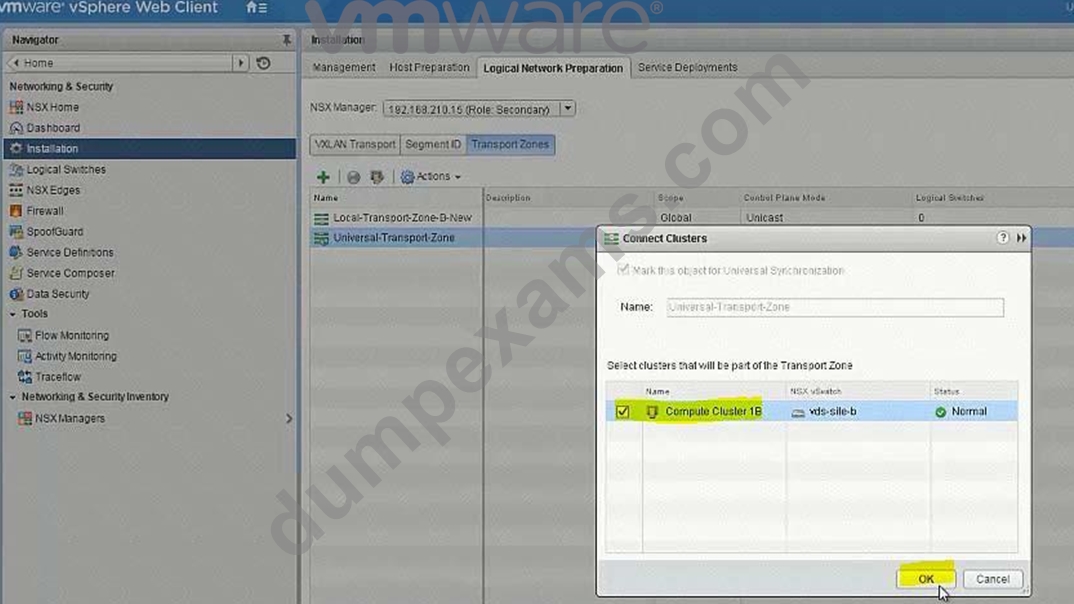
Create 5 logical switches
U-Transit-NEW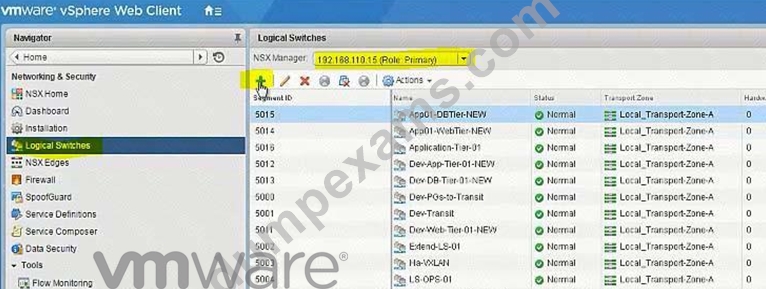
U-Web-Tier-NEW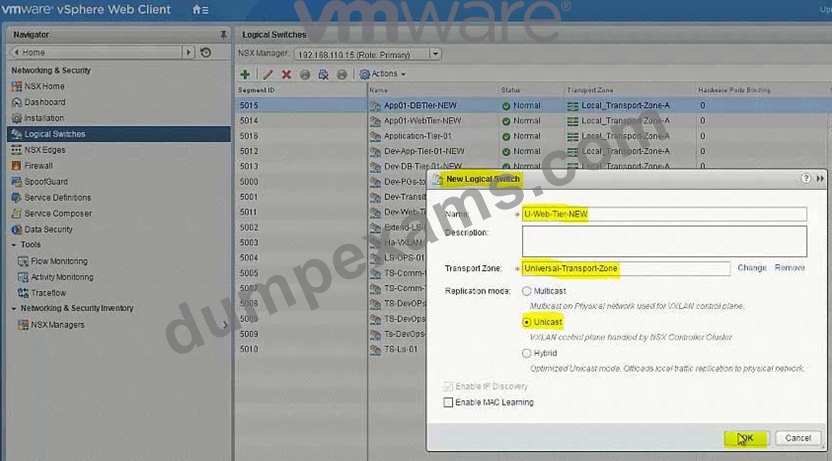
U-App-Tier-NEW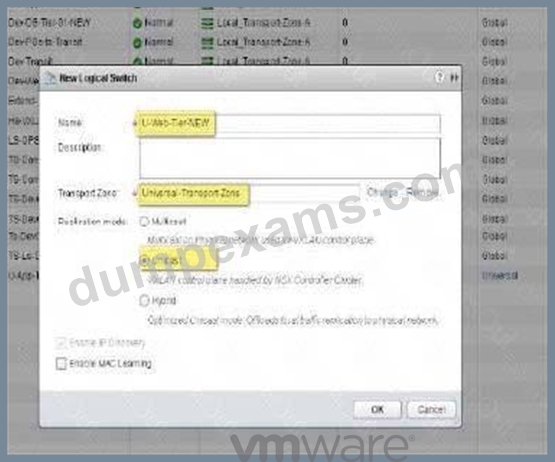
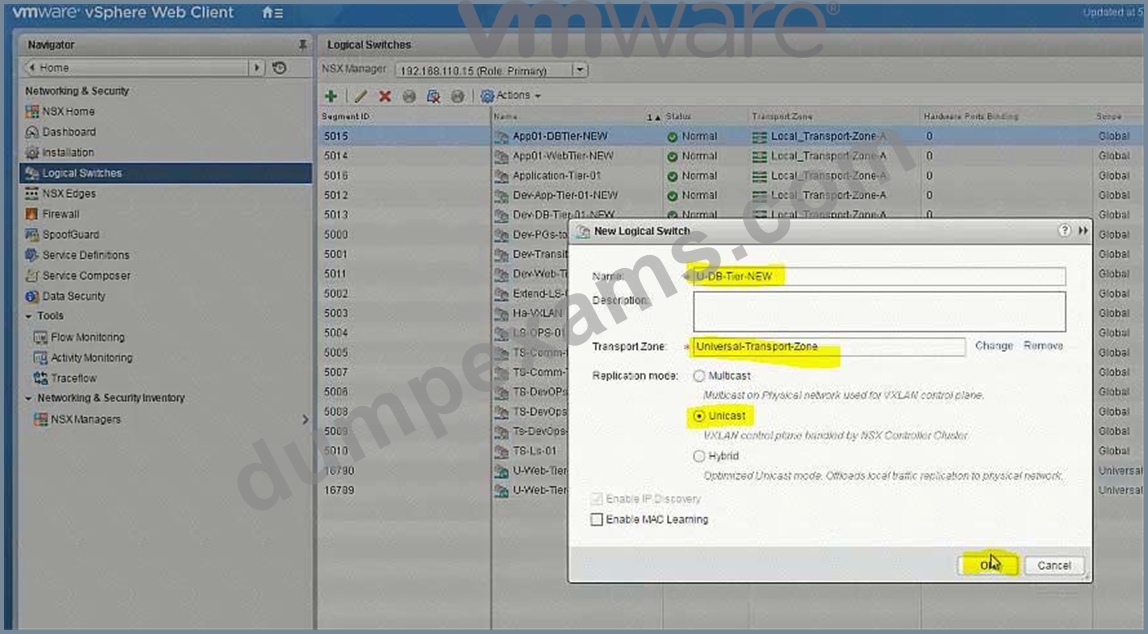
U-DB-Tier-NEW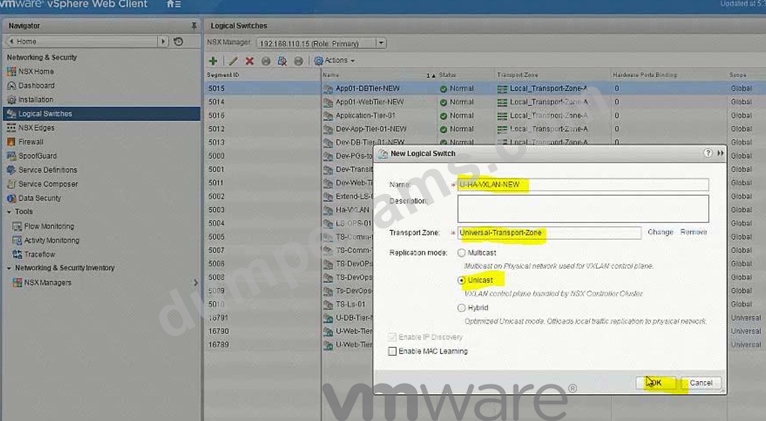
Add VMs to relevant newly created Logical Switches.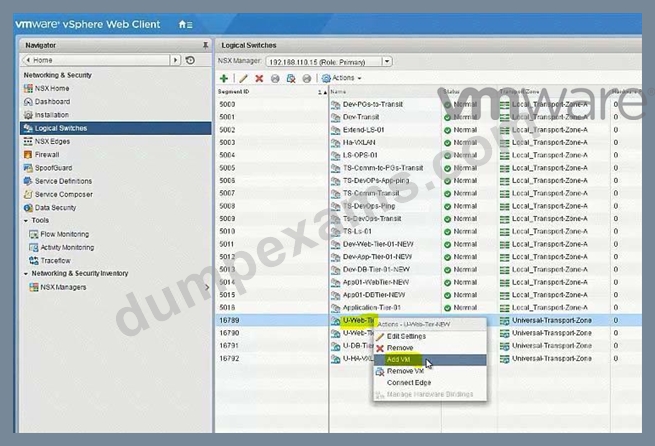
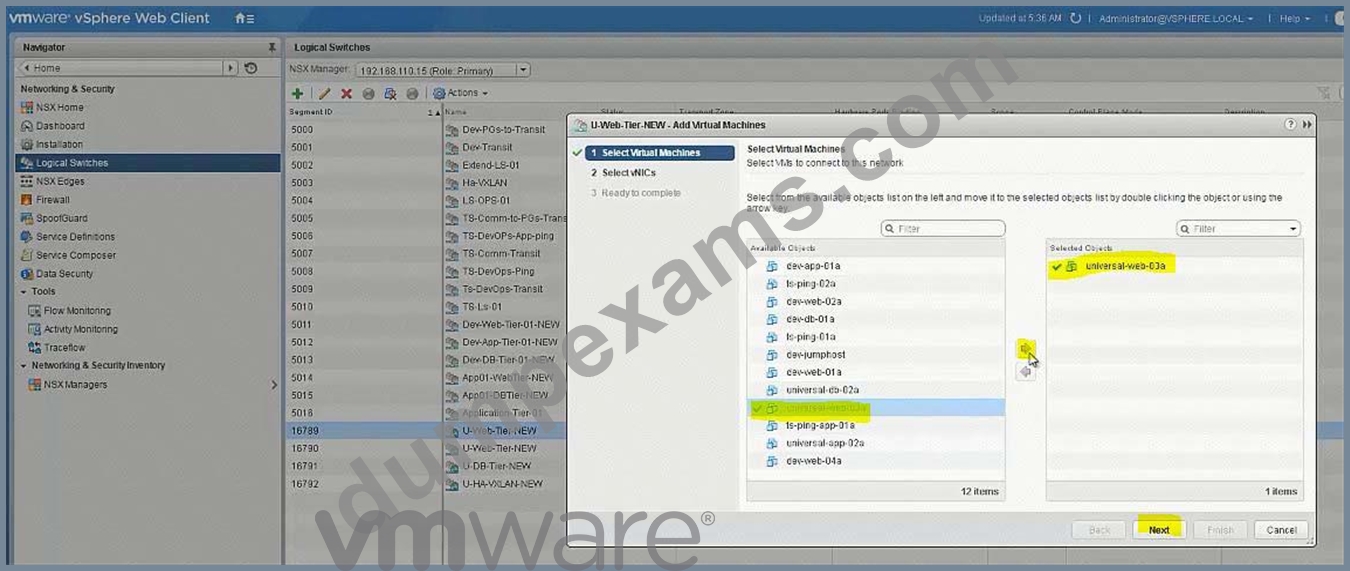
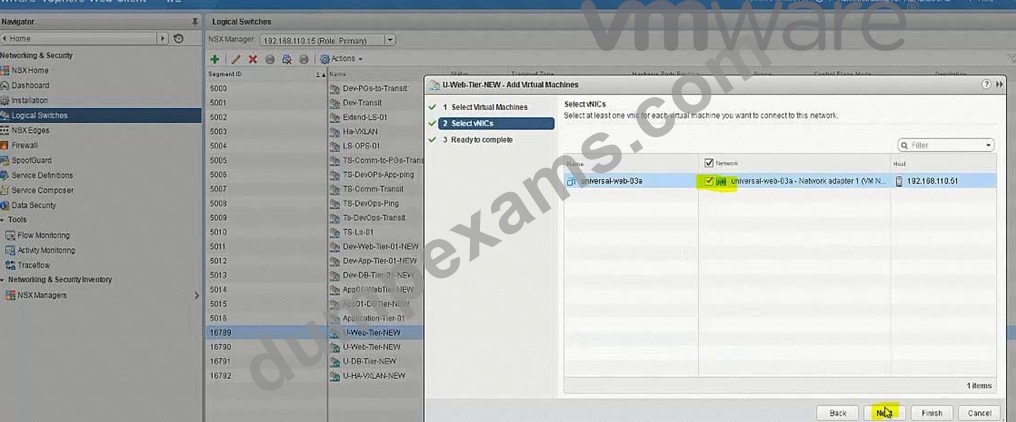
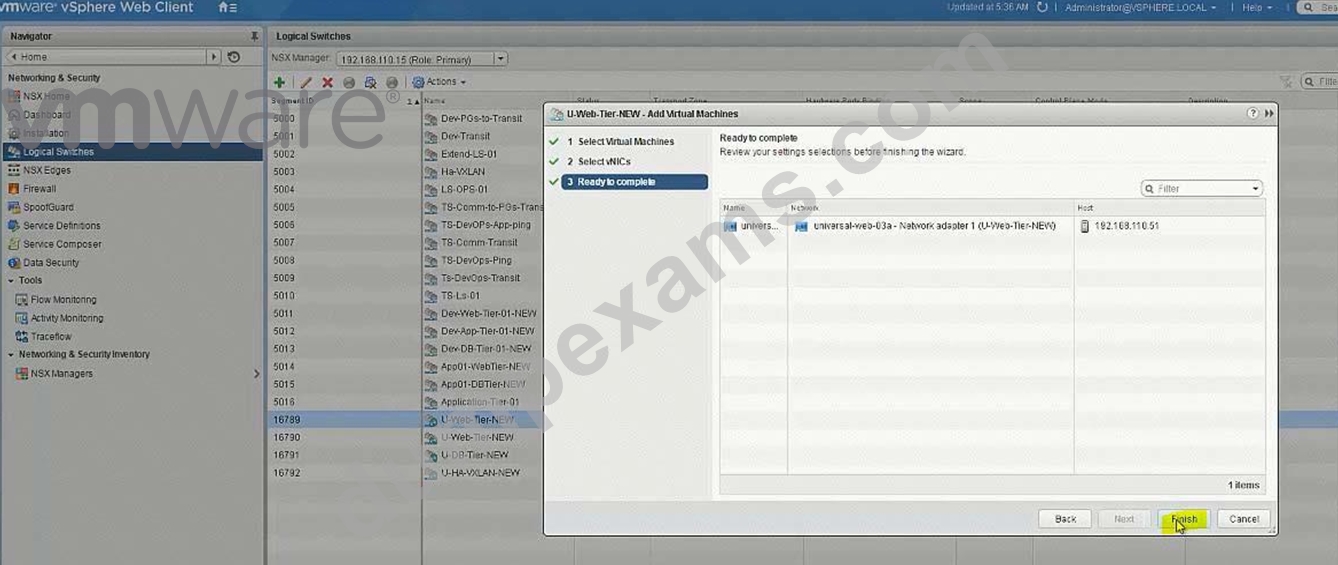
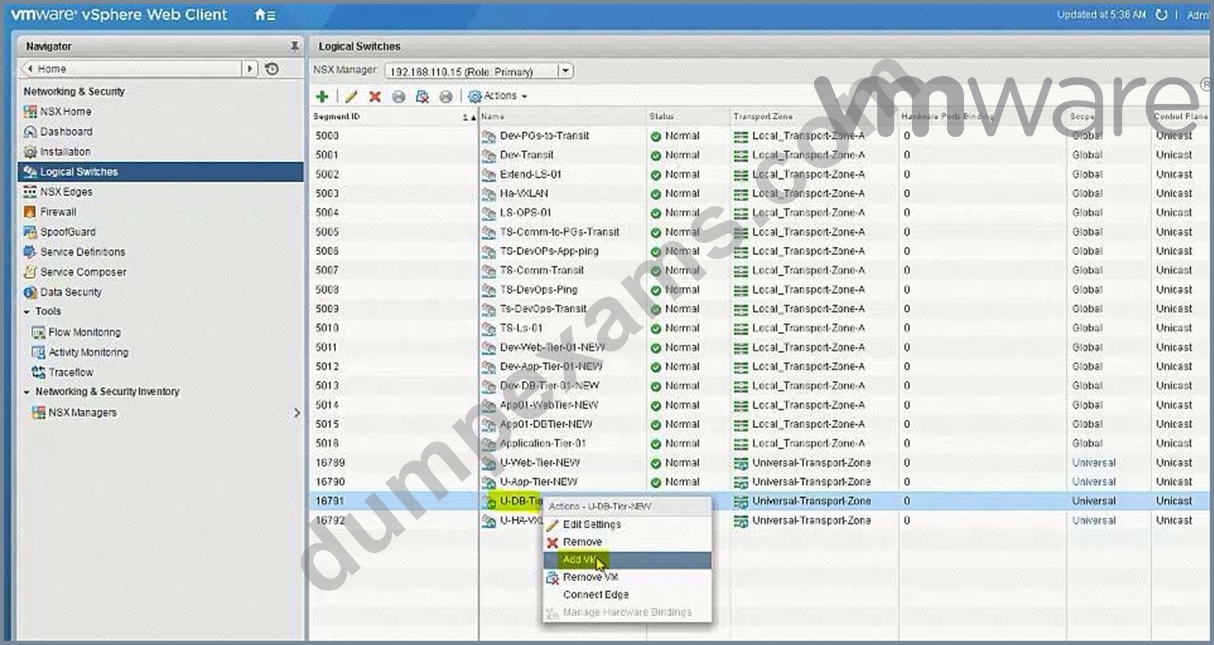
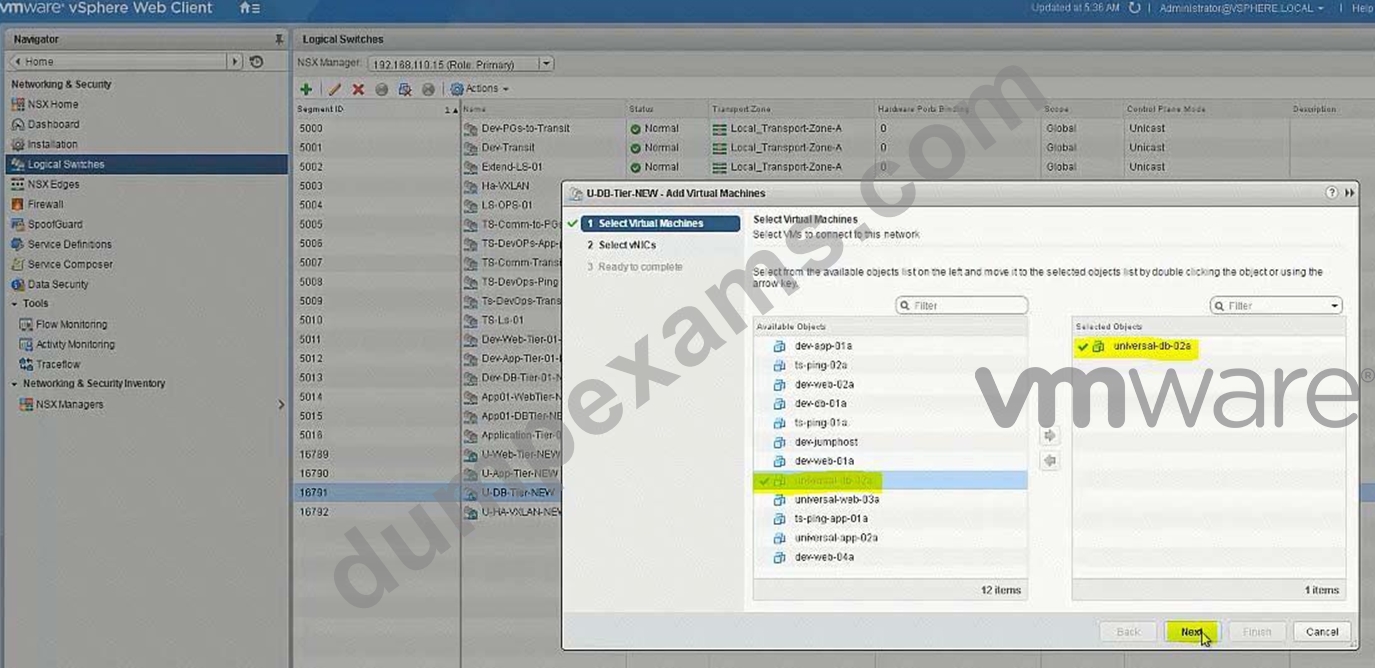
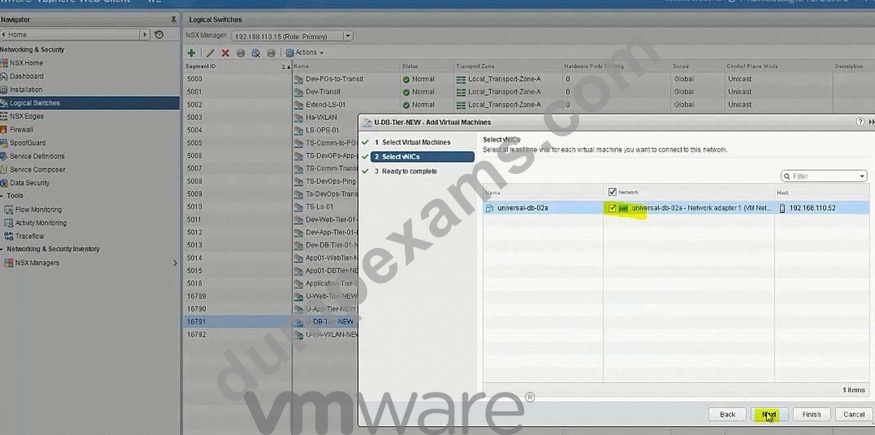
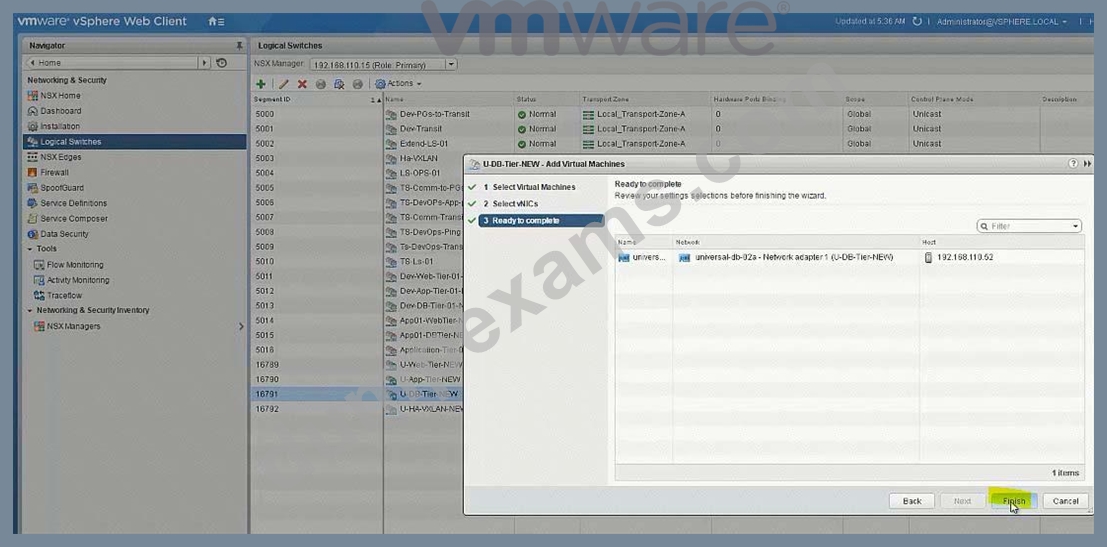
No need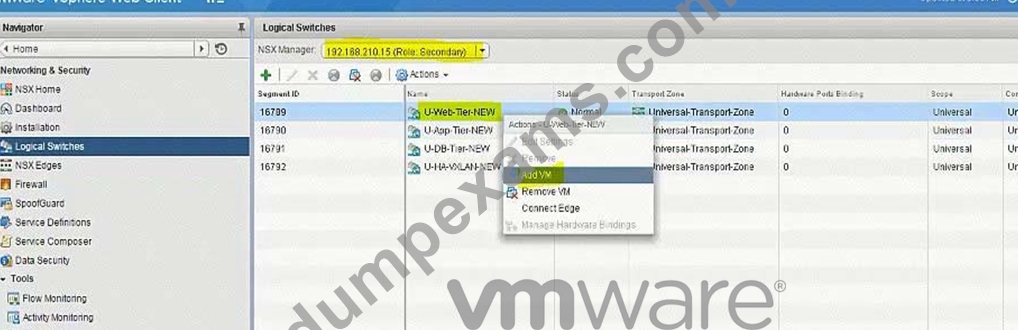
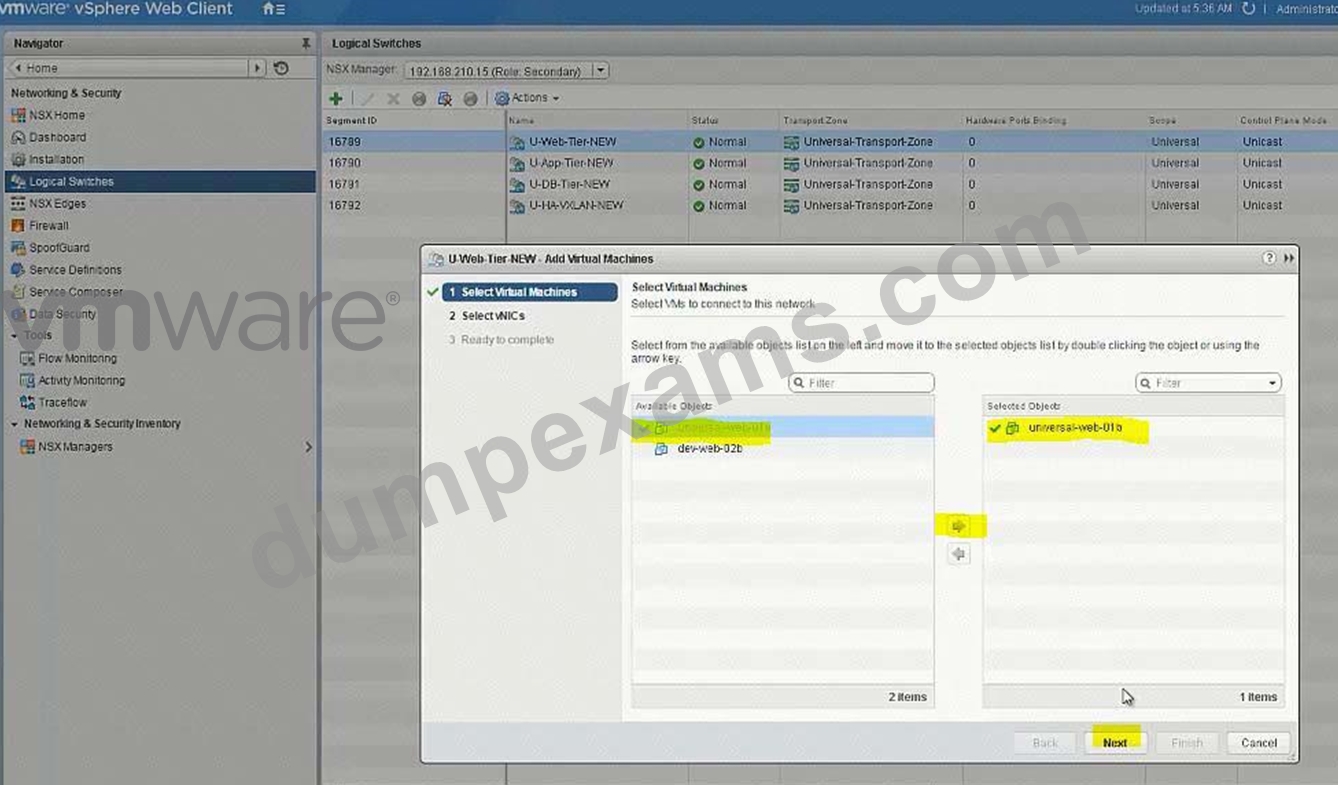
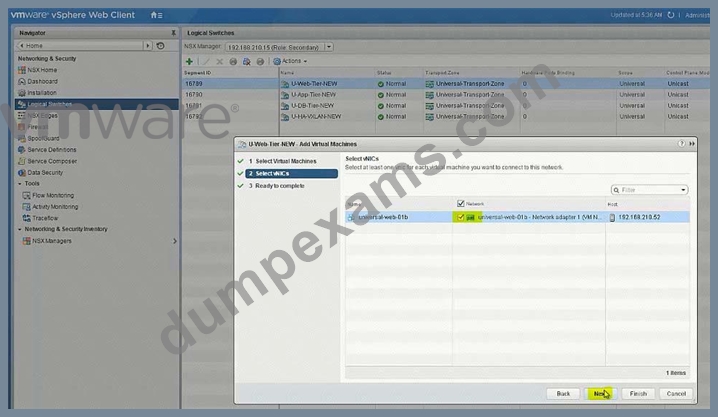
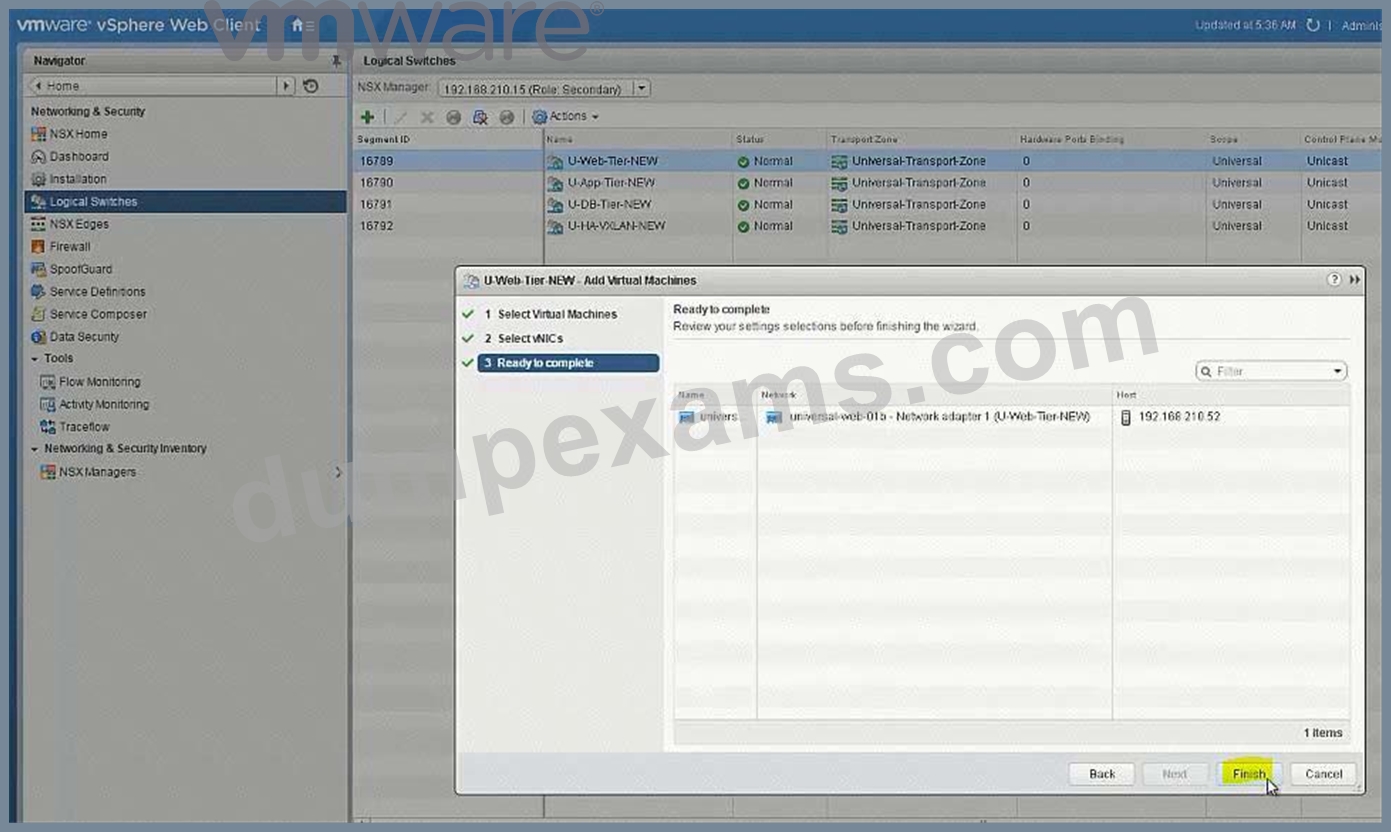
Create new Universal Logical (Distributed) Router: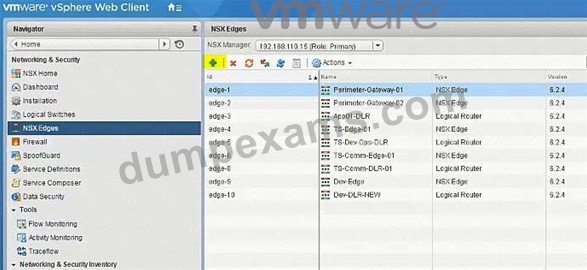
U-DLR-NEW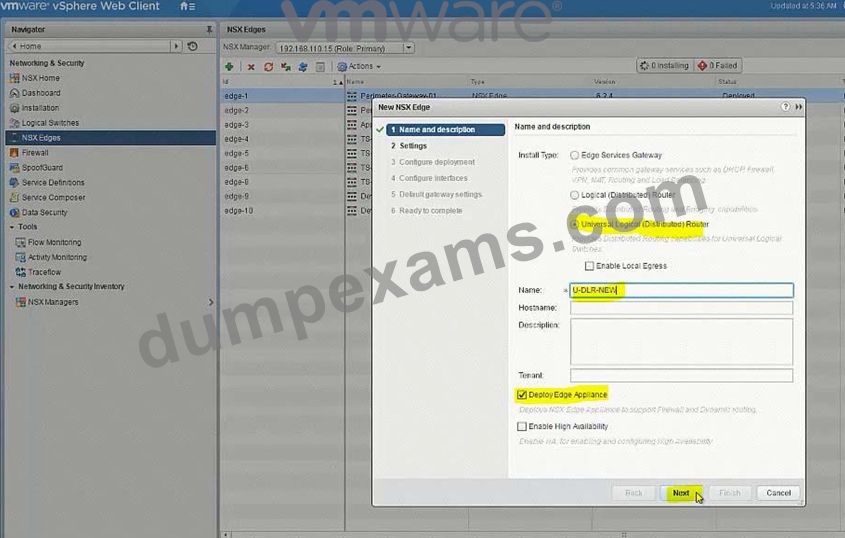
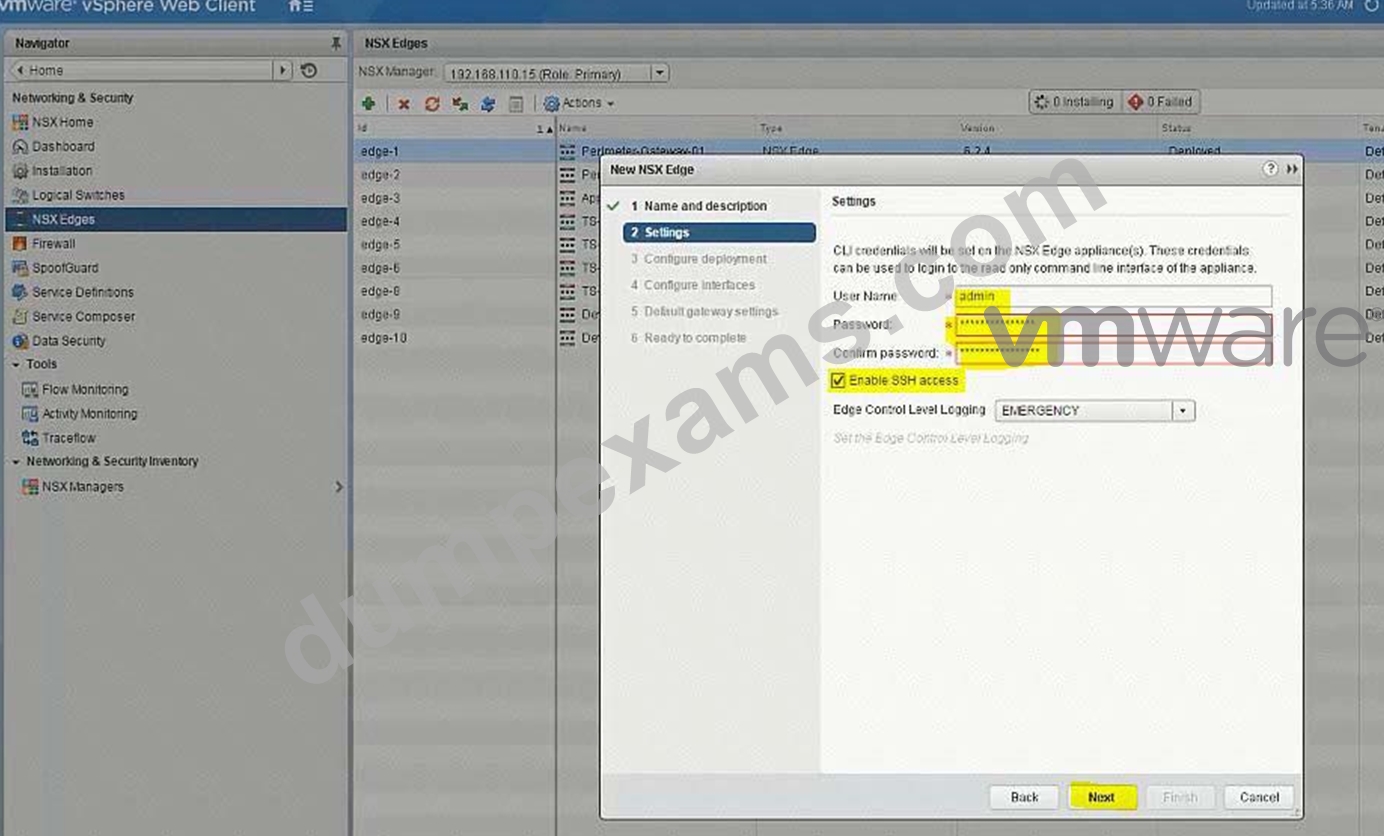
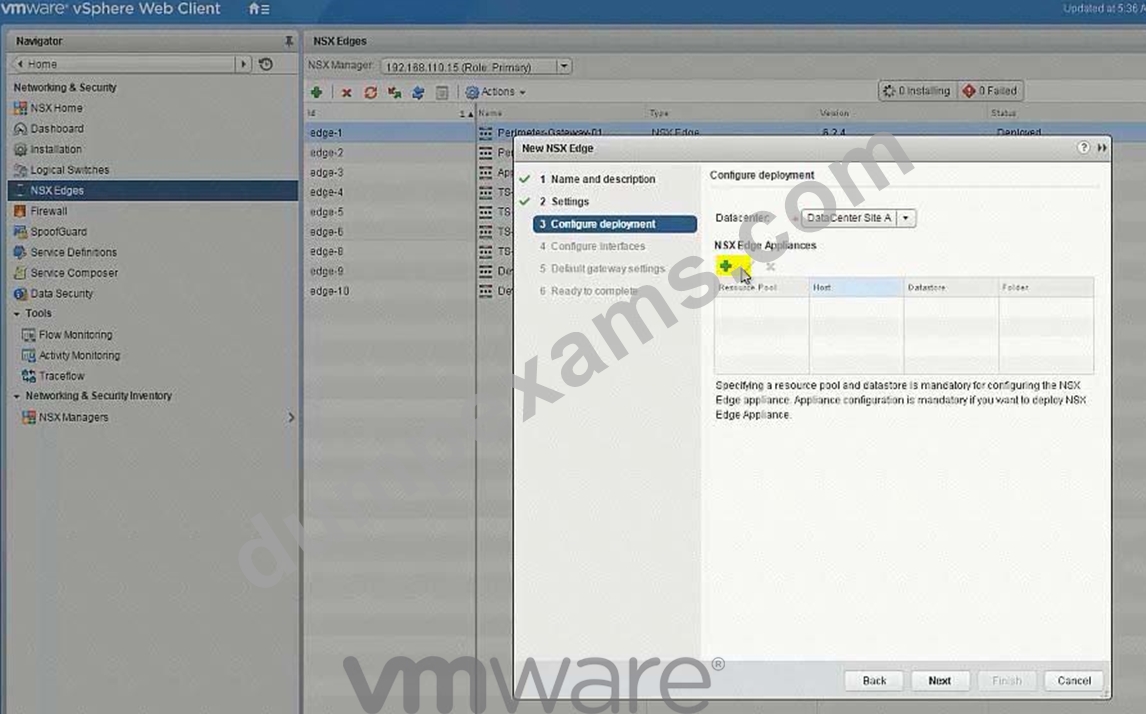
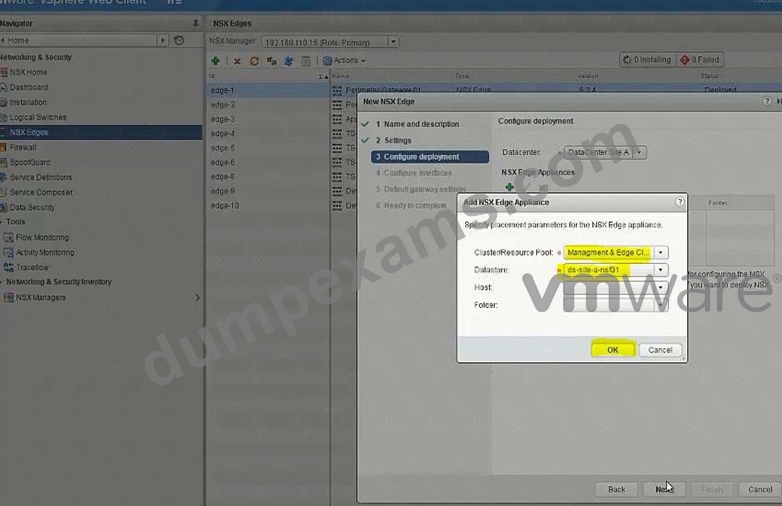
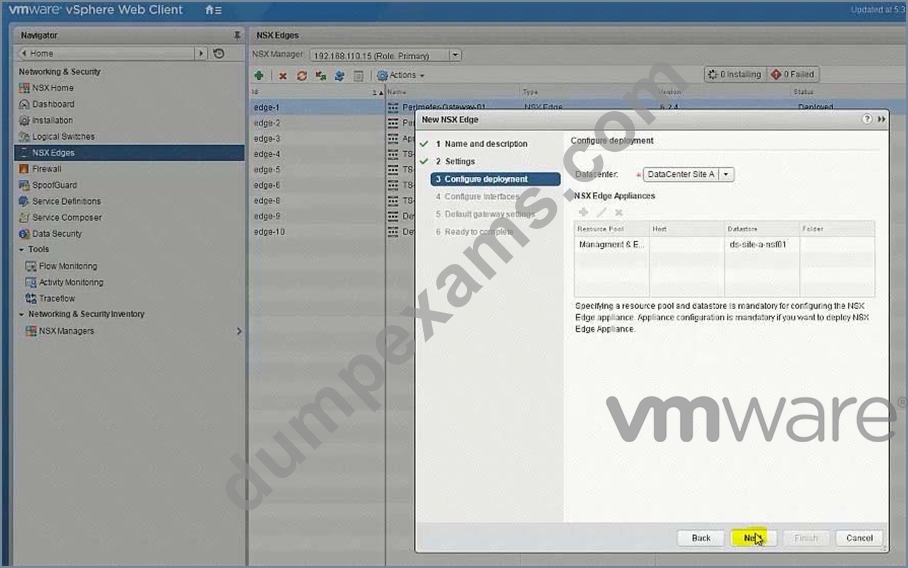
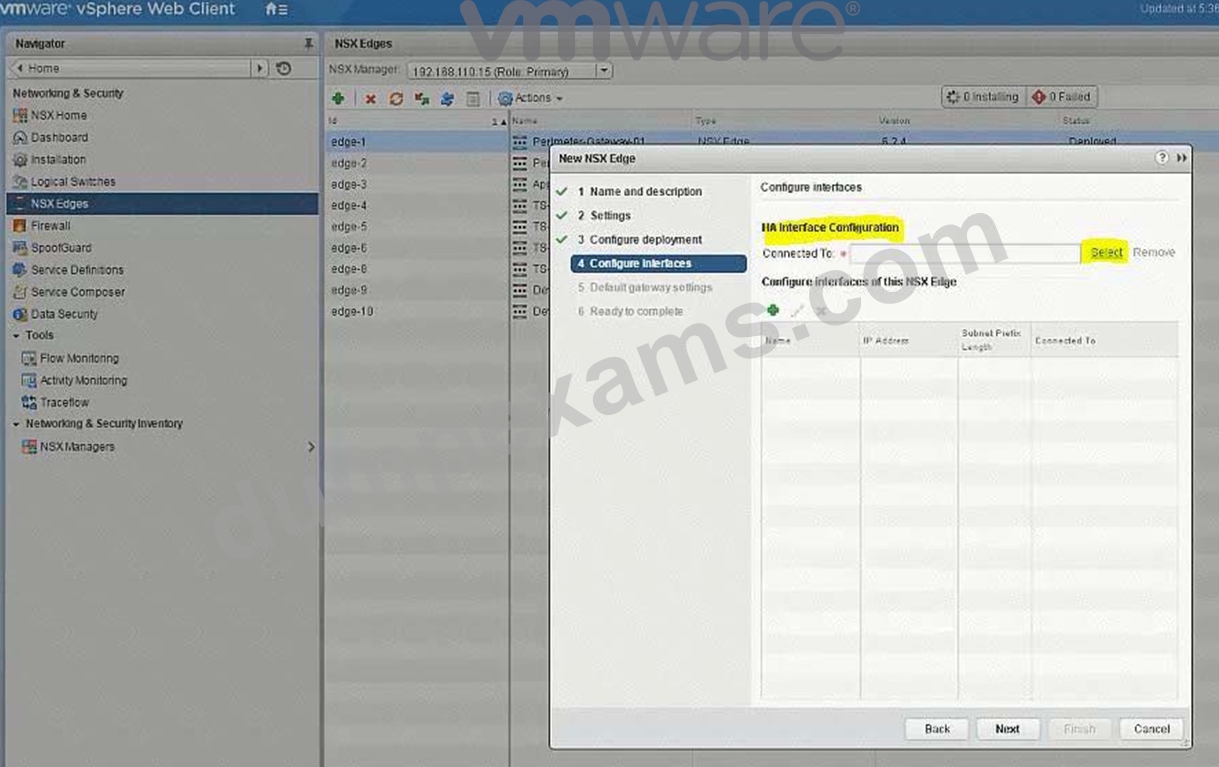
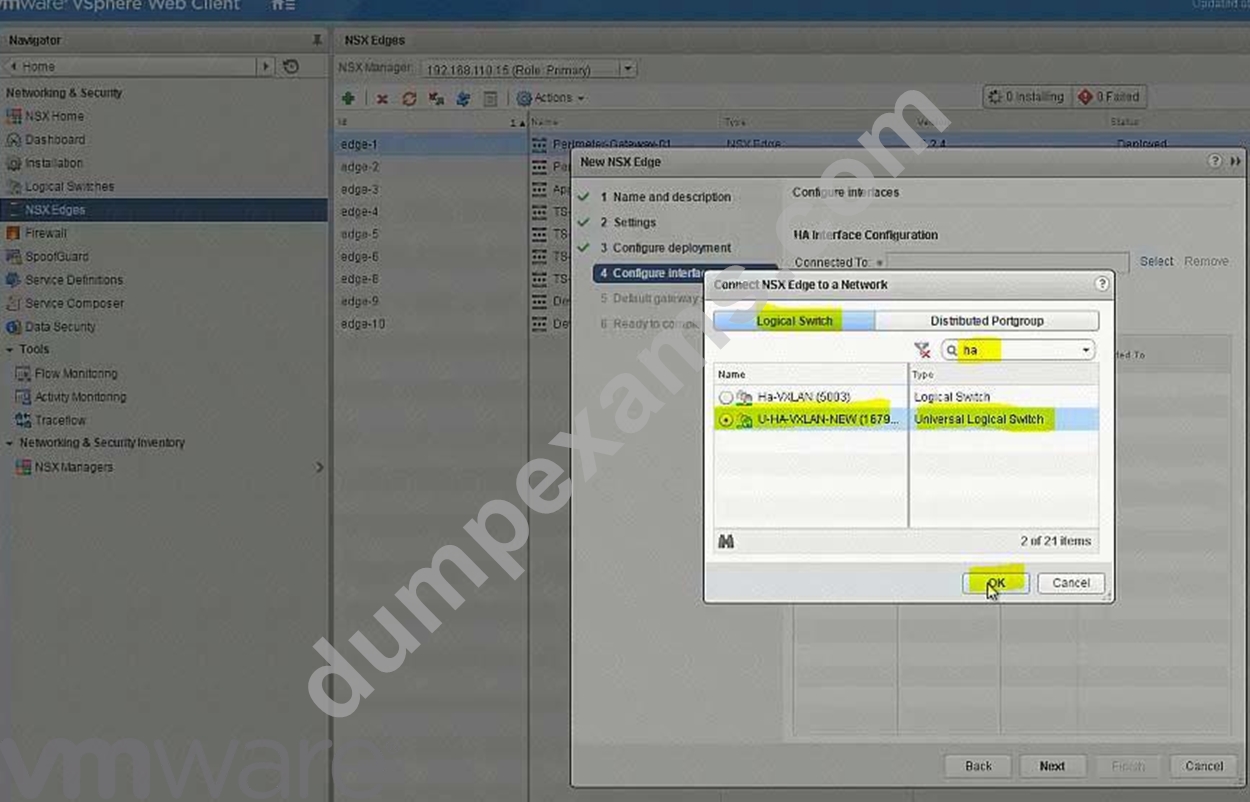
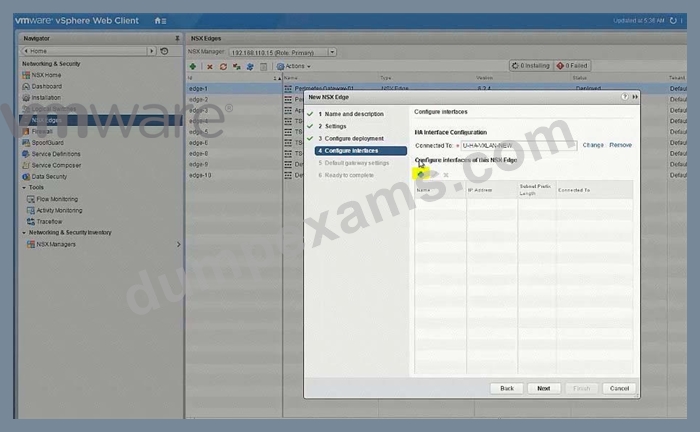
U-Uplink-NEW(U-Transit-NEW)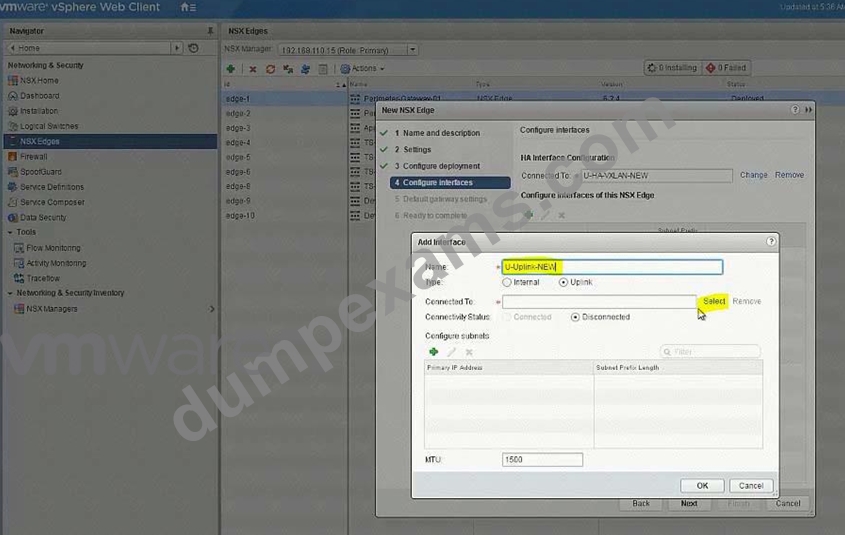
Select U-Transit-NEW logical swicth here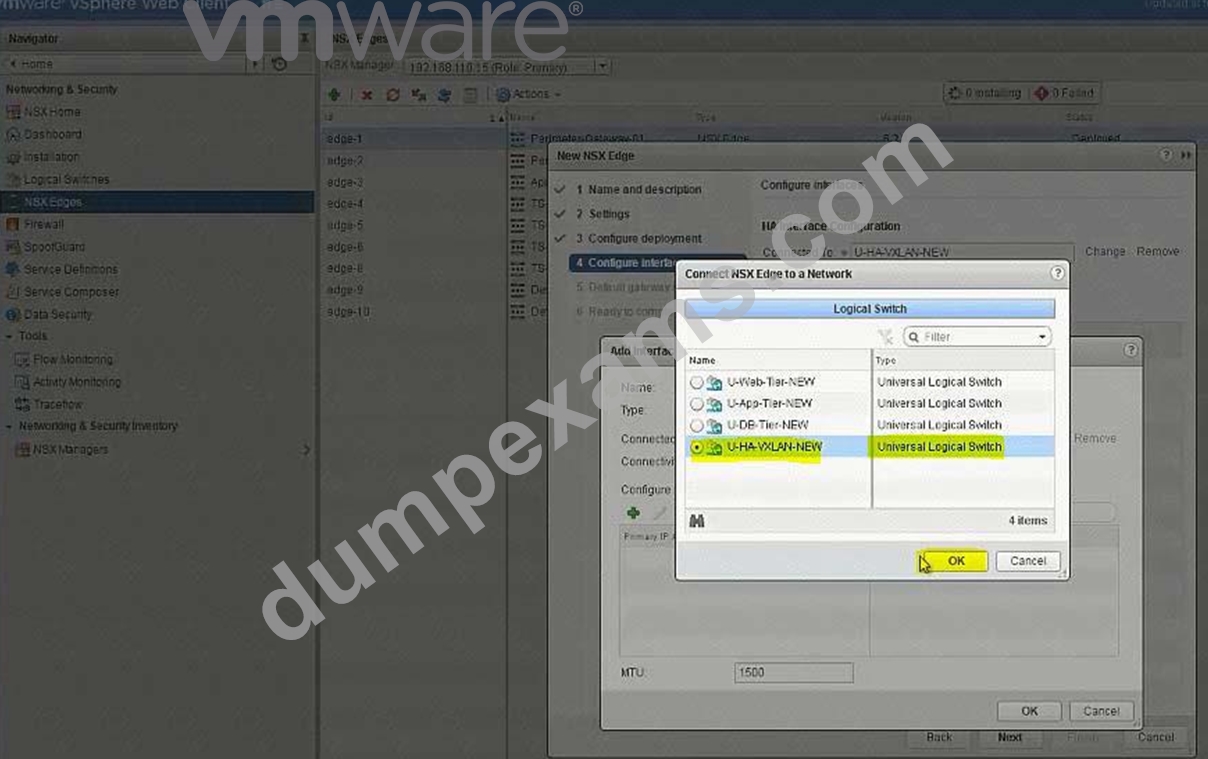
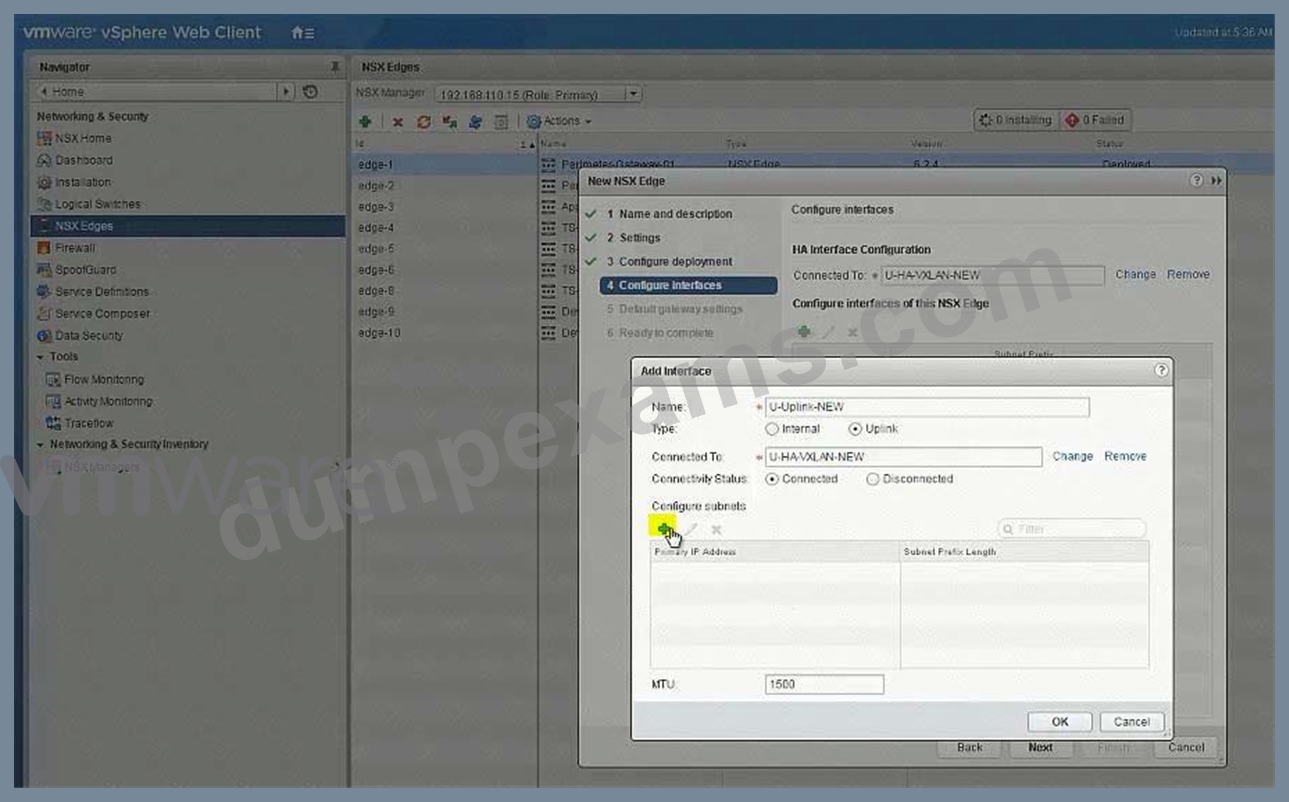
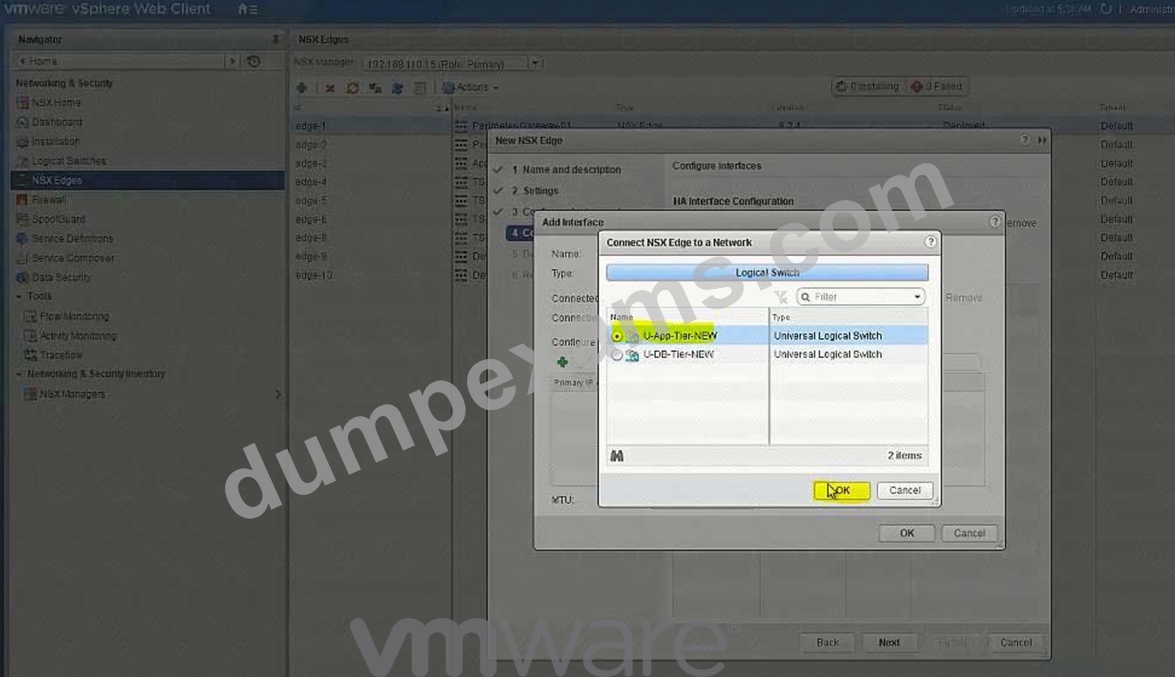
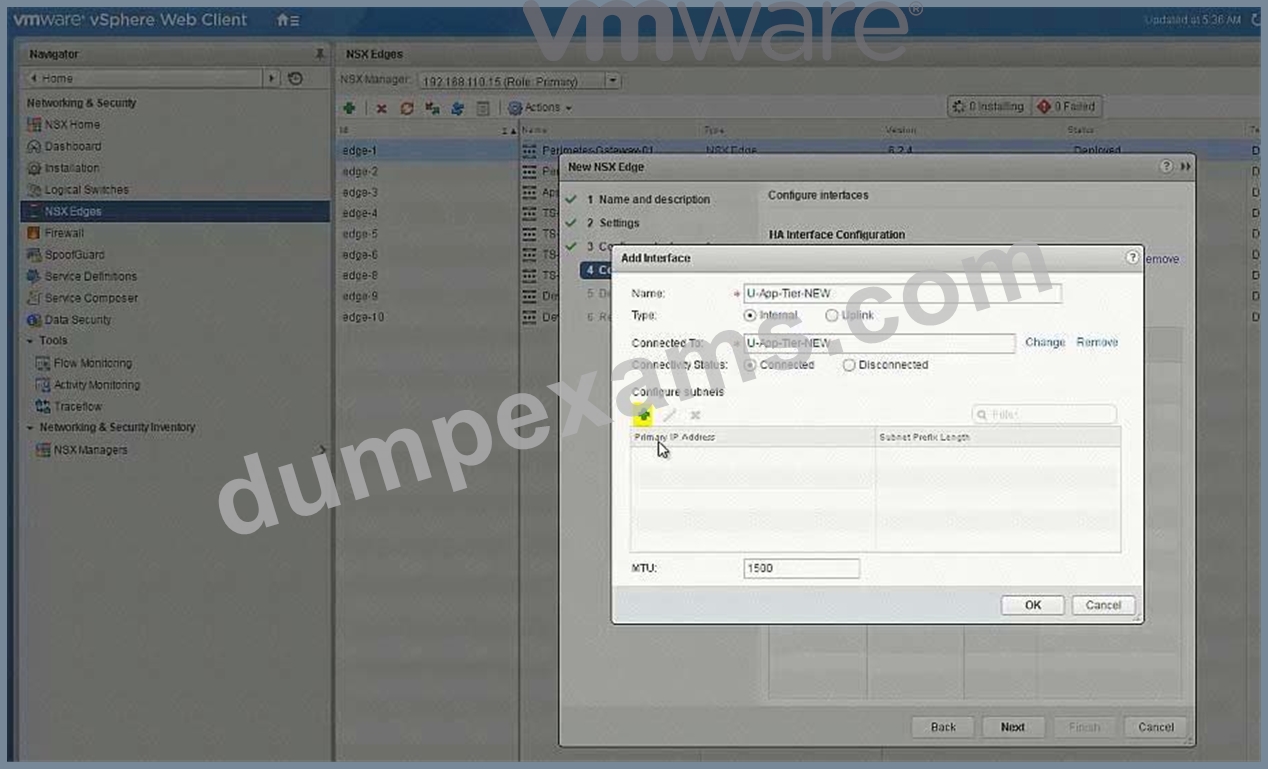
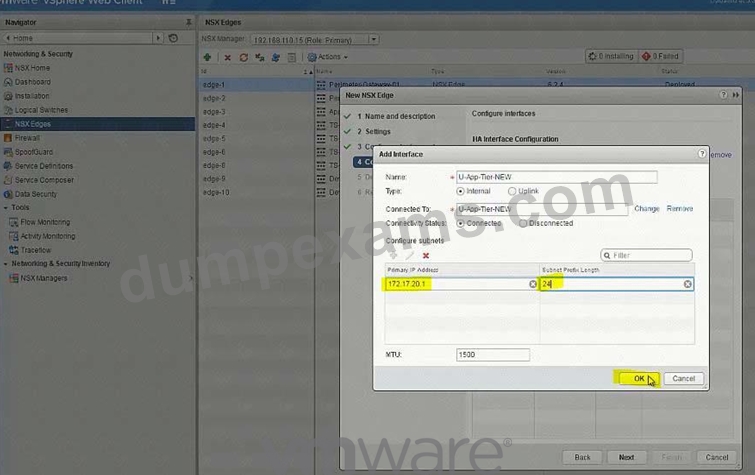
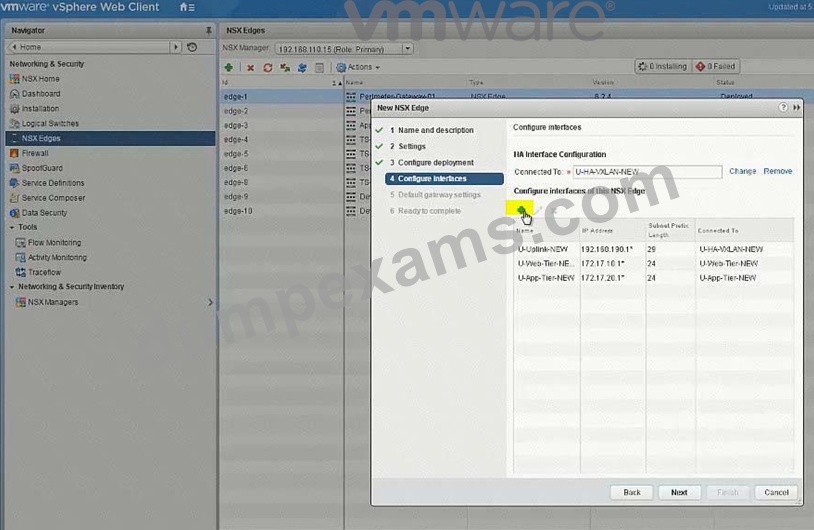
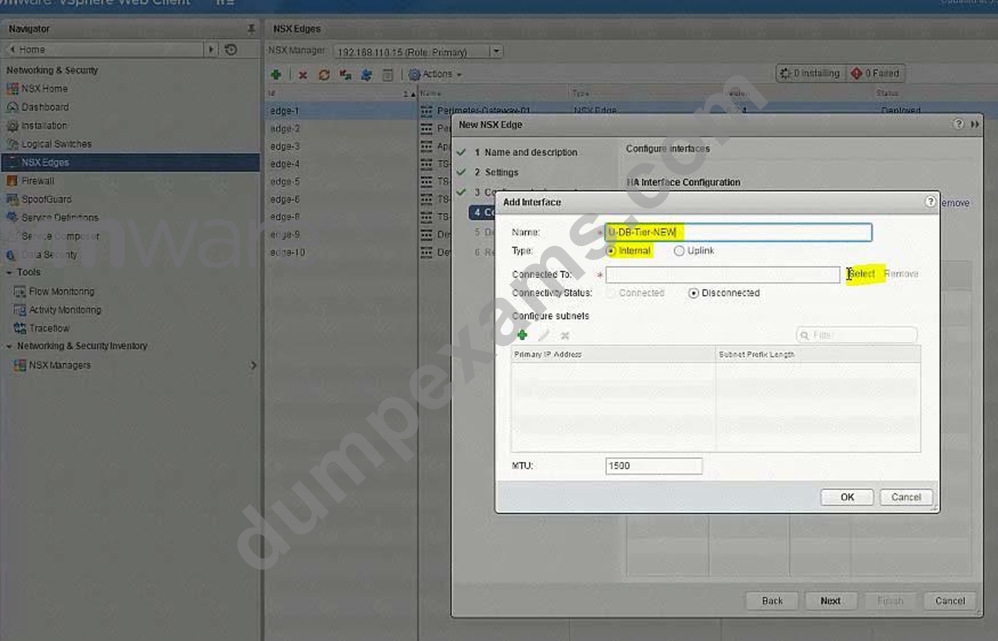
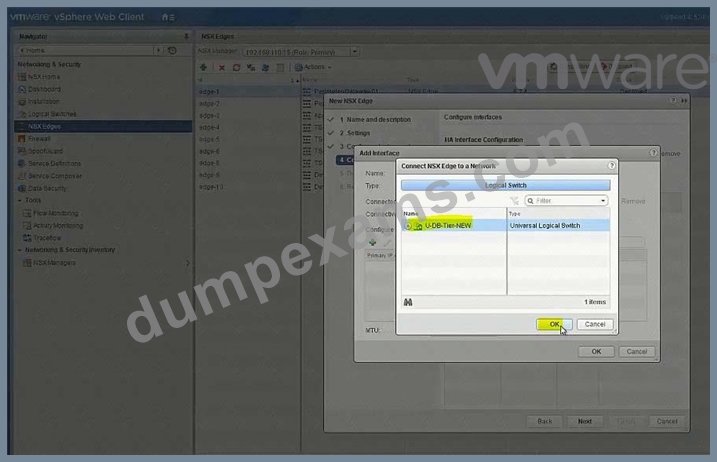
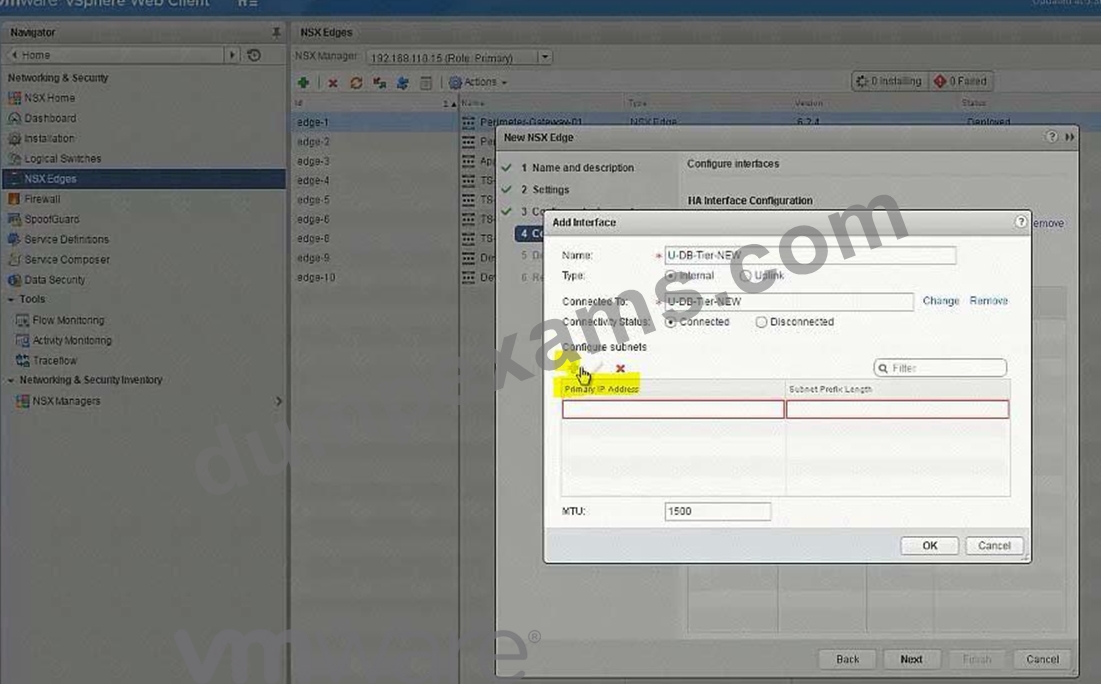
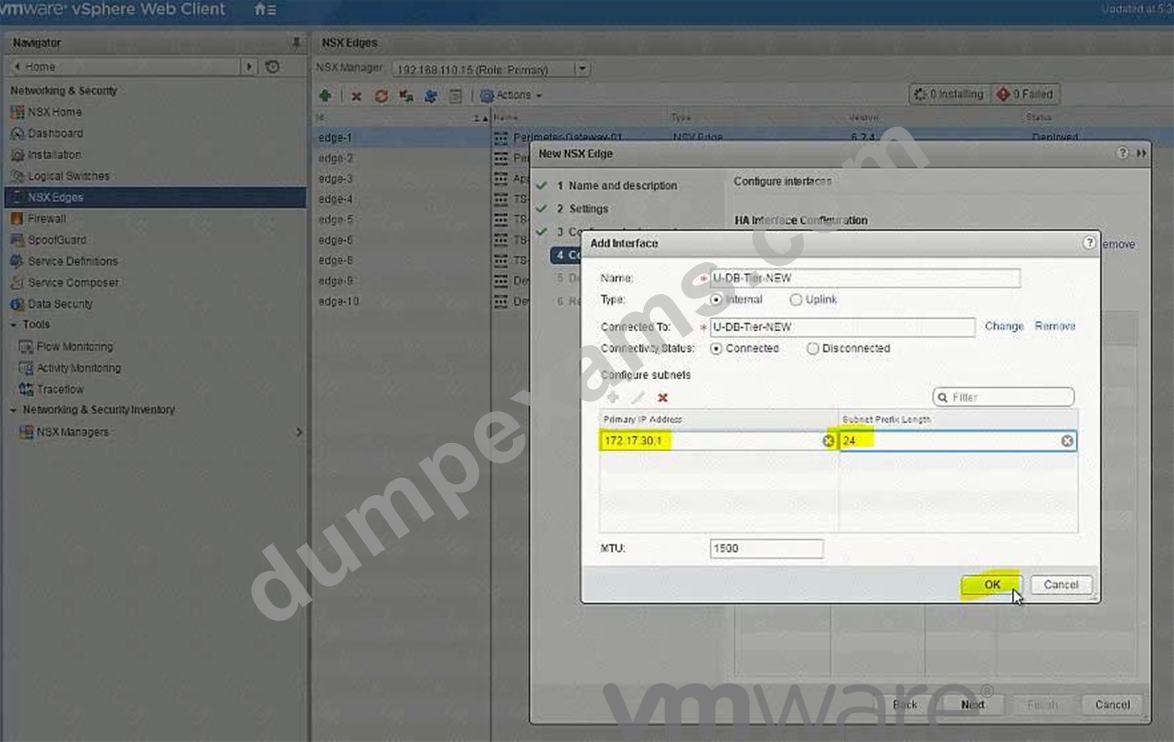
Perimeter-Gateway-02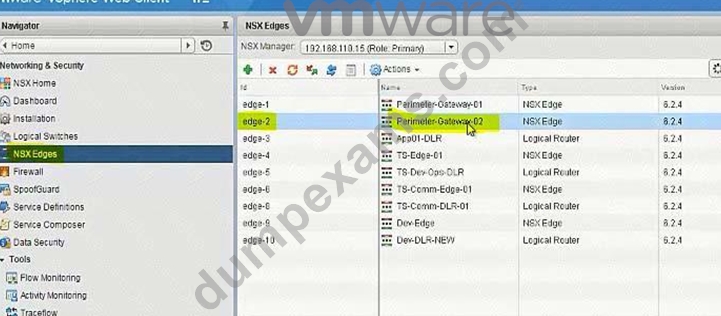
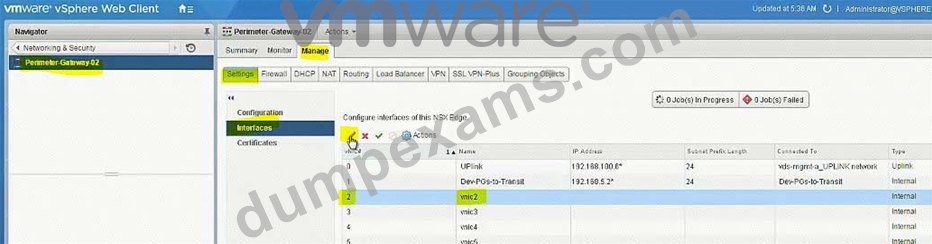
To-Universal-DLR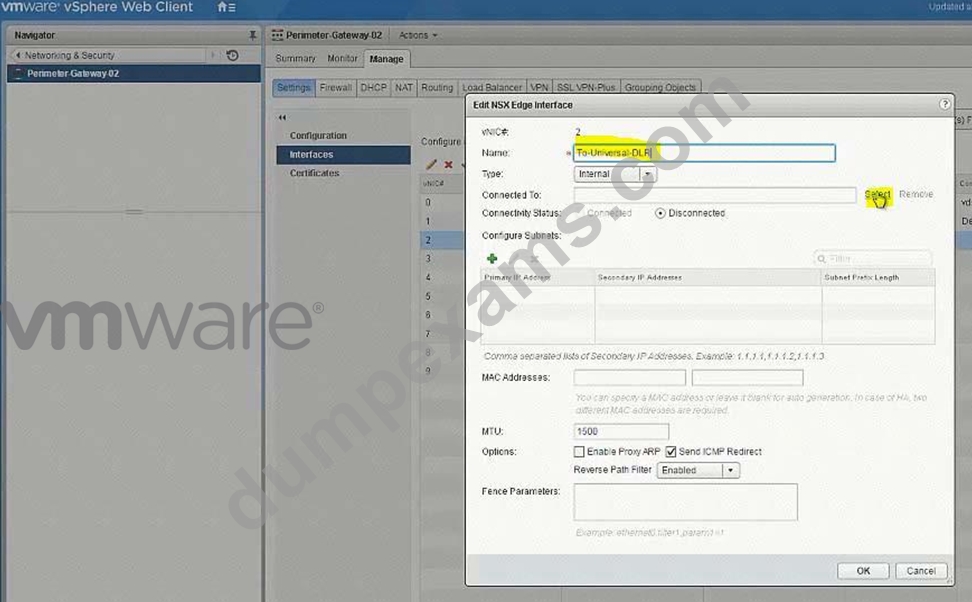
Select U-Transit-NEW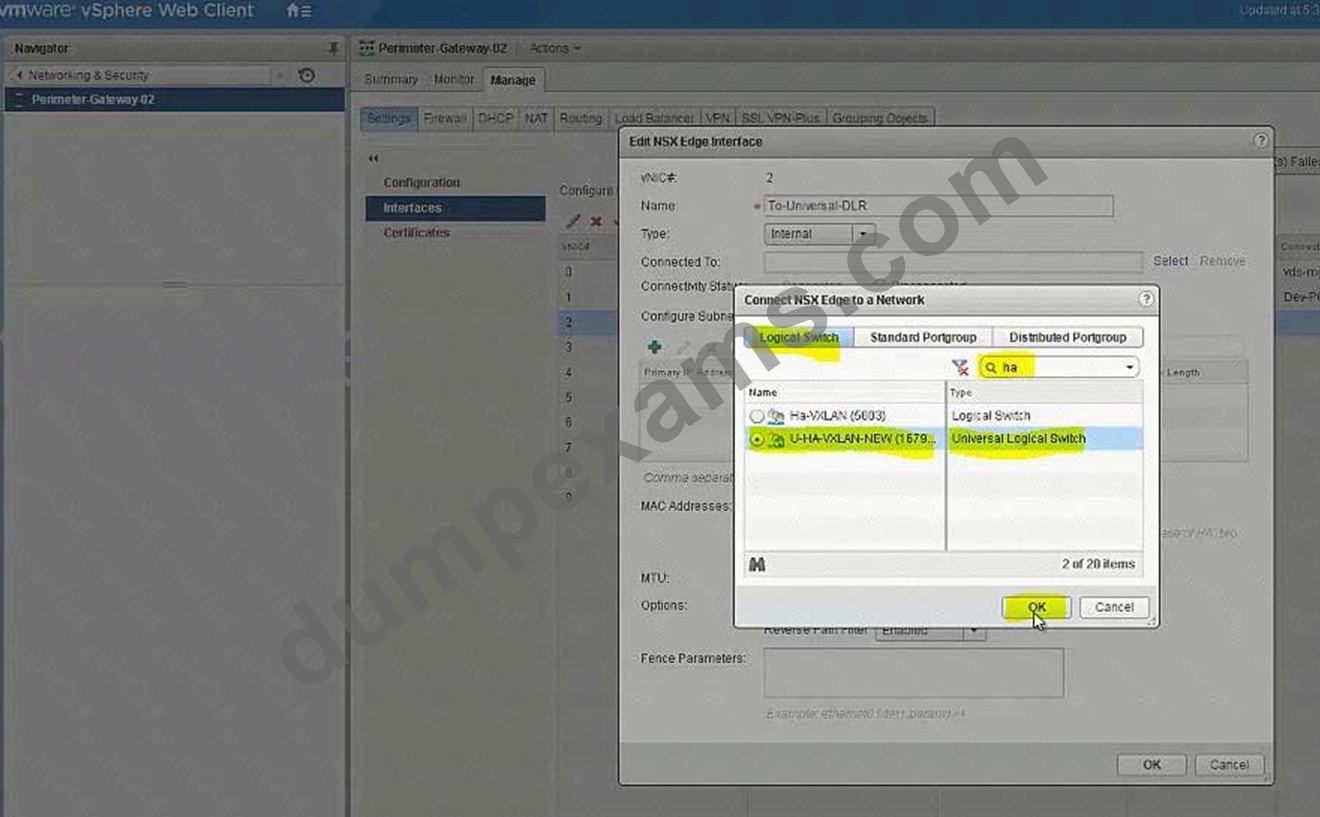
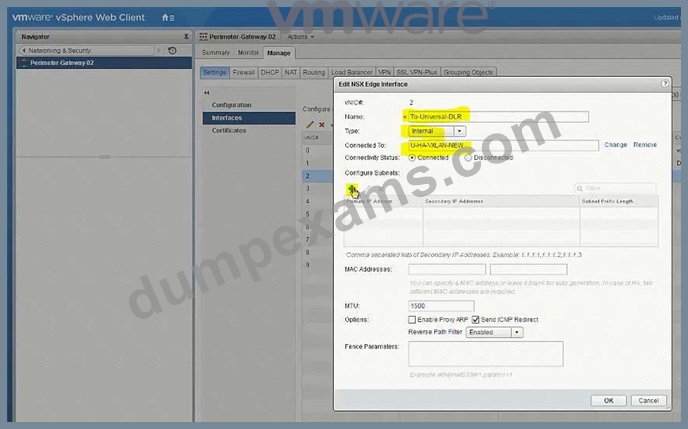
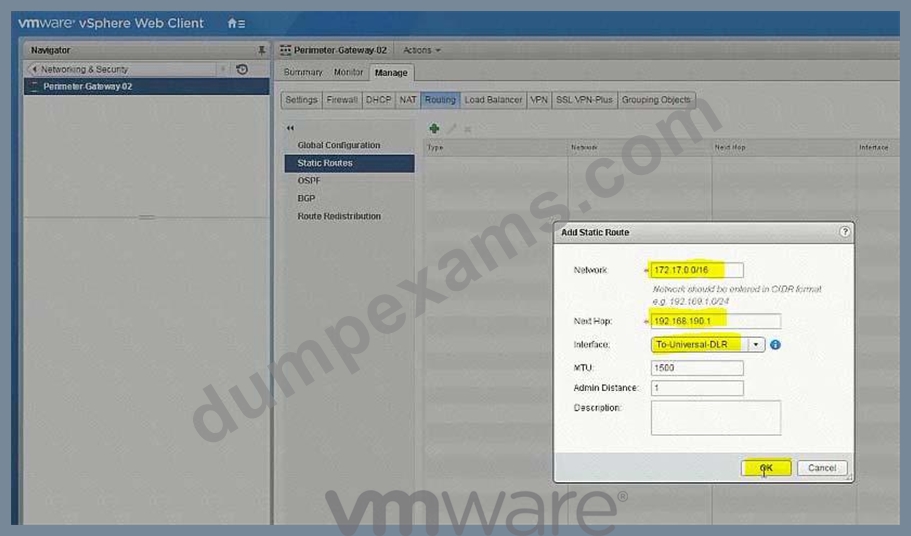

172.17.0.0/16
192.168.190.1
To-Universal-DLR
NEW QUESTION 15
The security team has submitted two requests to change or limit access in NSX for Site A's vCenter groups.
Requirements:
NSX Manager: nsxmgr-01a.corp.local
vCenter: vcsa-01a.corp.local
Credentials: [email protected] / VMware1!
Grant all members of vCenter group AuditTeam the minimal access necessary to view NSX Data Security policy configurations for all objects in Site A.
Grant all members of vCenter group ScanTeam the minimal access necessary to enable them to start and stop data security scans in Site A.
Ensure that the principles of least privilege are adhered to.
NOTE:
The Active Directory groups associated with the vCenter groups has already been preconfigured.
HOL LAB for Practice:
See the explanation part for complete solution.
Answer:
Explanation:
SOLUTION:
select Home. select administrator. select domain vsphere.local. select groups.
click + sign. enter group name AuditTeam click ok. do same for ScanTeam.
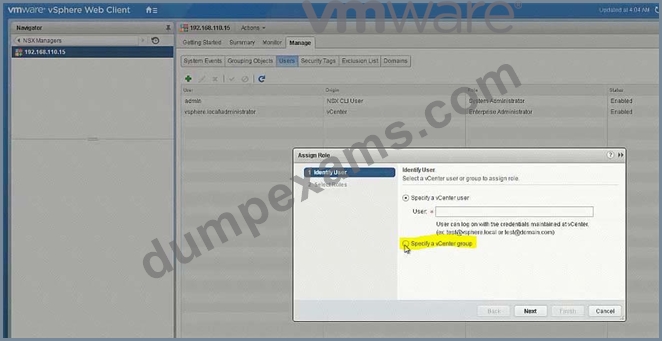
[email protected]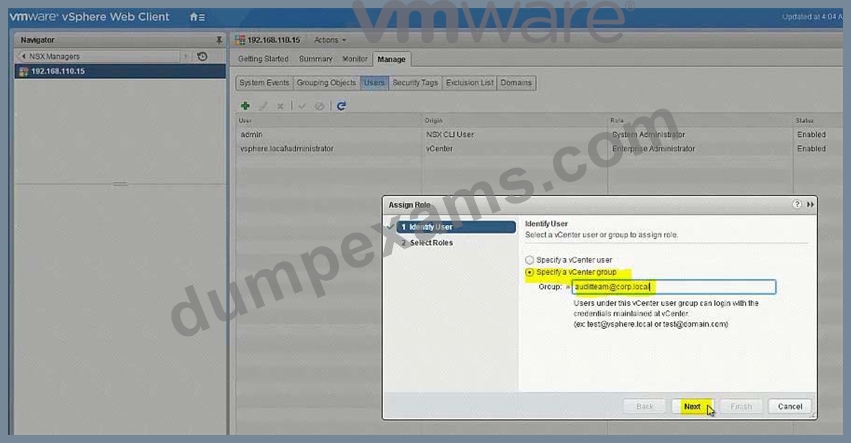
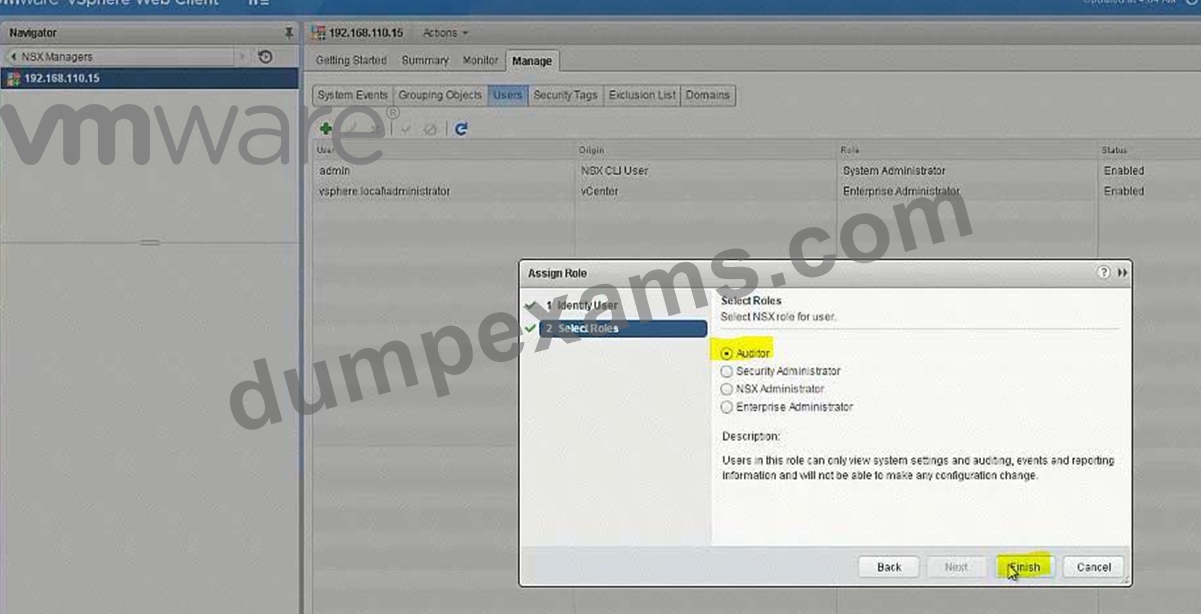
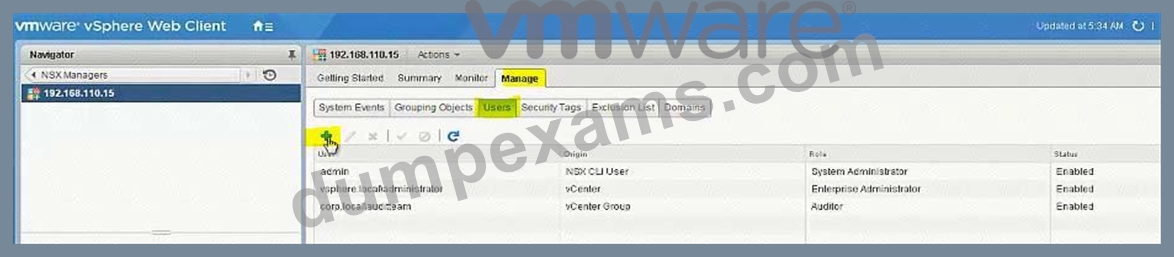
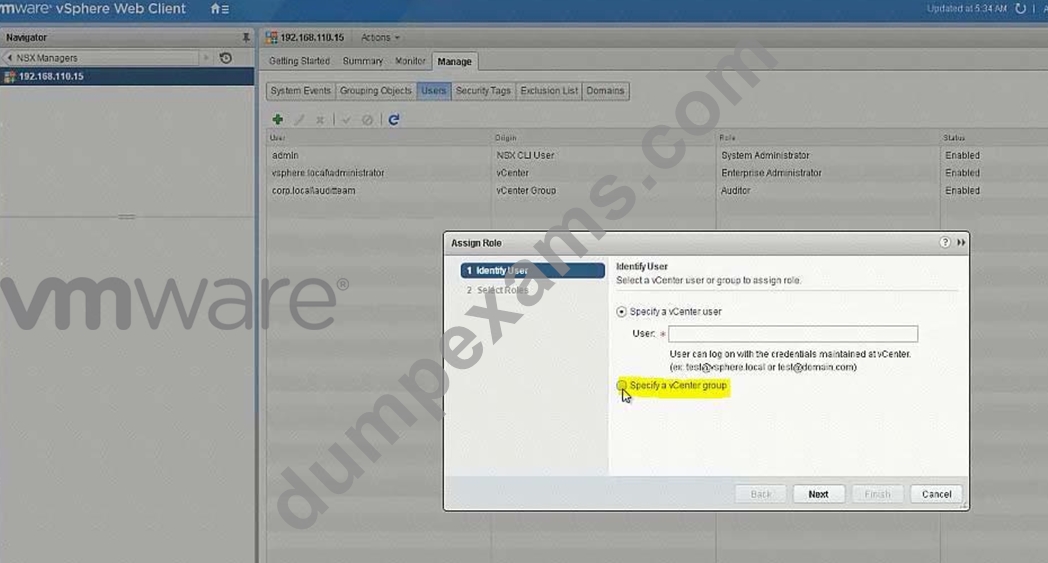
[email protected]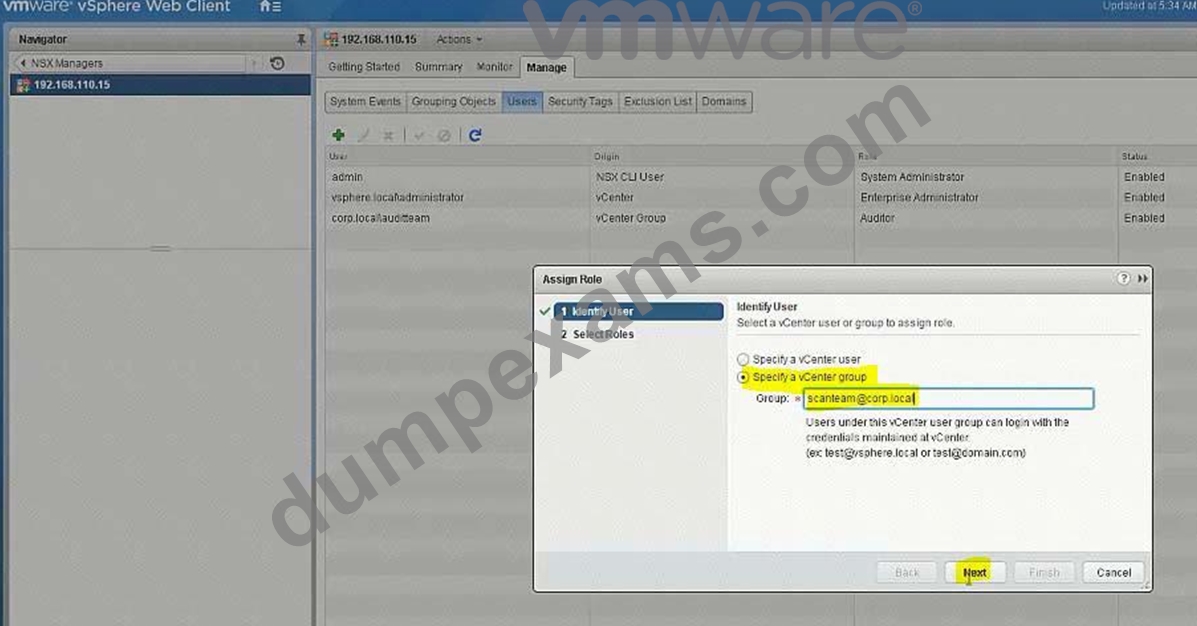
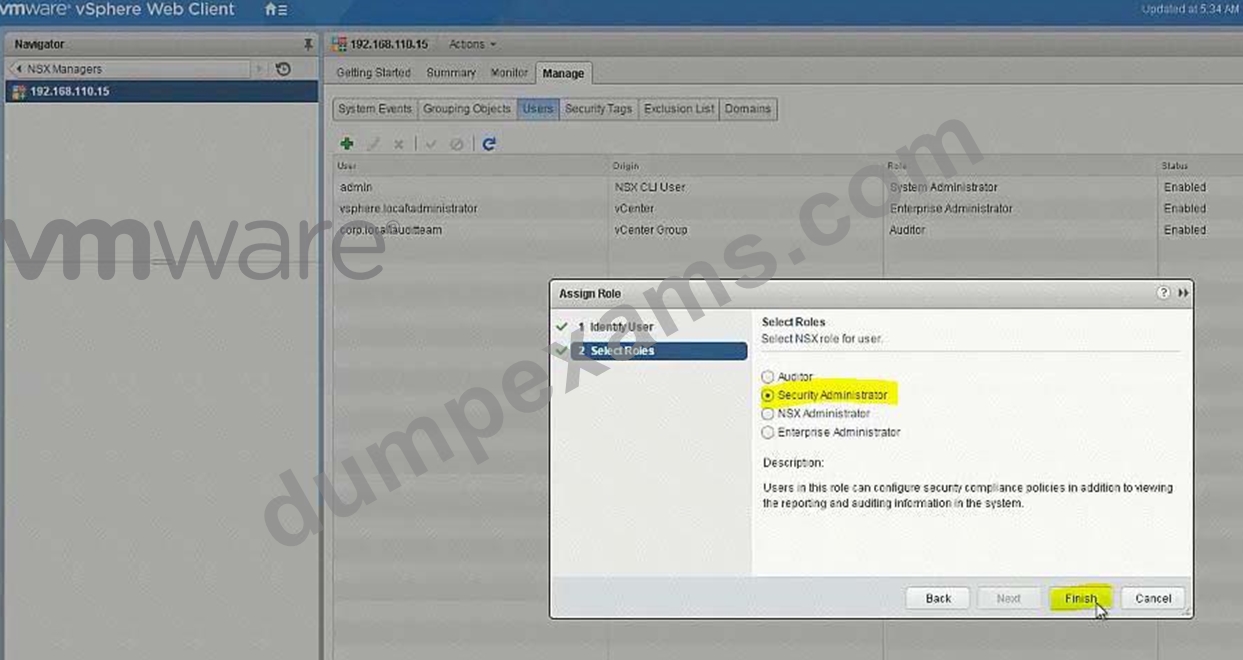
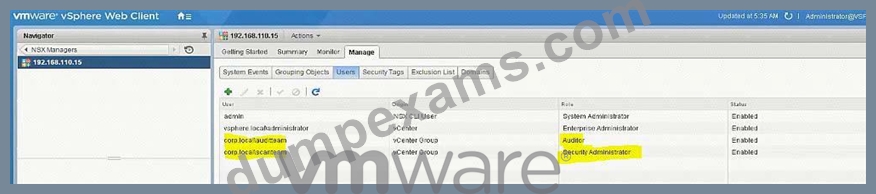
select datacenter A.
select manage select permission click on + Sign.
select Assign role read only. select all privileges click on Add
select AuditTeam and select ScanTeam. check propagate to childern. and click ok
NEW QUESTION 16
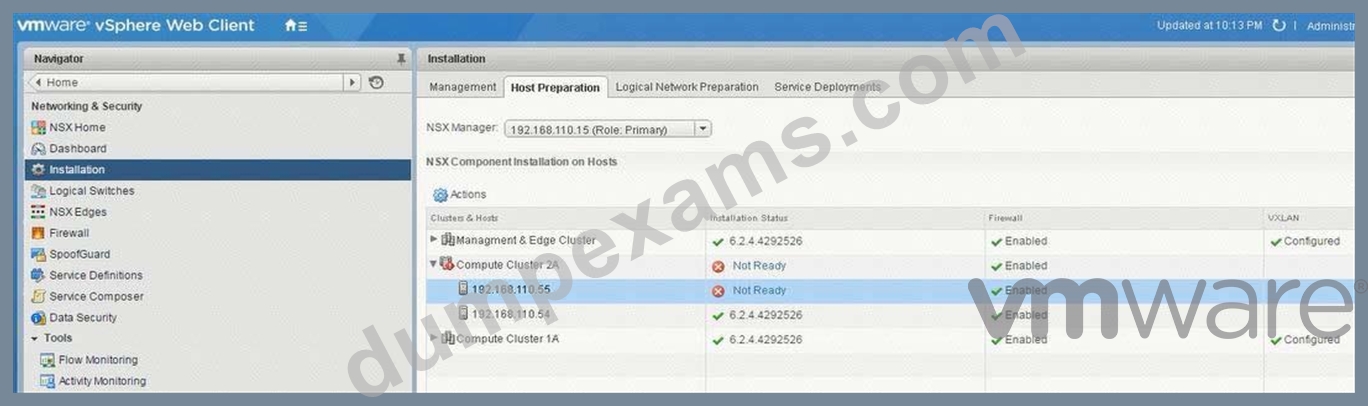
The troubleshooting NSX deployment is growing and running out of compute capacity. An additional ESXi host is being added for VXLAN.
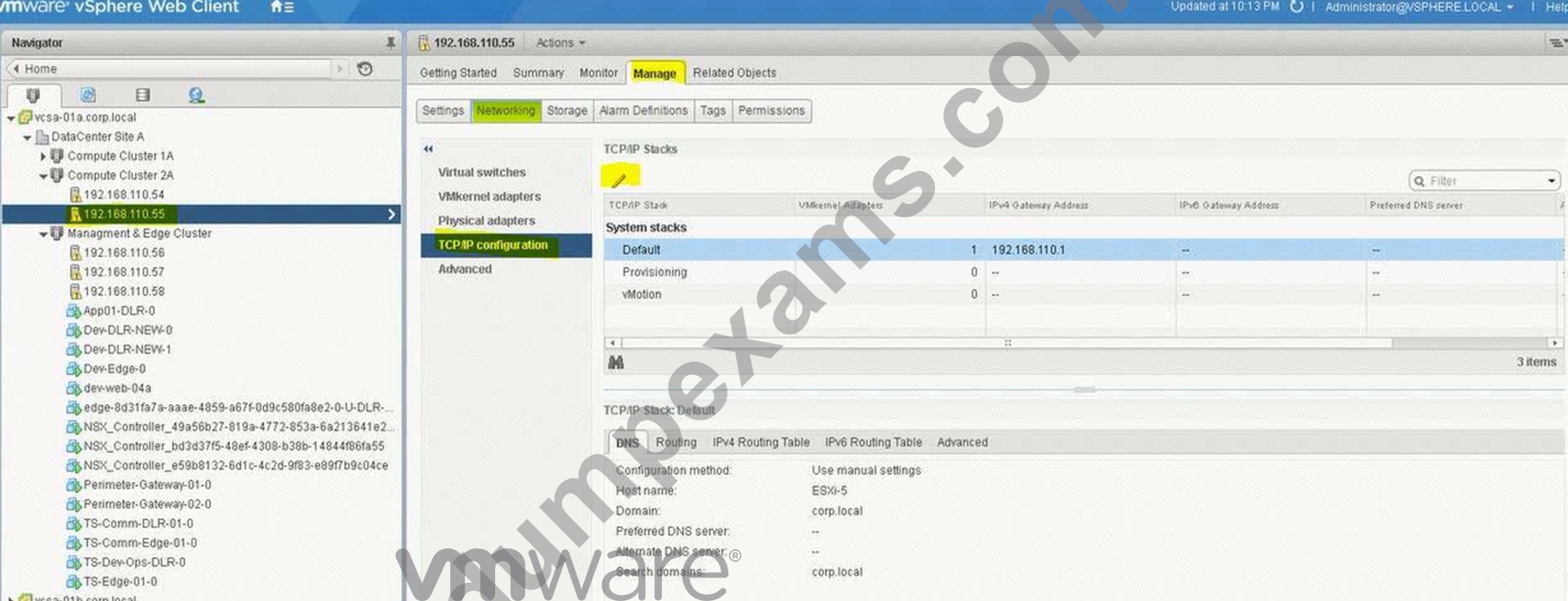
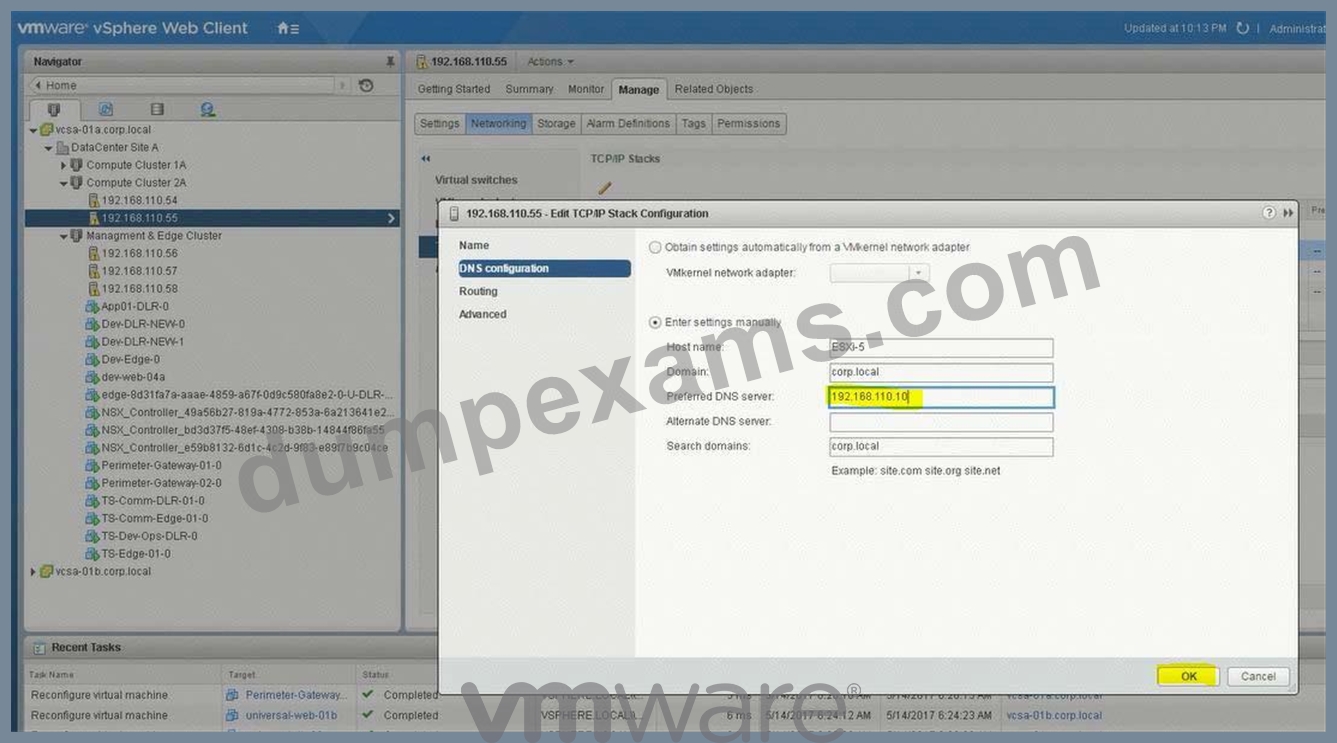
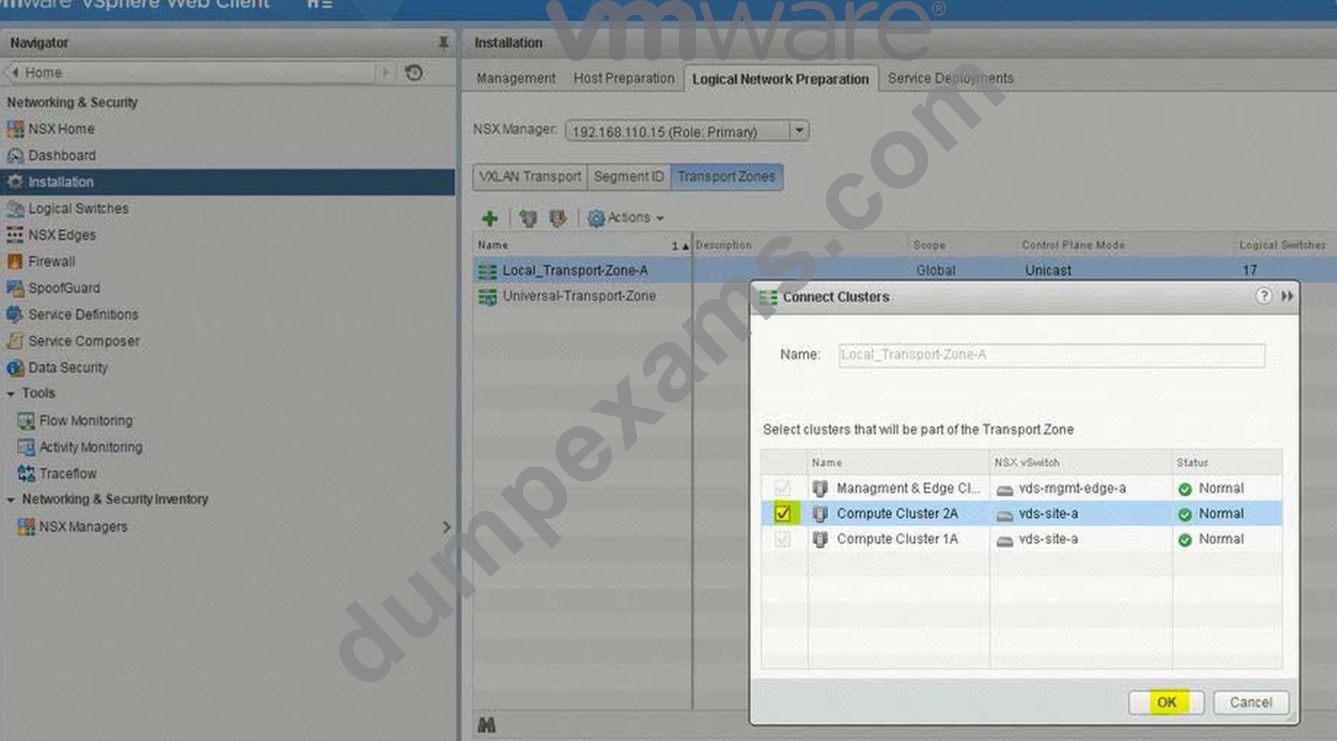
Host preparation has failed on esx-05a.corp.local on several attempts and the Compute Cluster 2A was left in an error state, determine and resolve the issue.
Requirements:
vCenter: vcsa-01a.corp.local
Credentials: [email protected] / VMware1!
Cluster: Compute Cluster 2A
IP Pool: Compute-2A
Transport Zone: Local-Transport-Zone-A
Esx-05a.corp.local IP information:
IP: 192.168.110.58
Netmask: 255.255.255.0
Gateway: 192.168.110.1
DNS: 192.168.110.10
1-Resolve deployment issue.
2-Prepare esx-05-a.corp.local for NSX in Compute Cluster 2A.
3-Ensure once the issue is resolved with the Compute Cluster 2A cluster, that it is connected to Local-Transport-Zone-A.
HOL LAB for Practice:
No Lab Module available
See the explanation part for complete solution.
Answer:
Explanation:
SOLUTION:
Follow the steps as: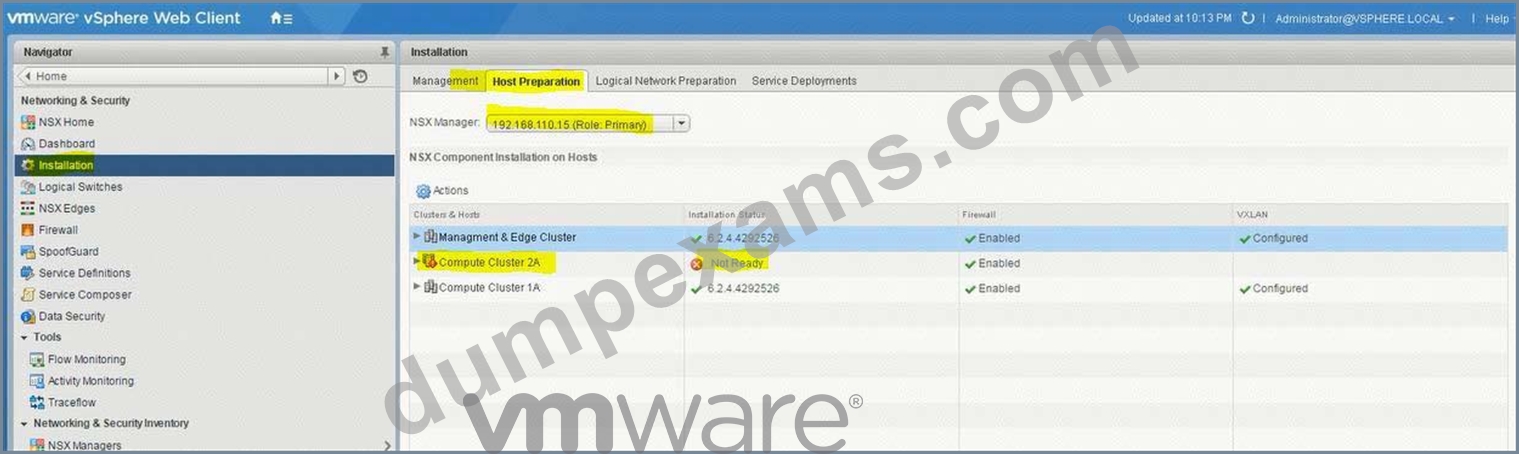
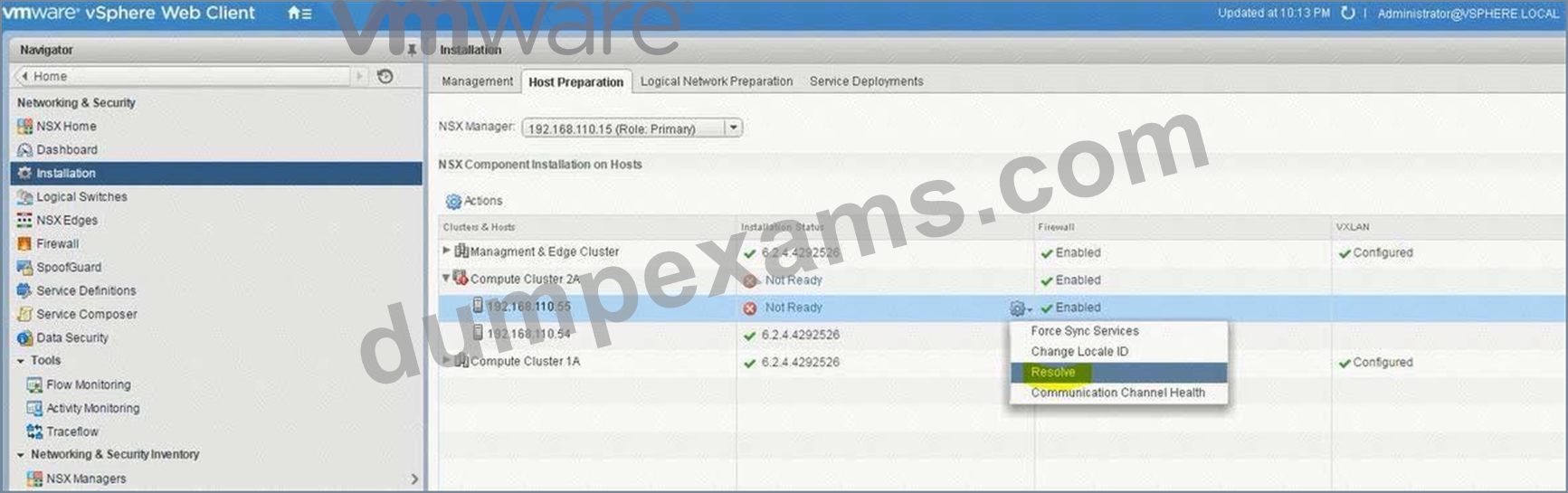
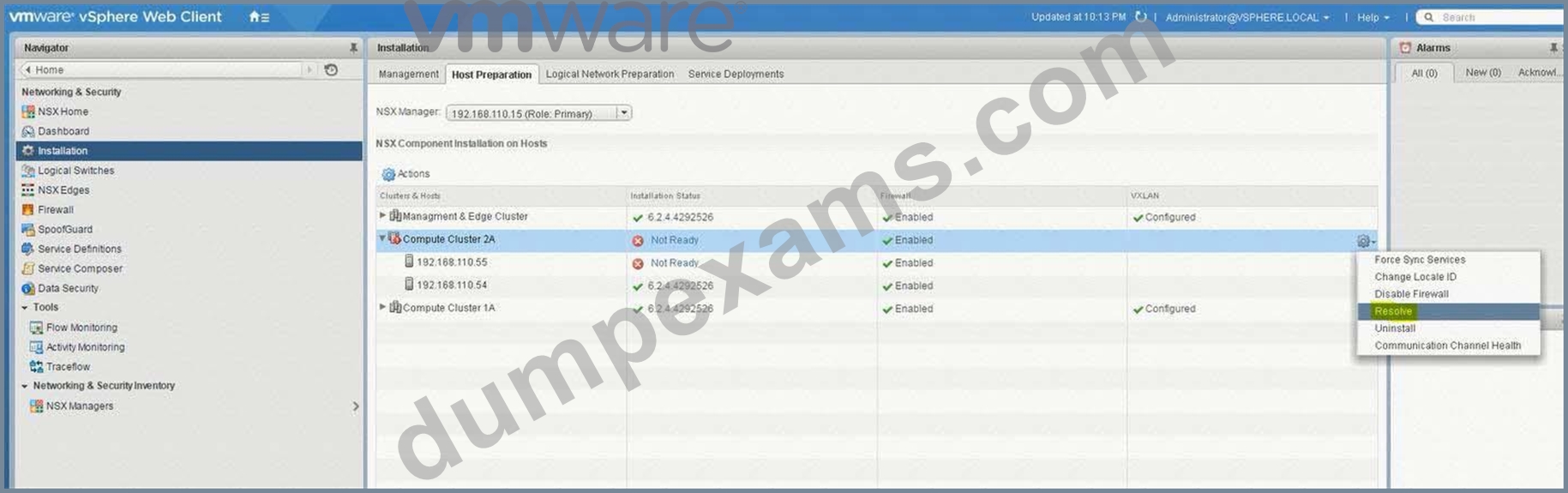
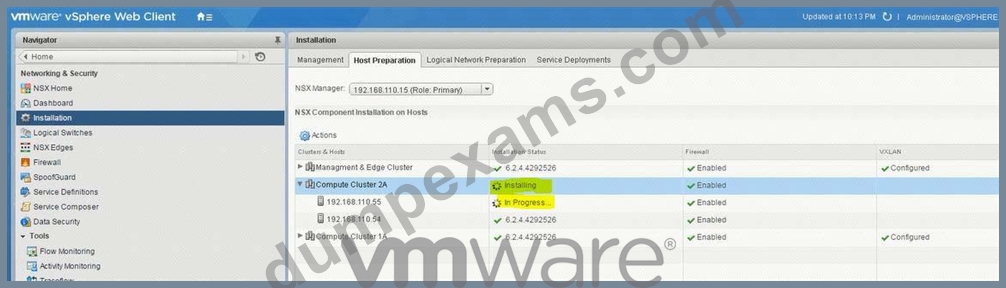
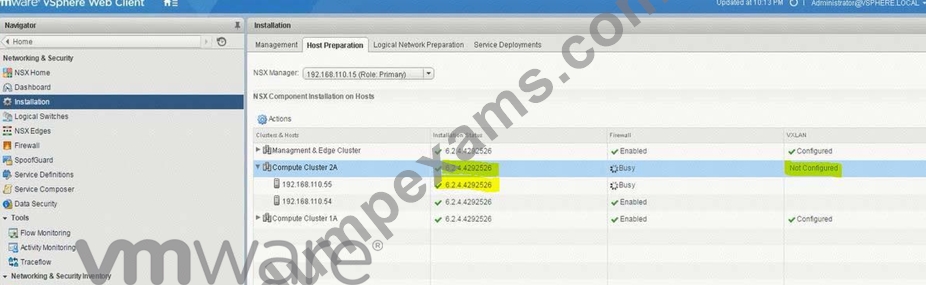
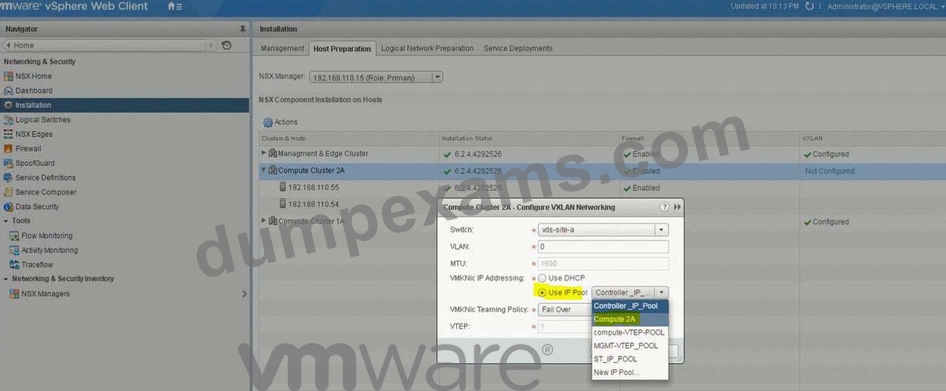
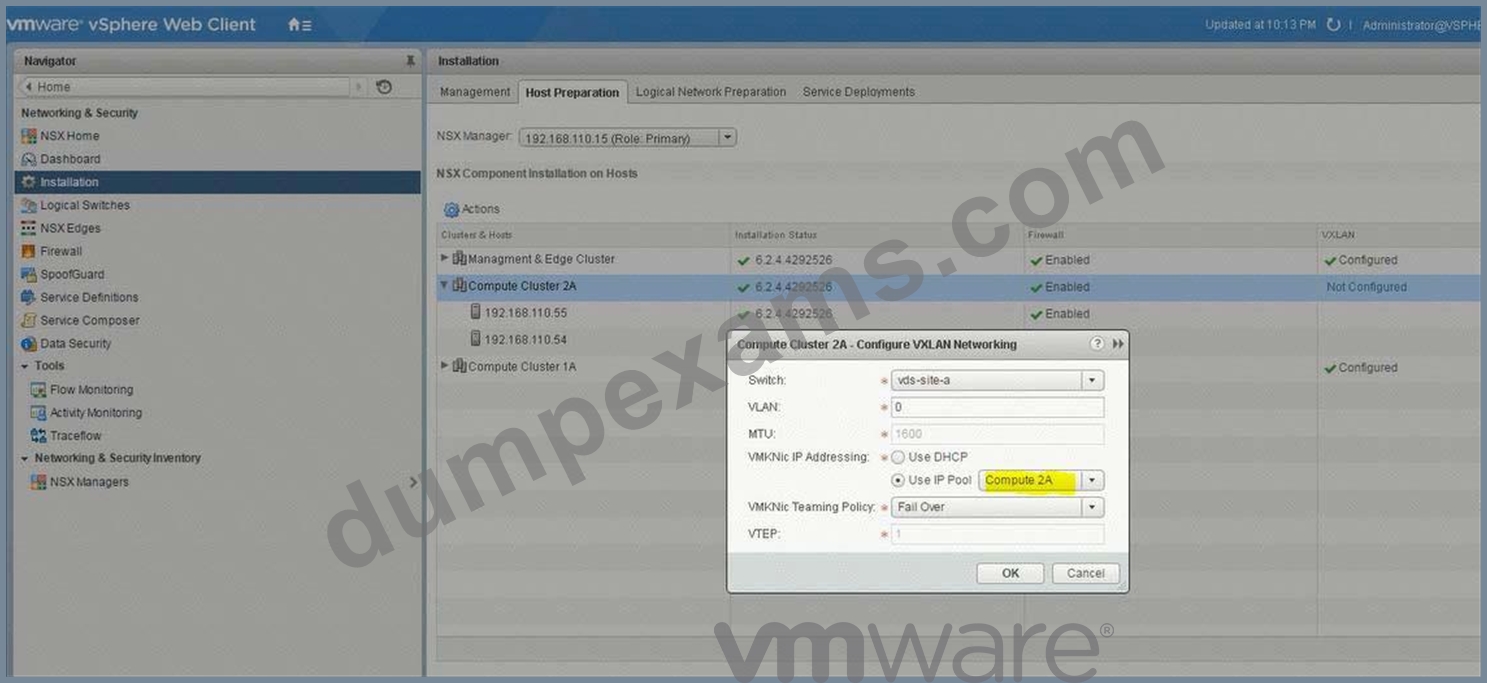
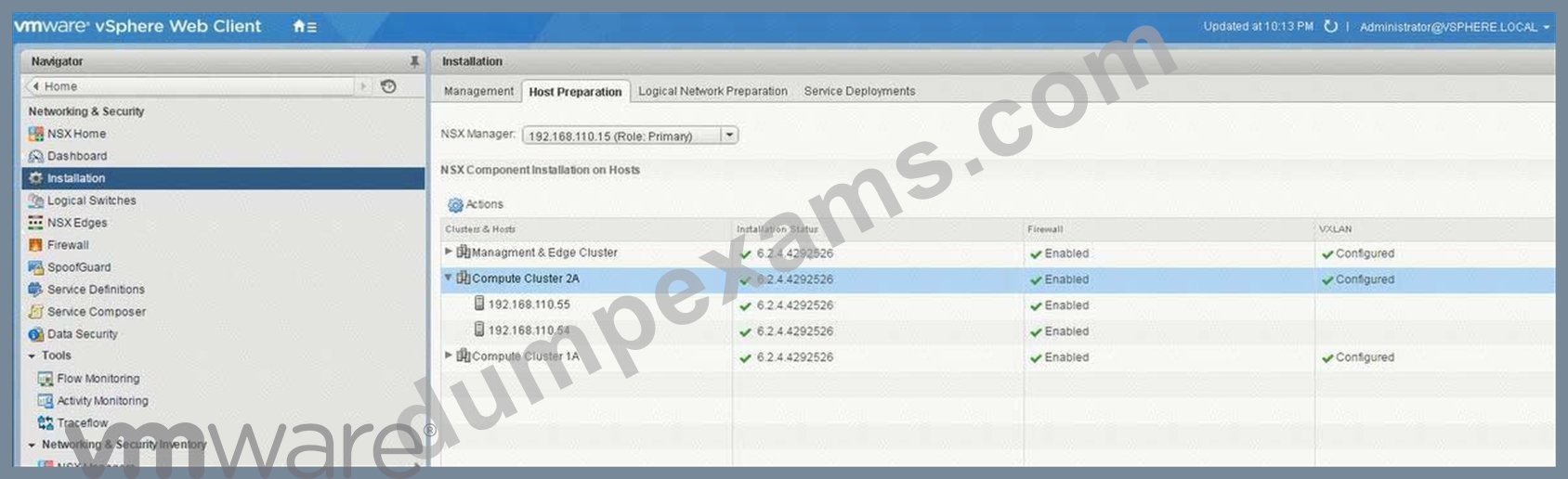
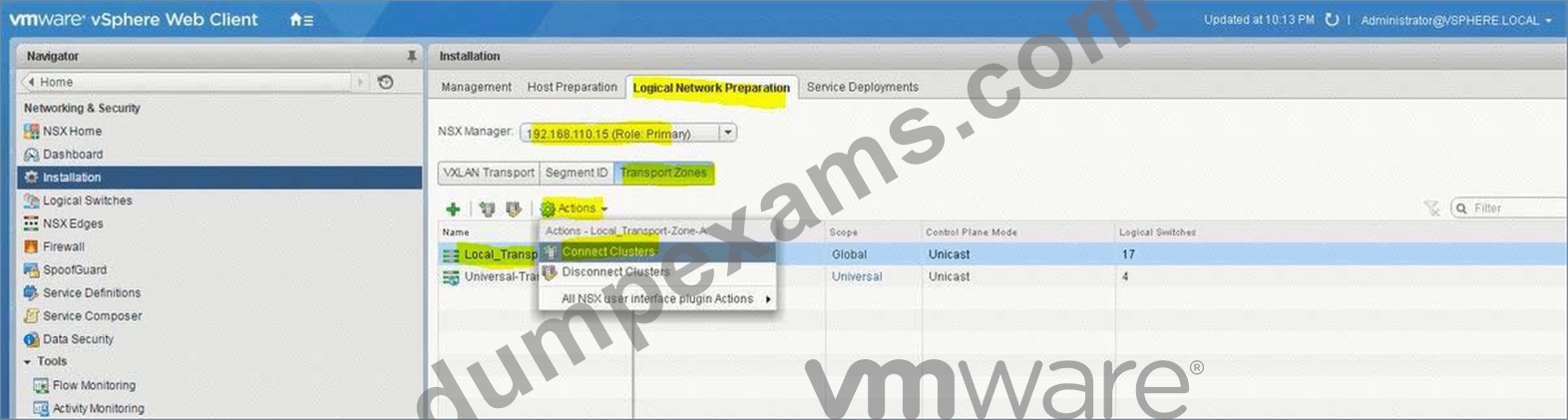
NEW QUESTION 17
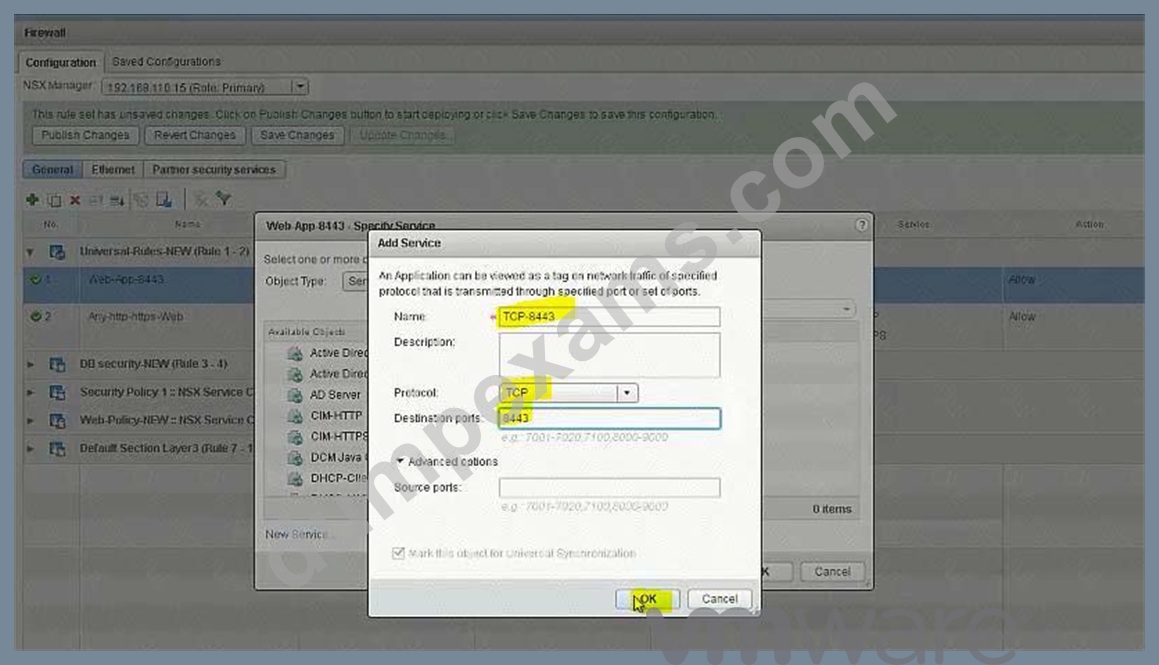
Provide cross vCenter security functionality for the Universal Web Multi-Tiered network application.
Requirements:
vCenter: vcsa-01a.corp.local
Credentials: [email protected] / VMware1!
New Section Name: Universal-Rules-New
Networks:
Web-Tier: 172.17.10.0/24
App-Tier: 172.17.20.0/24
DB-Tier: 172.17.30.0/24
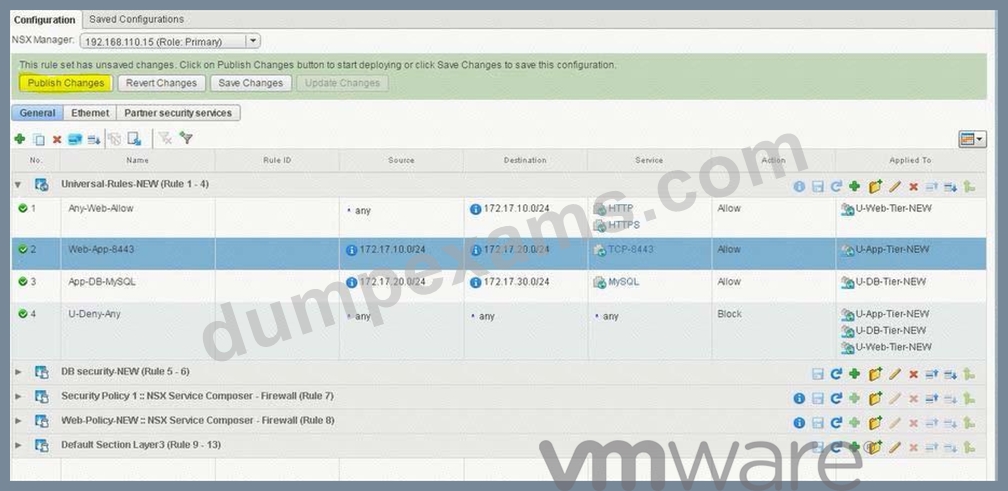
Secure east/west network communication for each of the three tiers allowing only.
Firewall Rule section Name: Universal-Rules-NEW
Web Tier: any source address incoming on TCP port 80 and 443
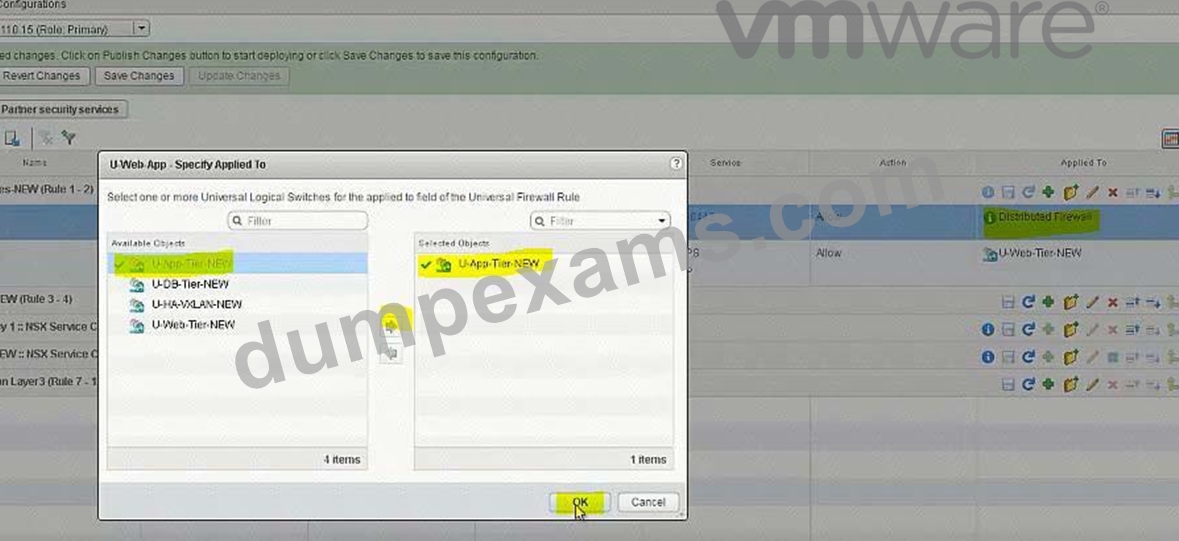
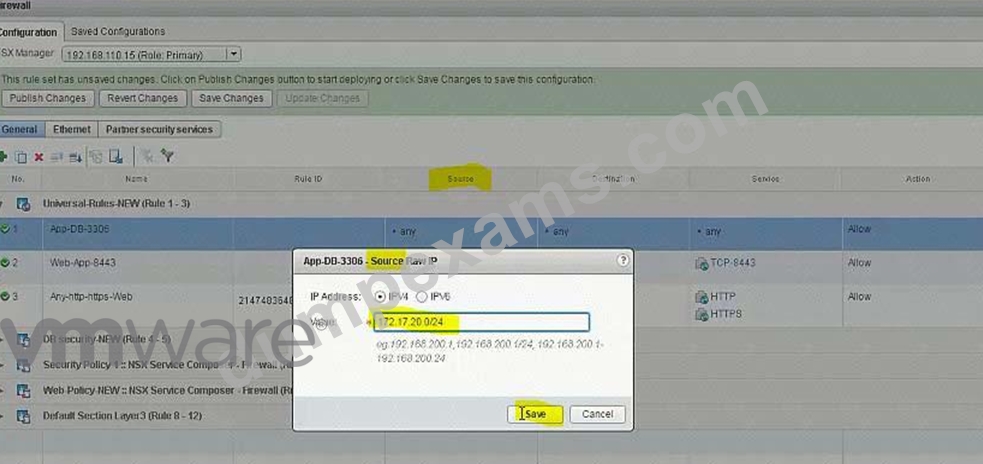
Application Tier: access from the web tier on the incoming TCP port 8443 Database Tier: access from the application tier on the incoming TCP port 3306 Traffic that does not meet the above requirements should be blocked.
NOTE:
This rule must only affect the universal tiers.
HOL LAB for Practice:
See the explanation part for complete solution.
Answer:
Explanation:
SOLUTION:
Add new Section under Firewall.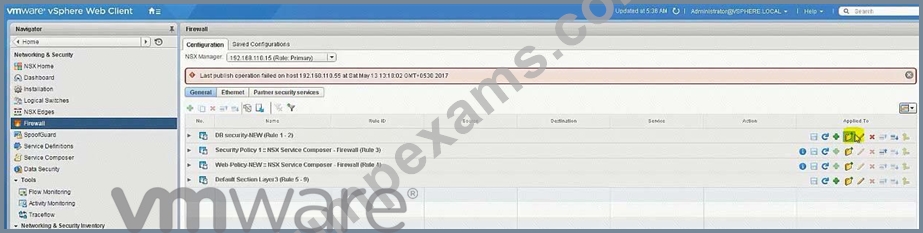
Universal-Rules-NEW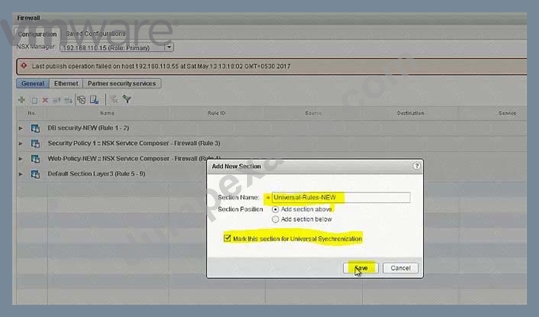
Add rules: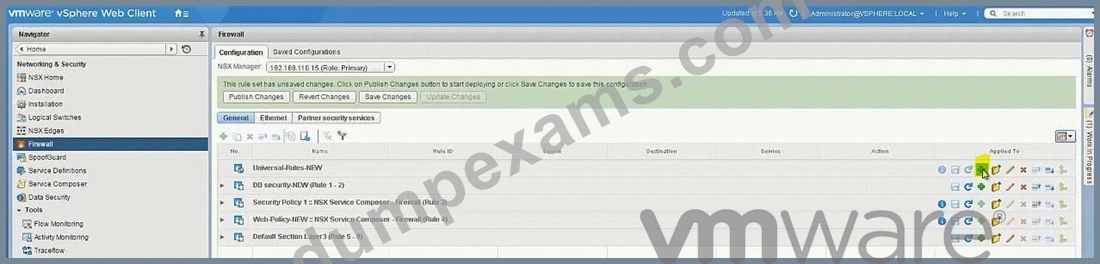
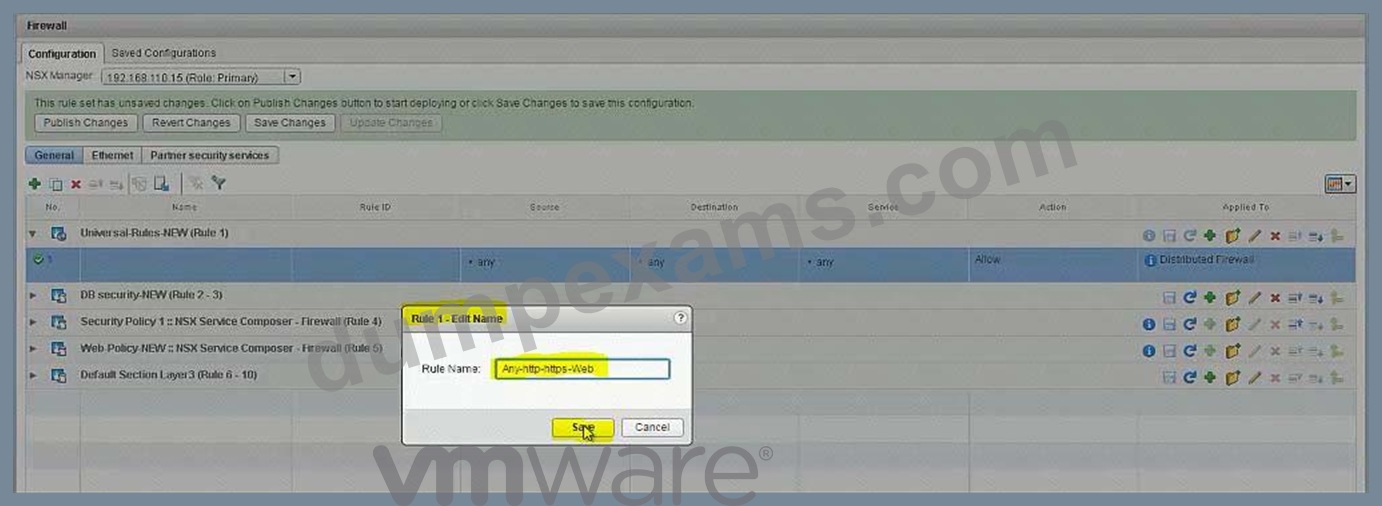
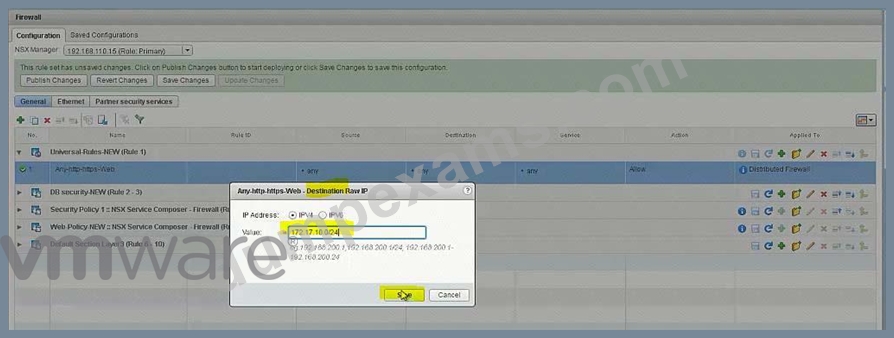
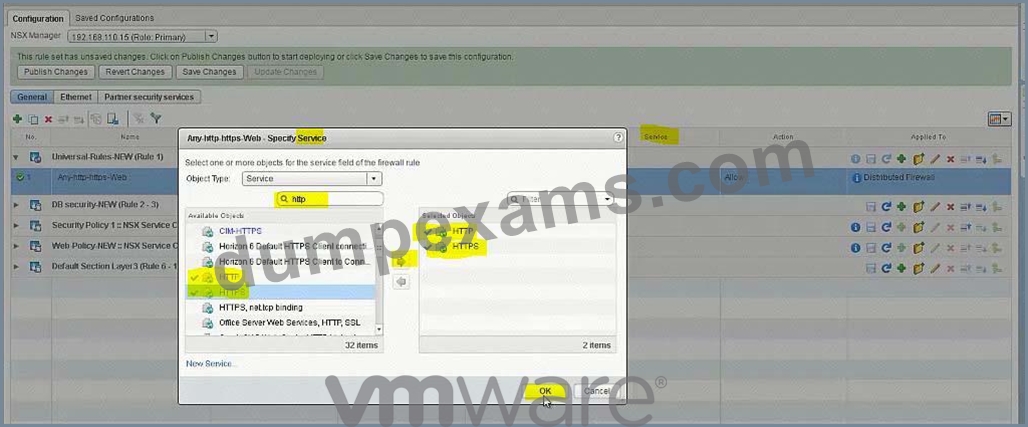
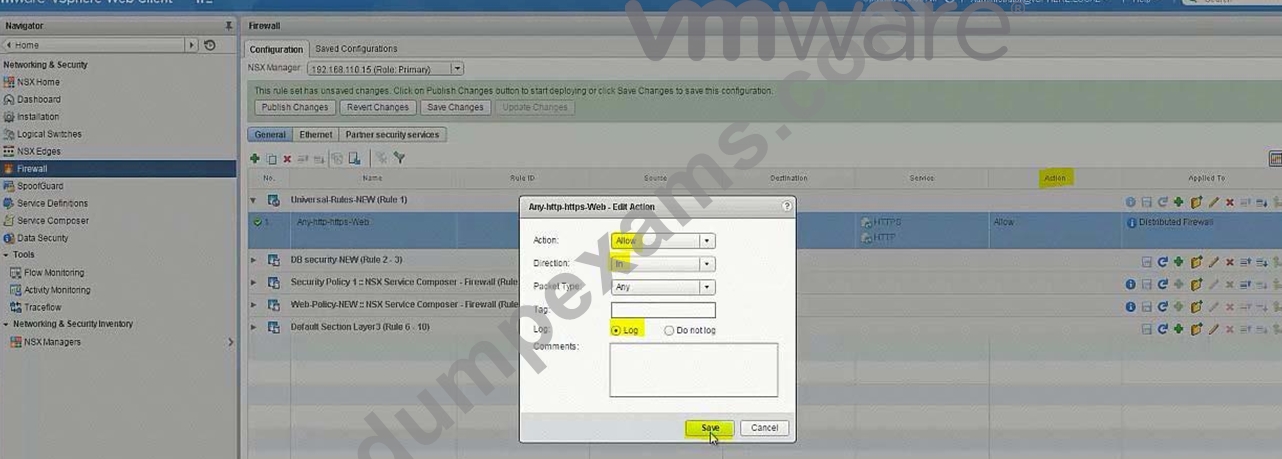
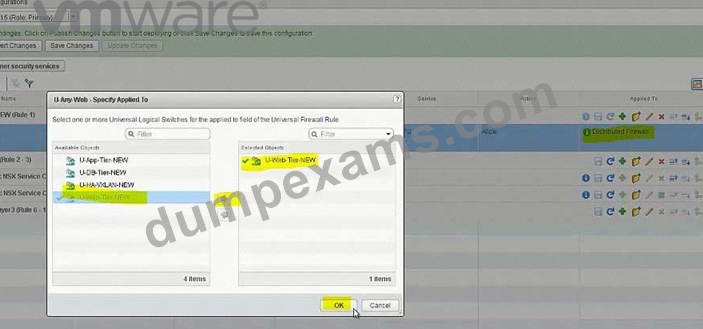
Add another Rule: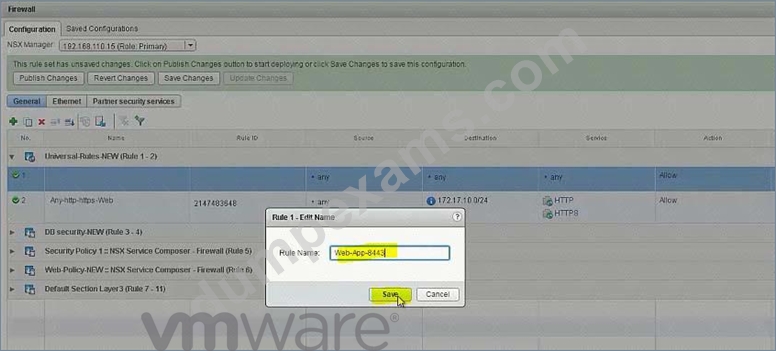
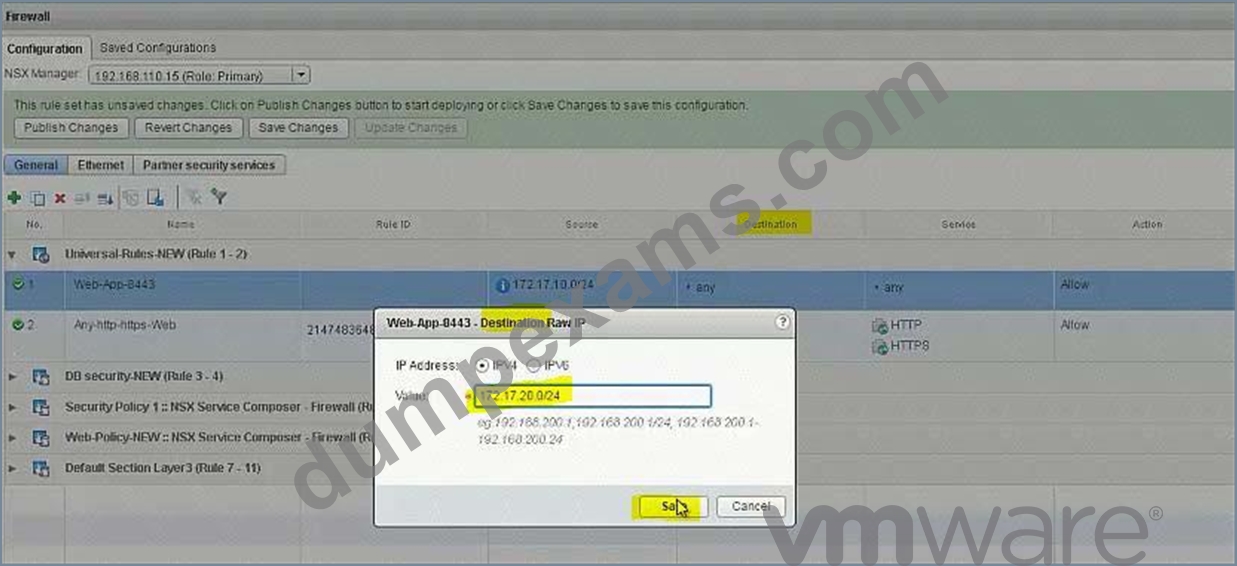
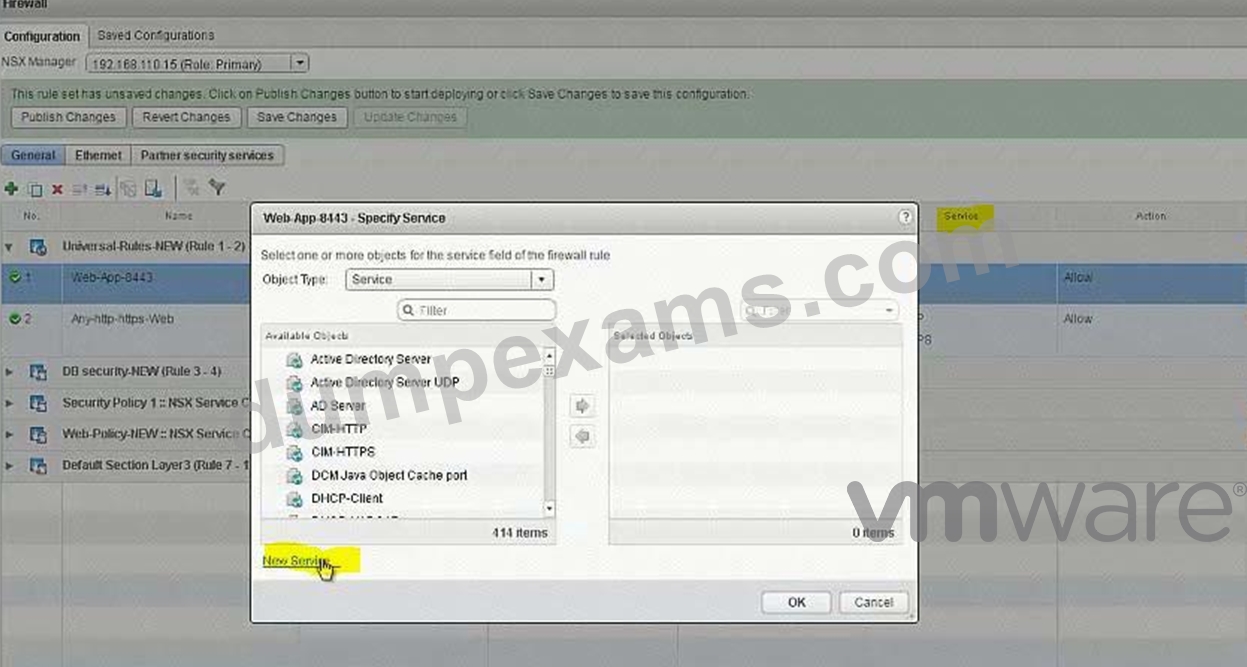
Add another Rule: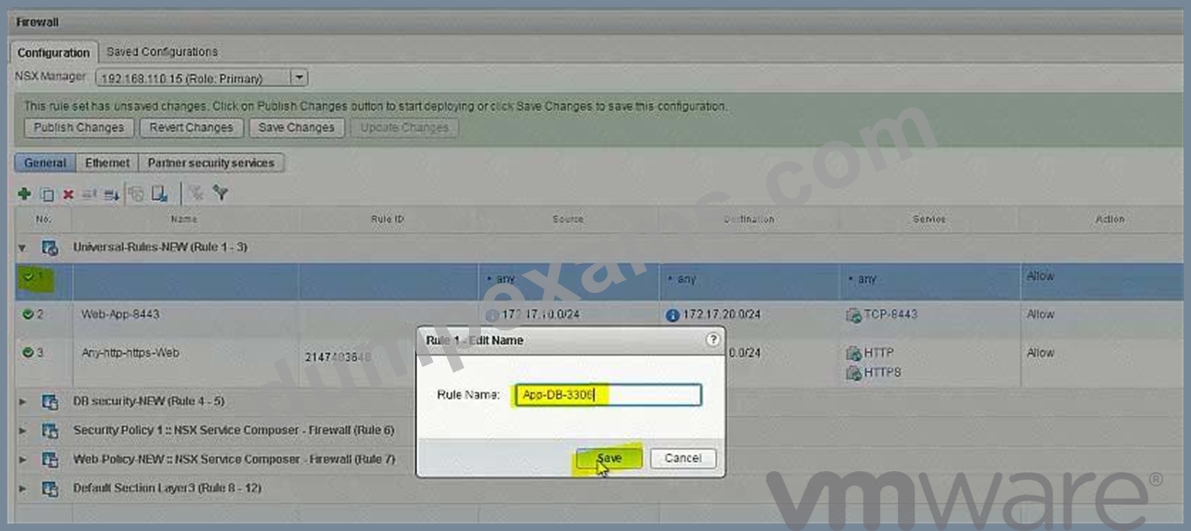
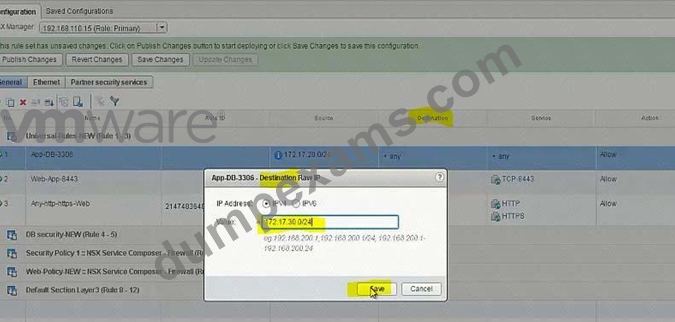
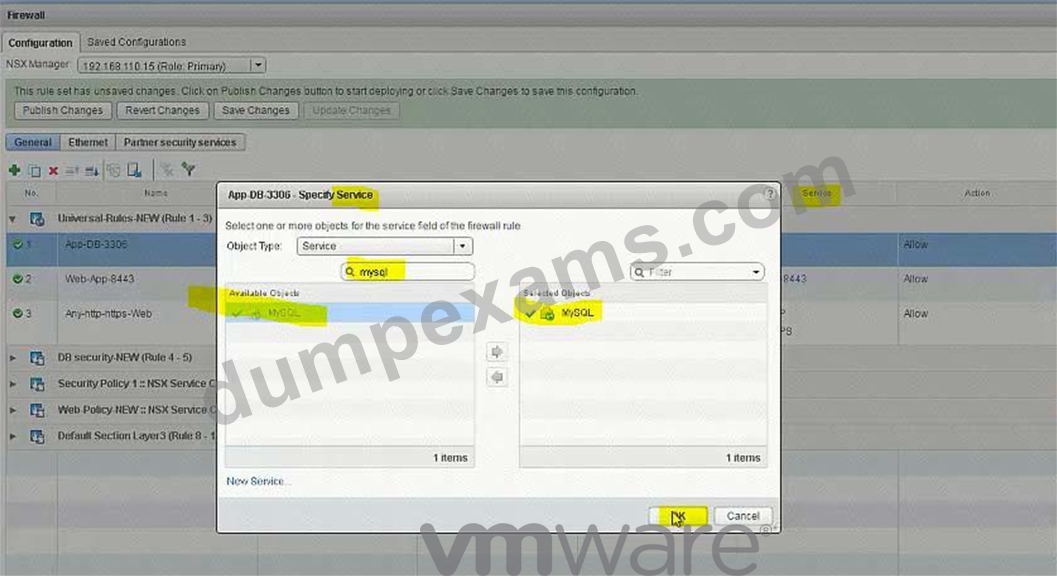
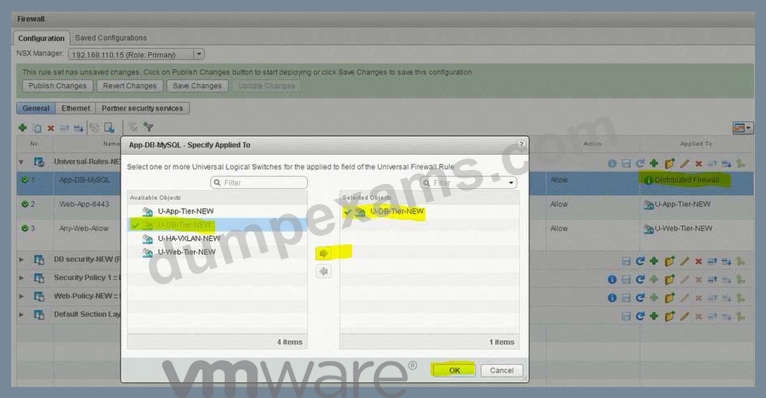
Add Deny Rule: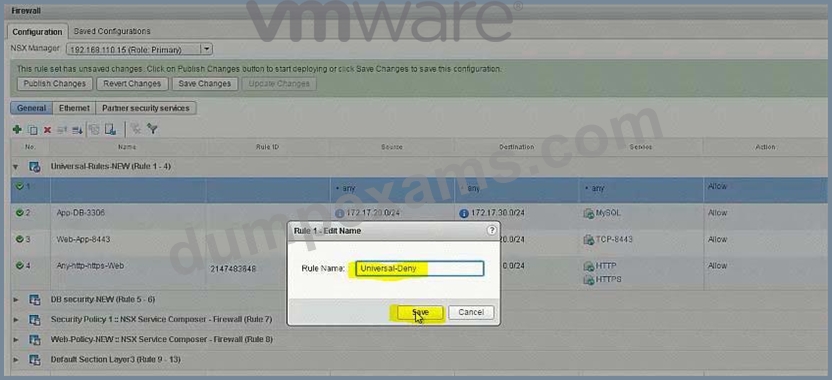
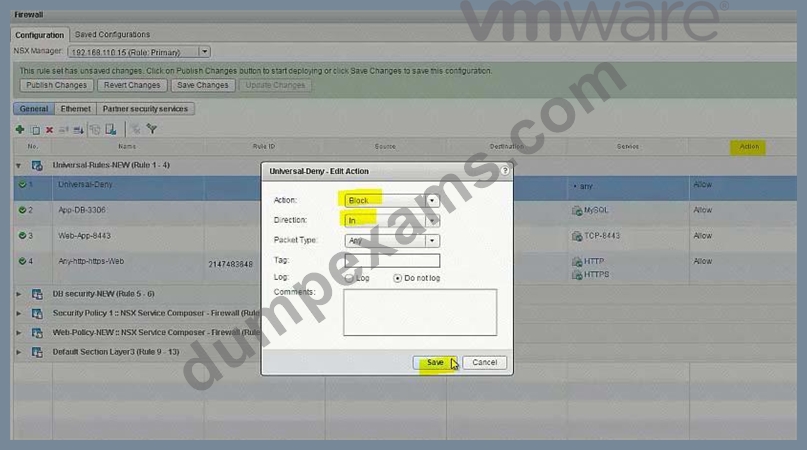
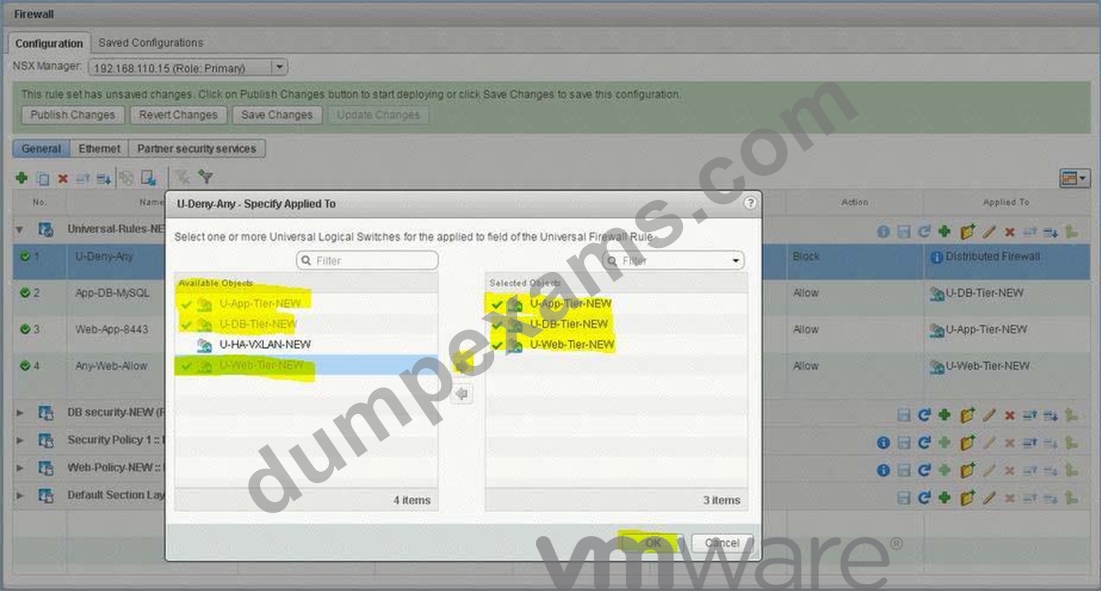
Lower down the Deny rule to the end in this section: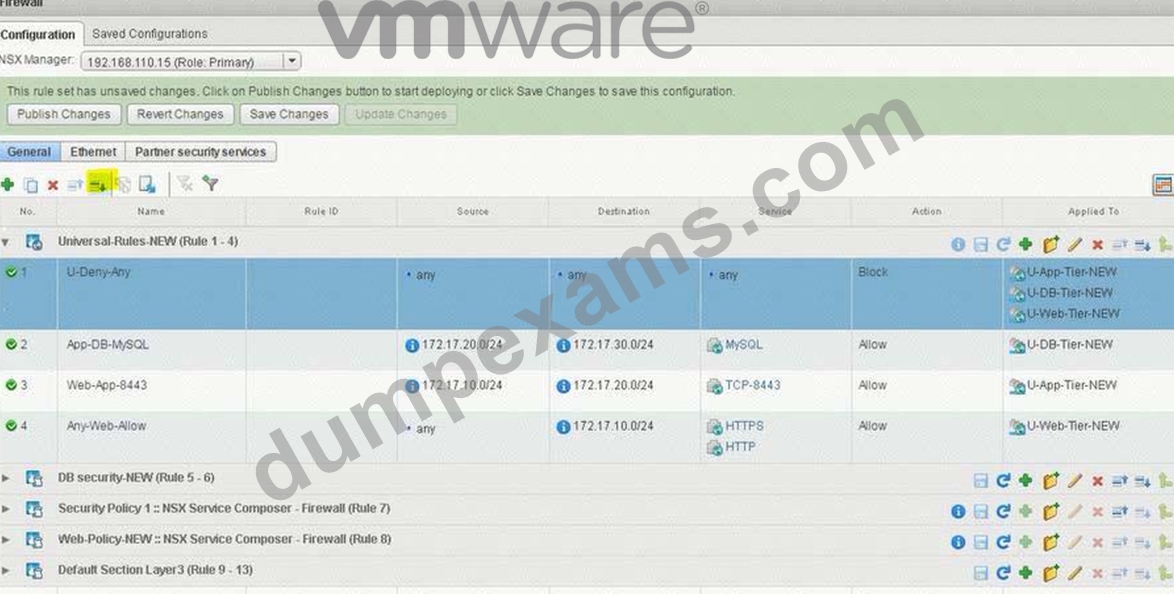
NEW QUESTION 18
You have been tasked with enabling syslog on the NSX Manager (nsmgr-01a.corp.local) and all NSX Controllers.
Requirements:
vCenter: vcsa-01a.crop.local
NSX Manager A: nsxmgr-01a.corp.local
Password: VMware1!
Syslog Information:
Server: 192.168.110.24
Port: 514
Protocol: UDP
Header Information:
Authentication: Basic
Content-Type: application/xml
Enable syslog for NSX Manager.
Enable syslog for NSX controllers.
HOL LAB for Practice:
See the explanation part for complete solution.
Answer:
Explanation:
SOLUTION: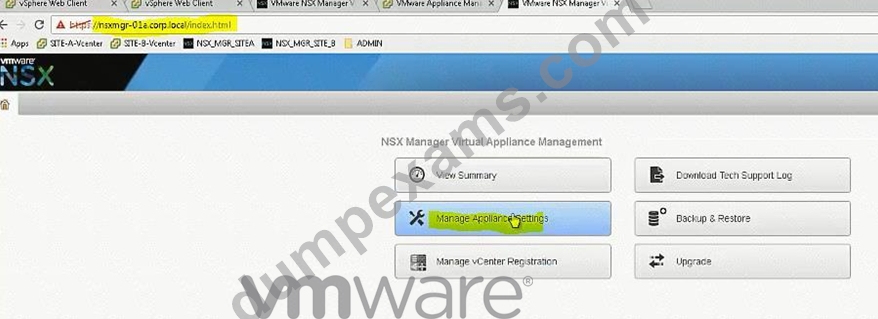
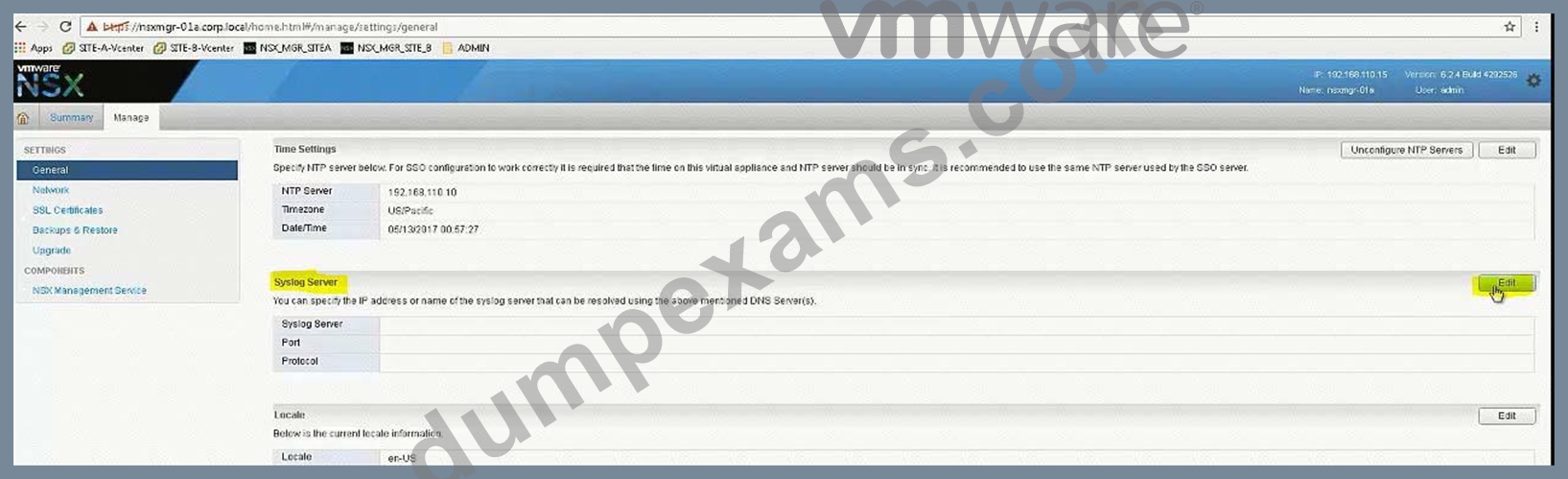
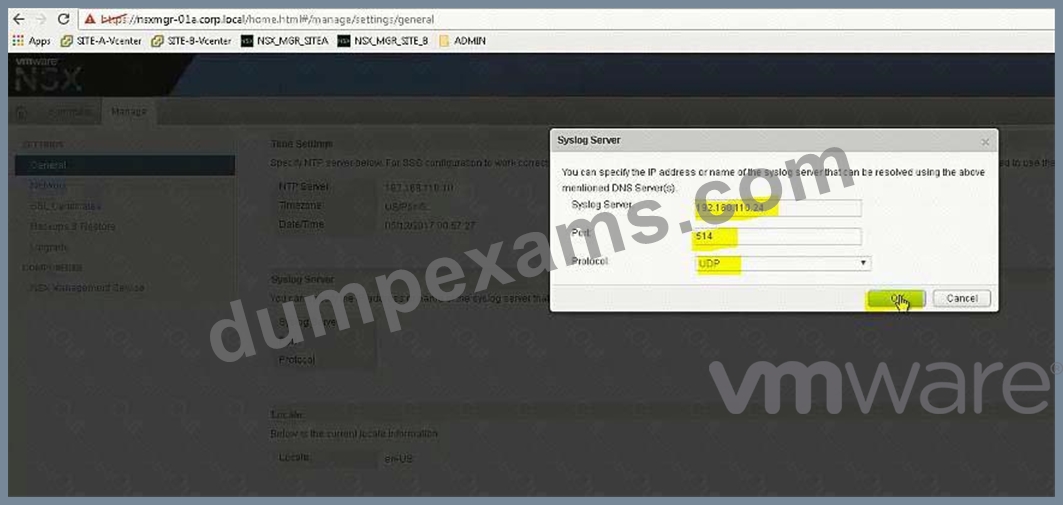
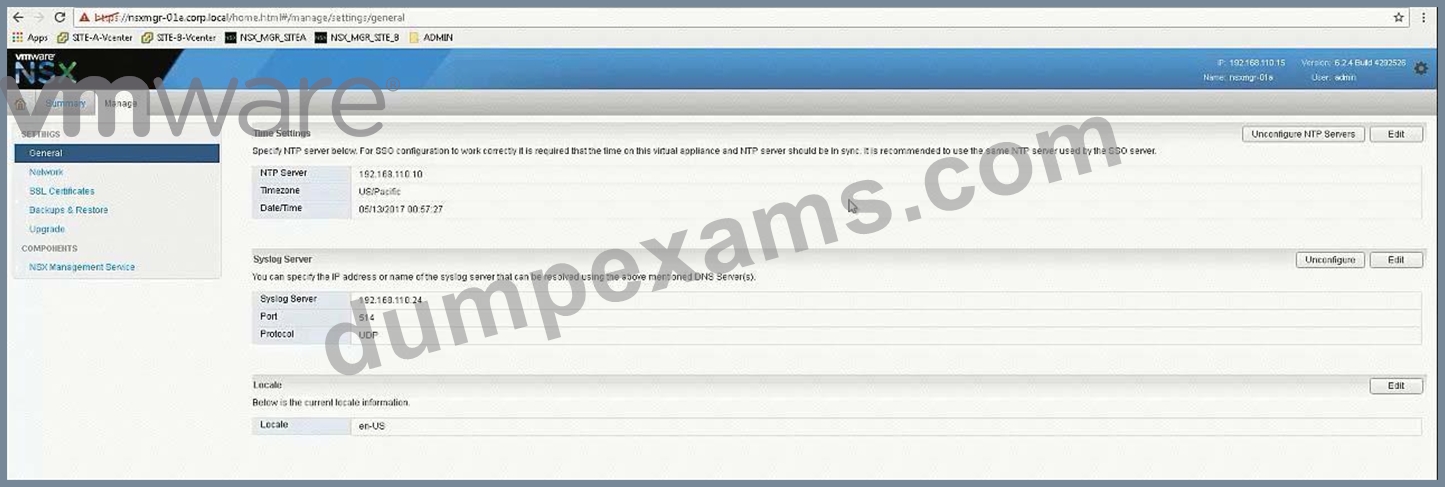
Open API guide from desktop, scroll down for Controller Syslog URI.
In exam search function doesn't work so you should be familiar with the document.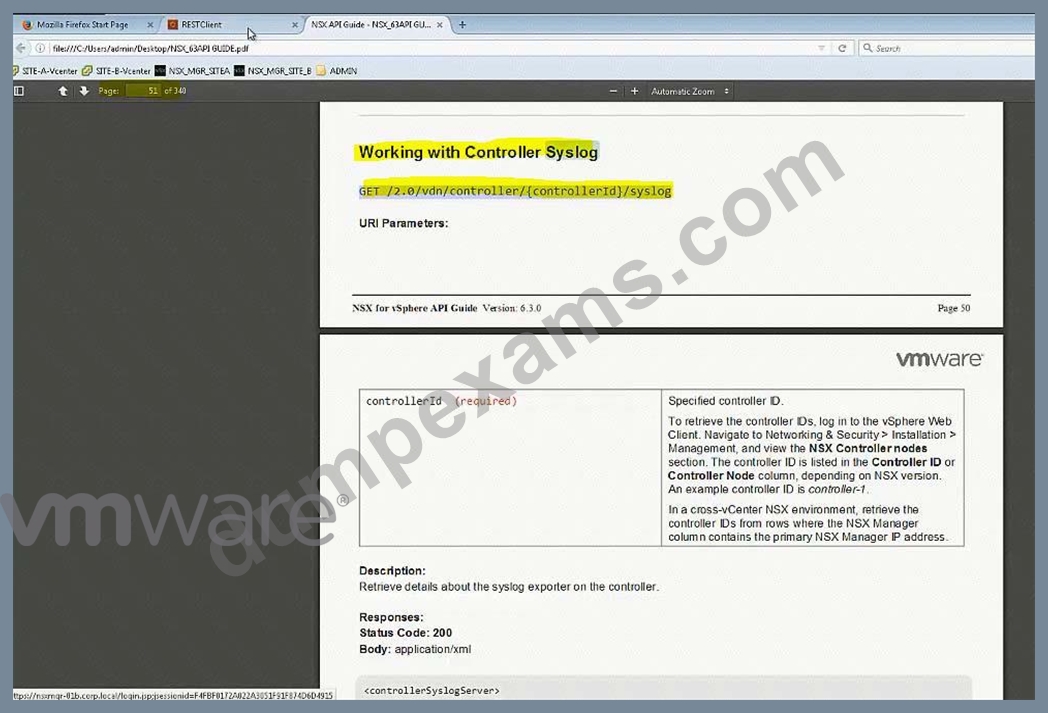
In exam, user hostname instead of IP address (IP address wont work).
For version (2.0), also check API guide version, it could be 2.1 or 2.0 GET
https:// nsxmgr-01a.corp.local/api/2.0/vdn/controller/controller-1/syslog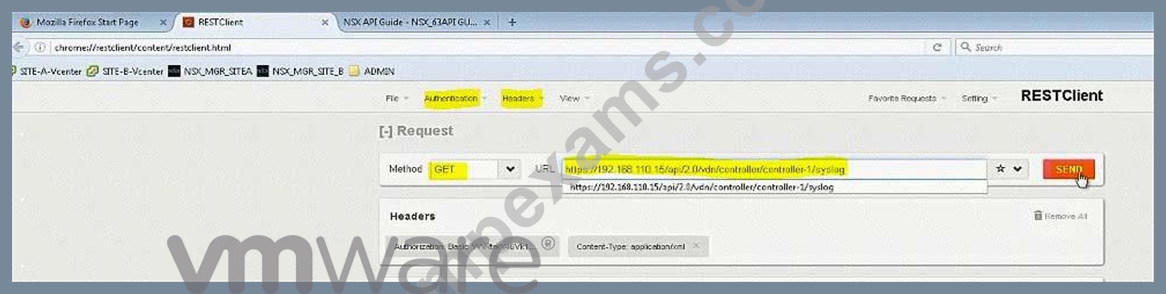
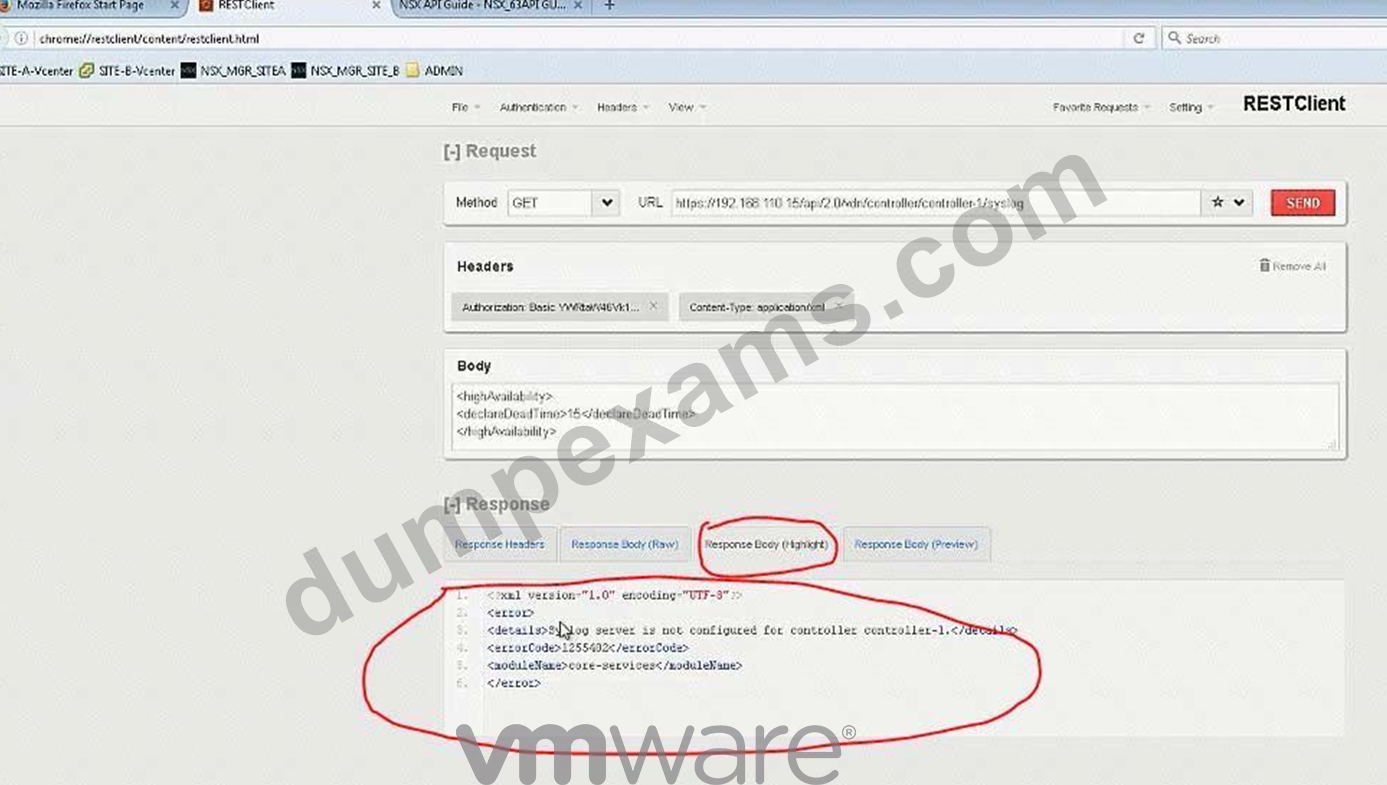
Copy the required parameters from API guide or memorize.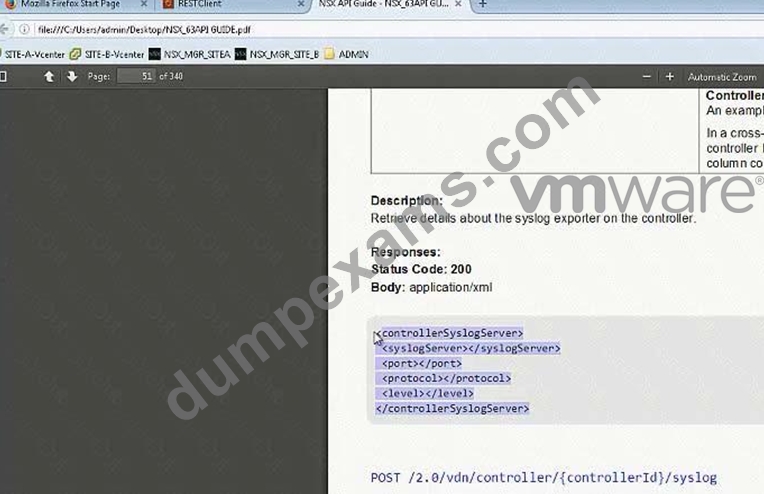
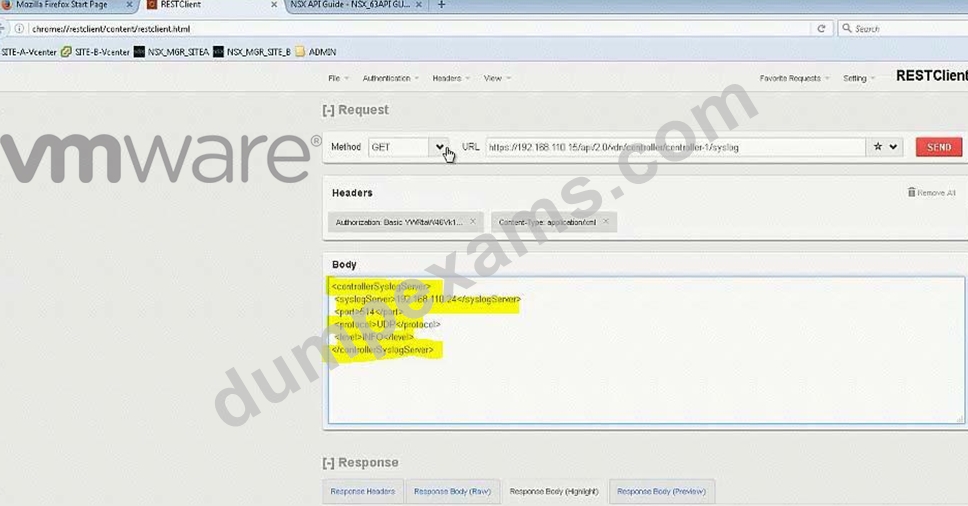
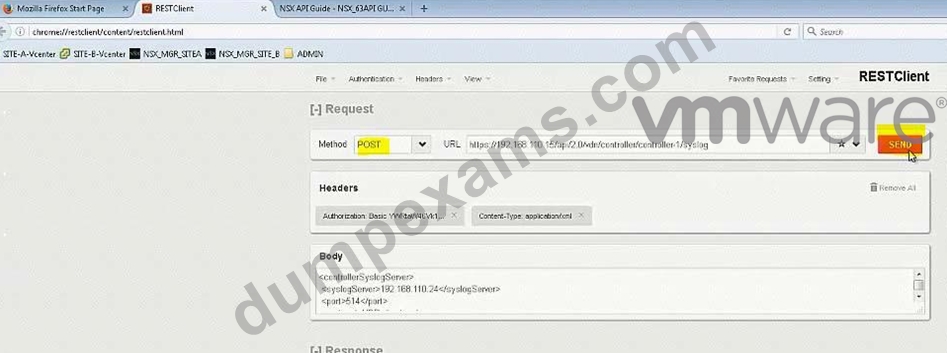
Verify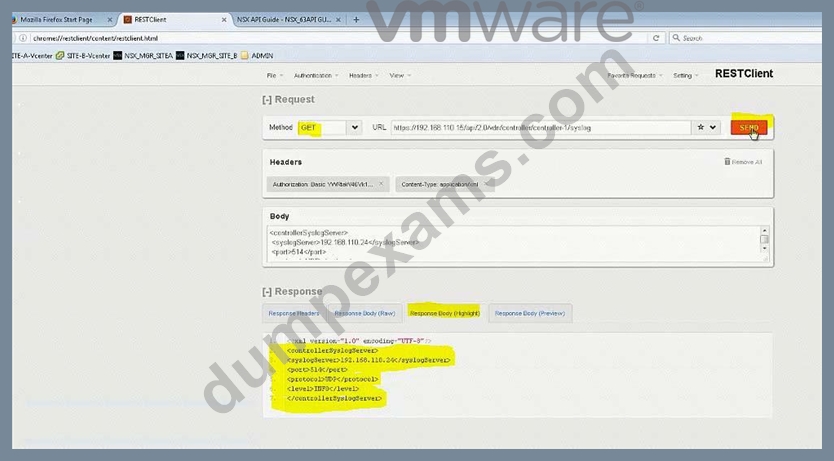
Do the same for controller-2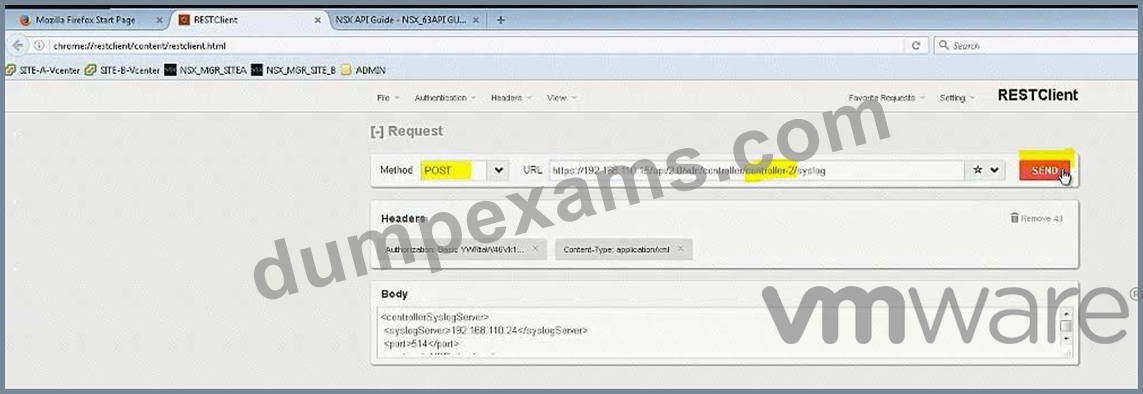
Do the same for controller-3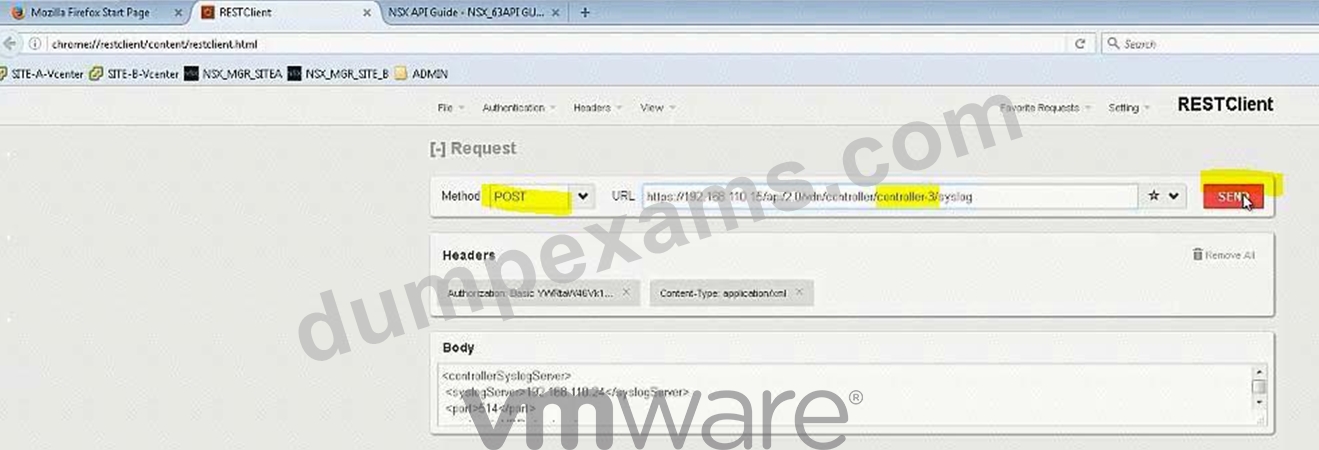
NEW QUESTION 19
Management has approved an expansion of the virtual infrastructure. You have been tasked to prepare Cross vCenter configuration with the second vCenter Server. Another administrator has provided a pre-configured vDS configuration file located on the Control Center Server. All identifiers must be maintained.
Requirements:
vCenterB server: vcsa-01b.corp.local
Credentials: [email protected] / VMware1!
vCenterB VAMI Credentials: root / VMware1!
Cluster: Computer Cluster 1B
ESXI Hosts: esx-01b.corp.local, esx-02.corp.local
Platform service controller: psc-01a.corp.local(192.168.110.9)
NSX Manager: nsmgr-01b.corp.local (192.168.210.15)
Credentials: admin / VMware1!
Time Zone: US/Pacific
*Configure nsmgr-01b.corp.local for vCenterB and psc-01a.corp.local
*Ensure nsxmgr-01b.corp.local uses the same NTP server as psc-01a.corp.local with a US/Pacific TimeZone.
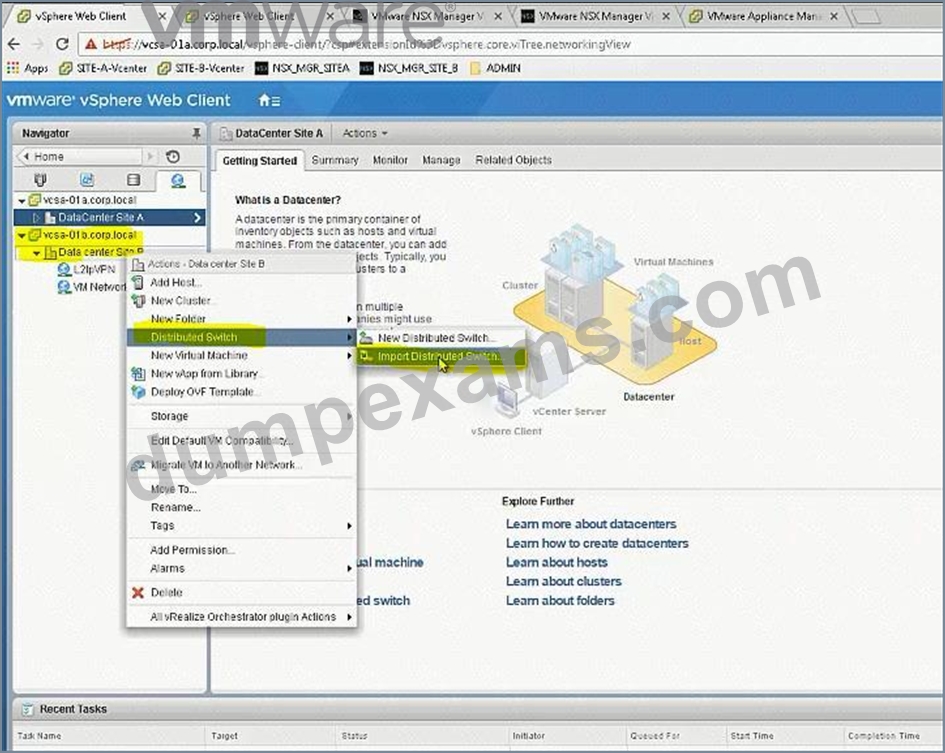
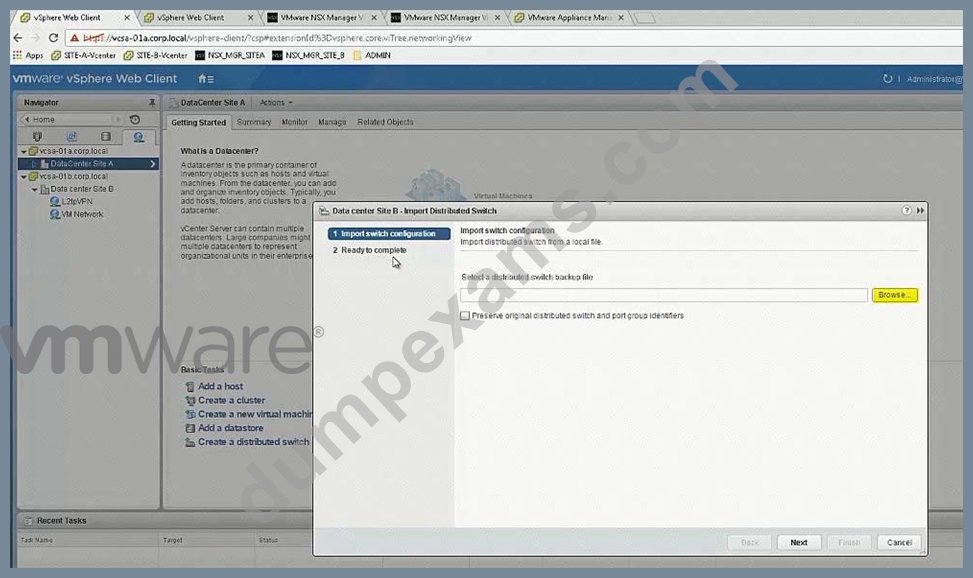
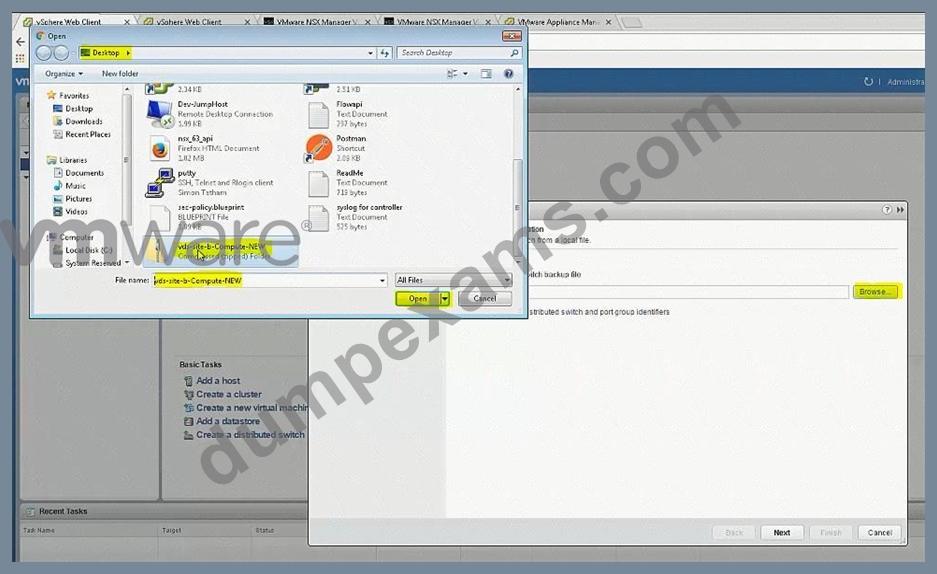
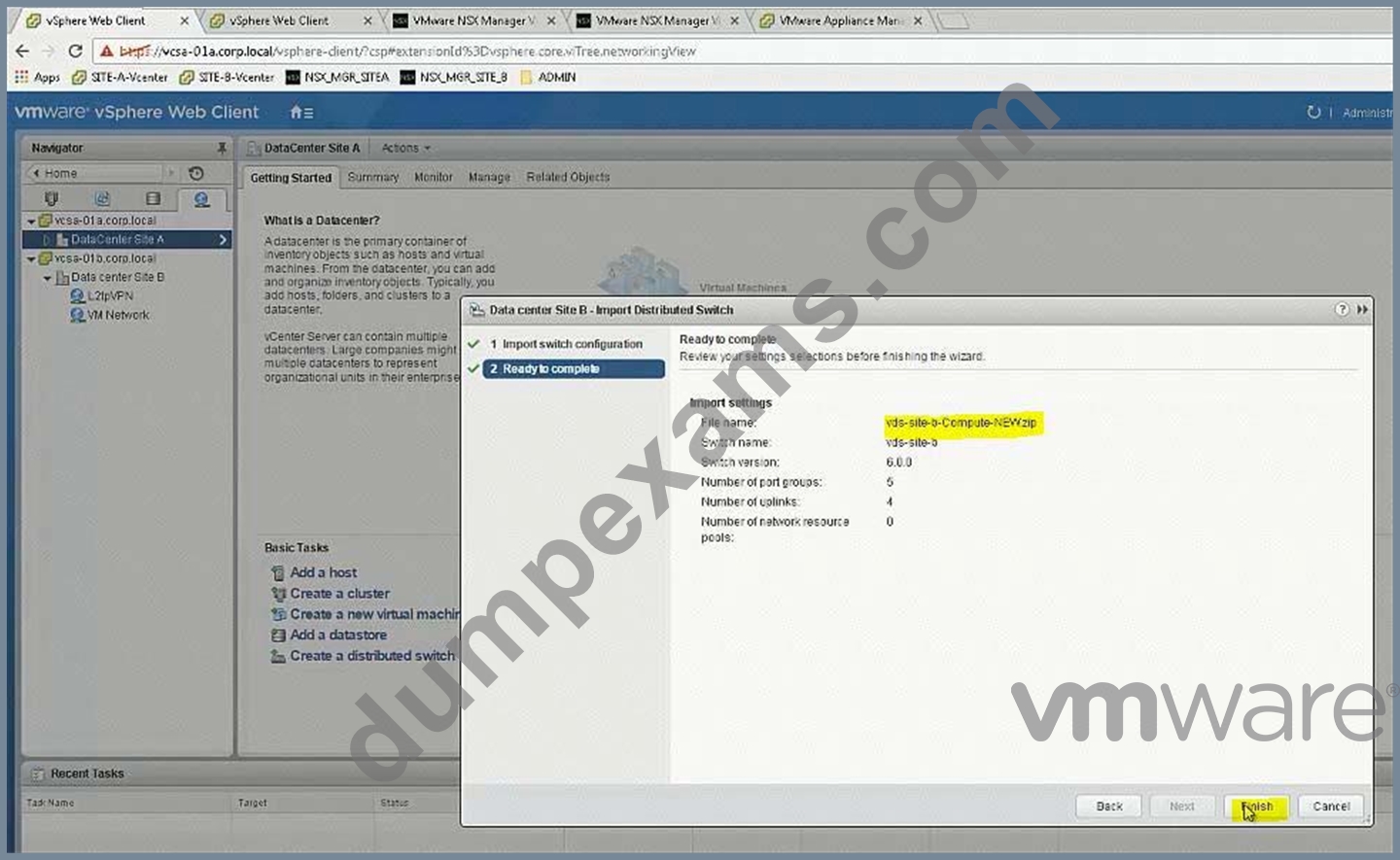
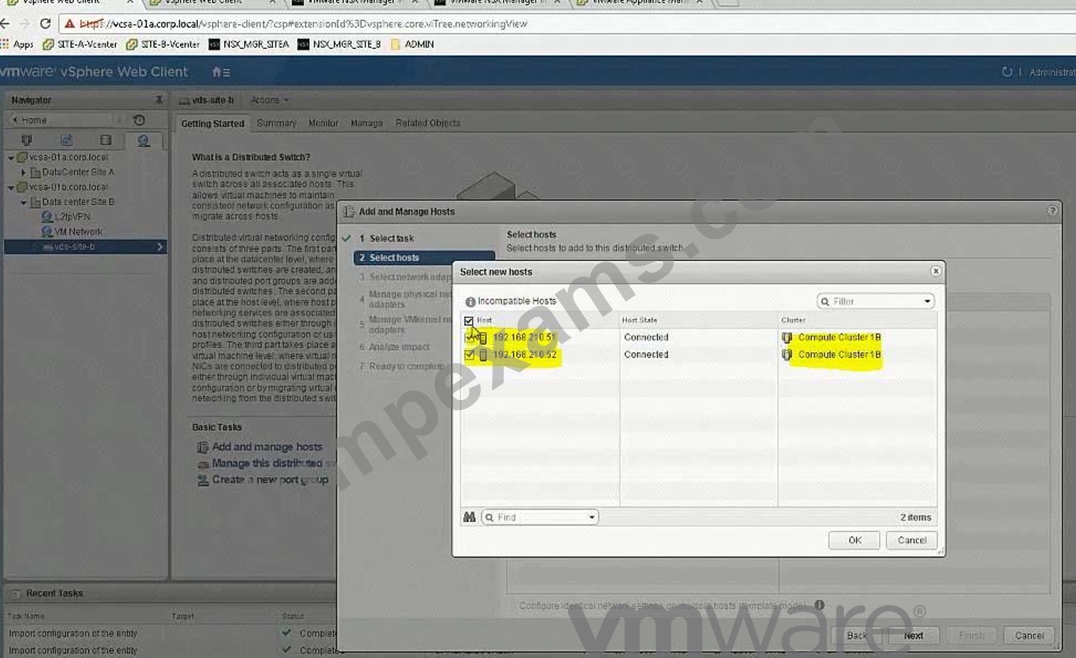
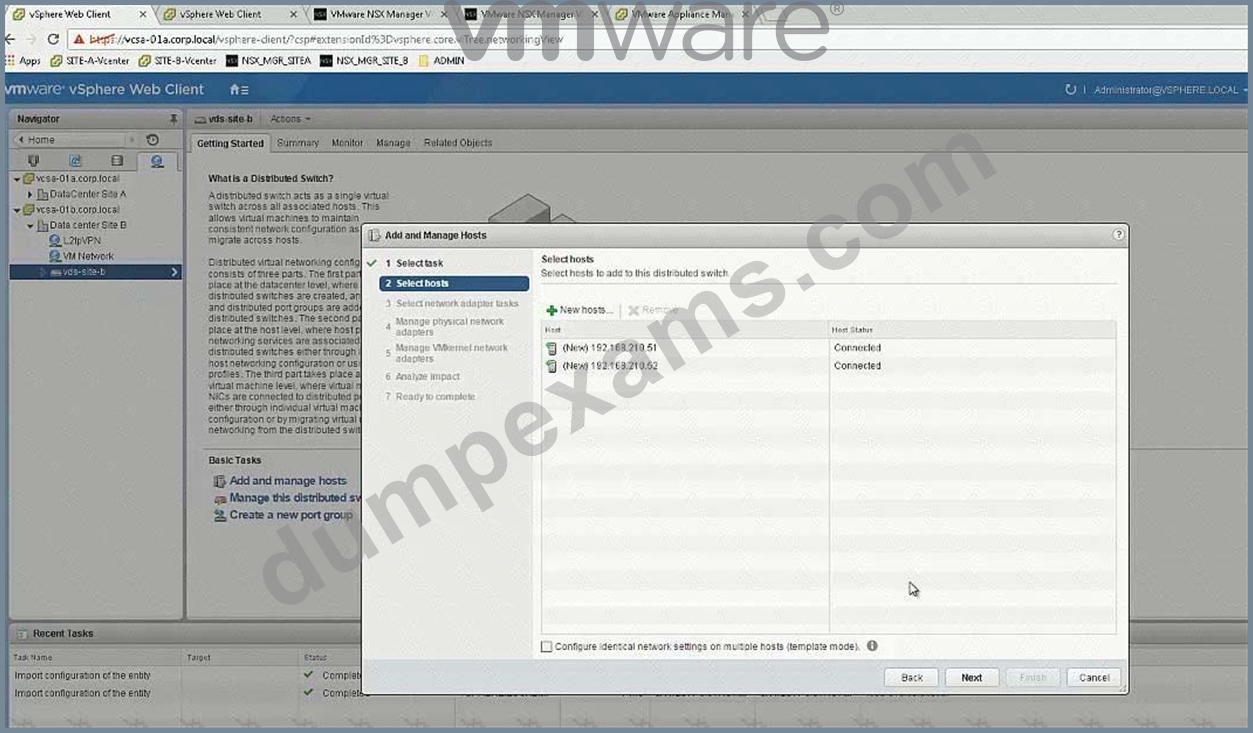
*Import the new vDS configuration vds-site-b-Compute-New.zip
All identifiers must be maintained.
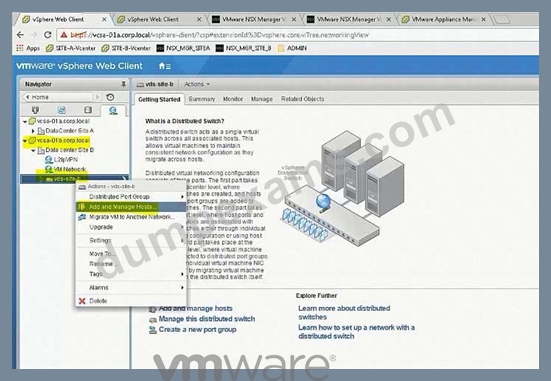
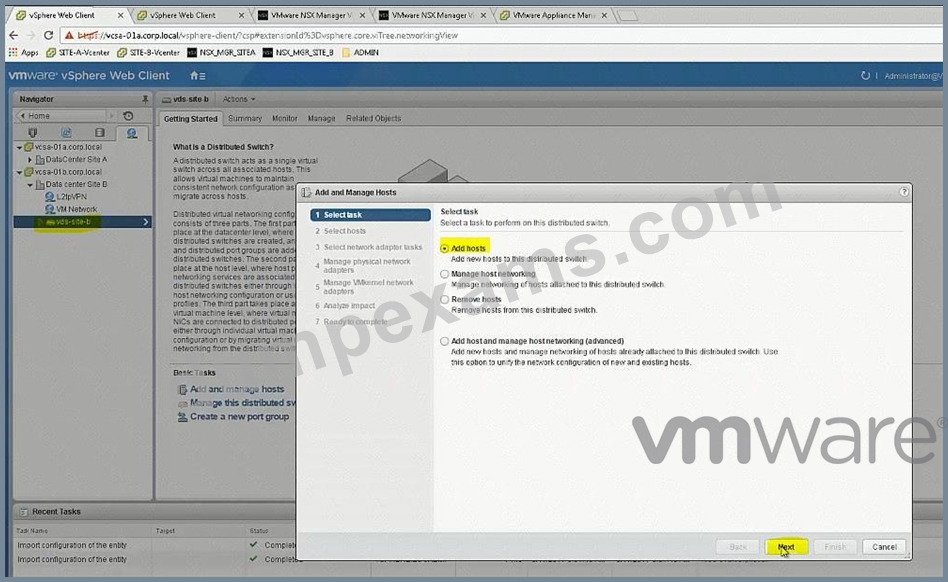
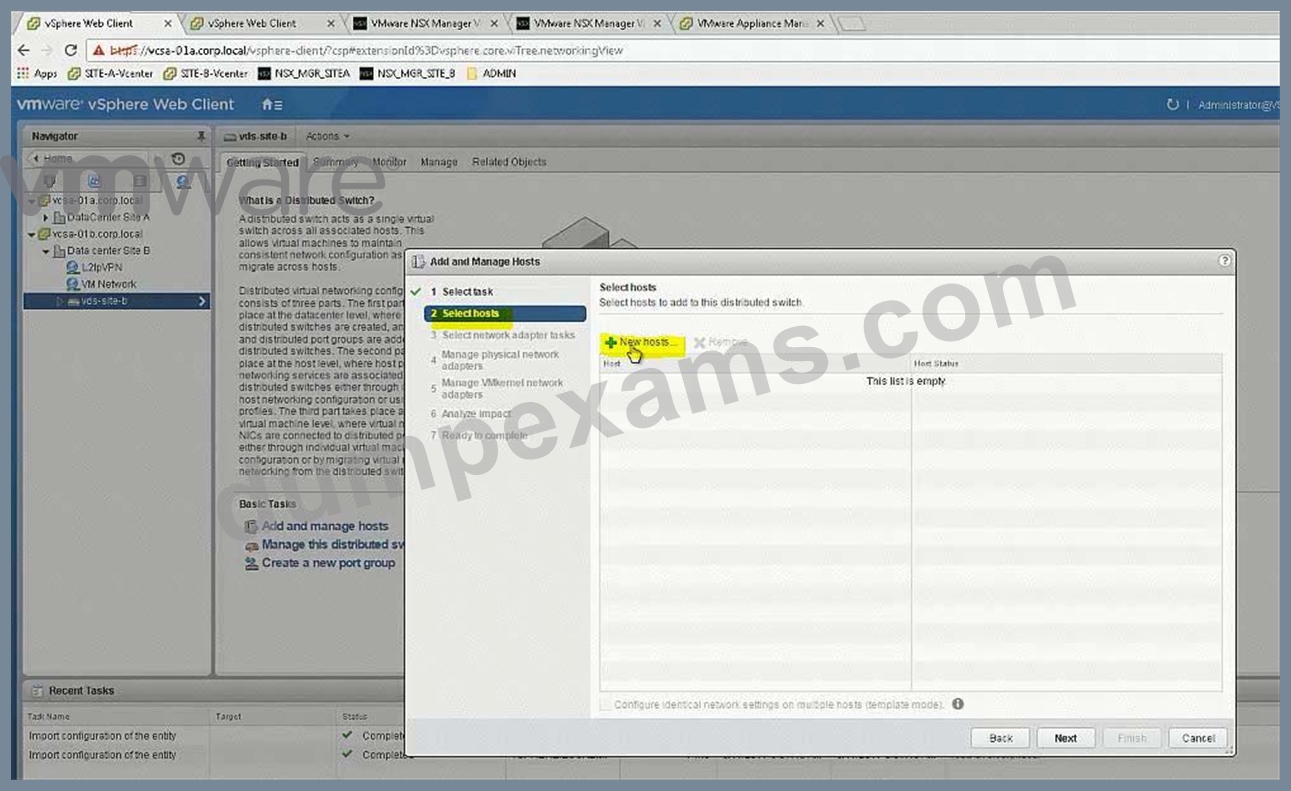
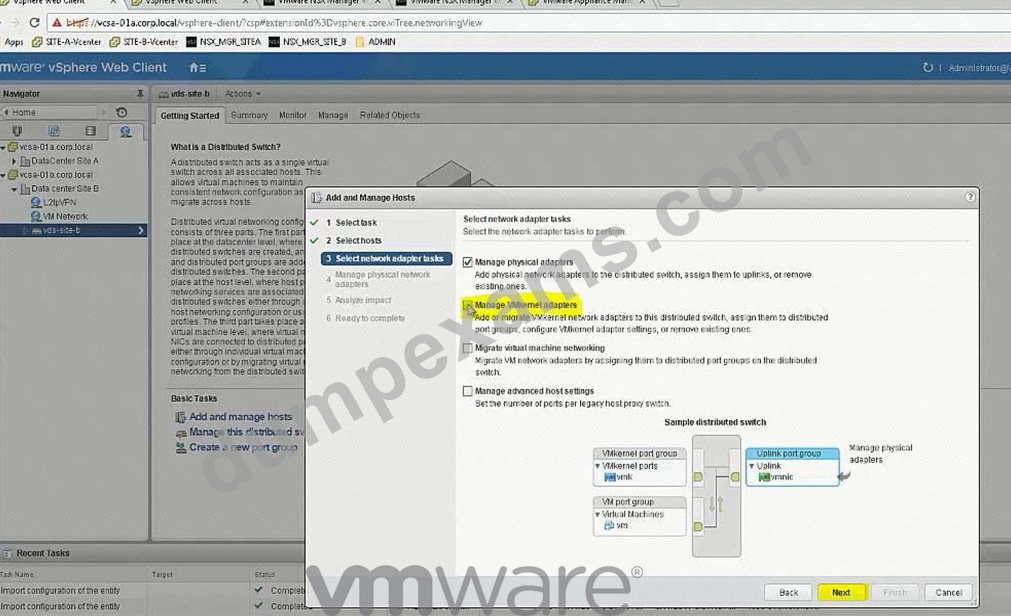
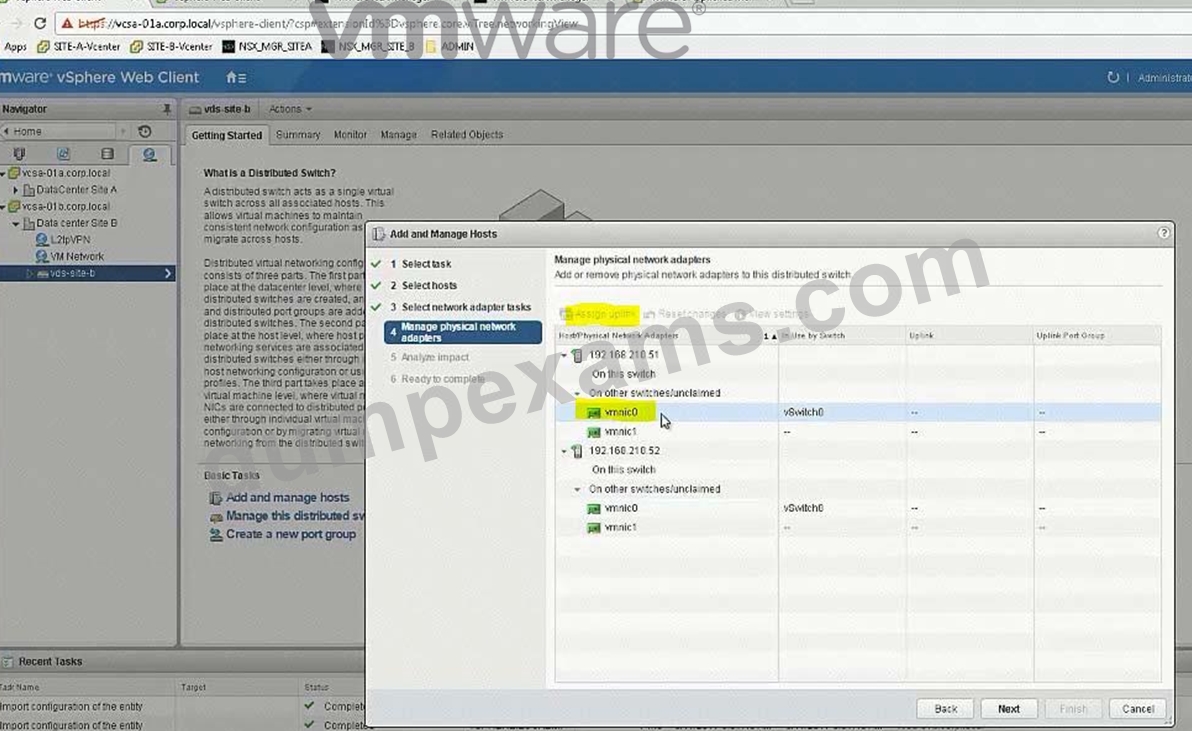
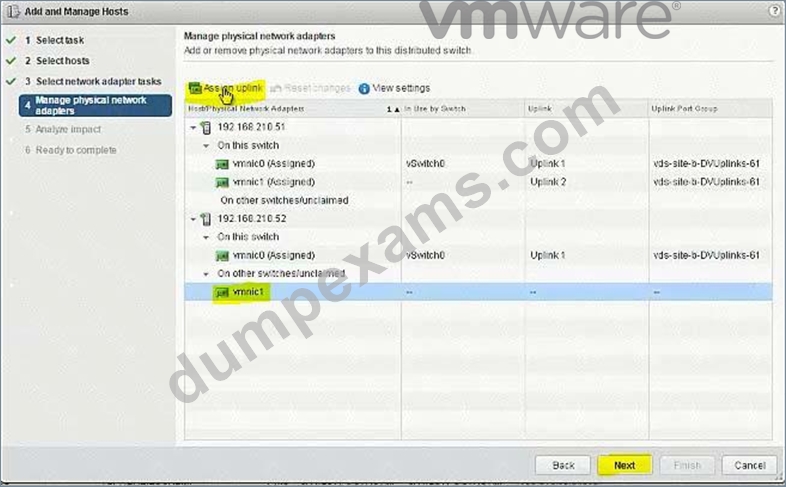
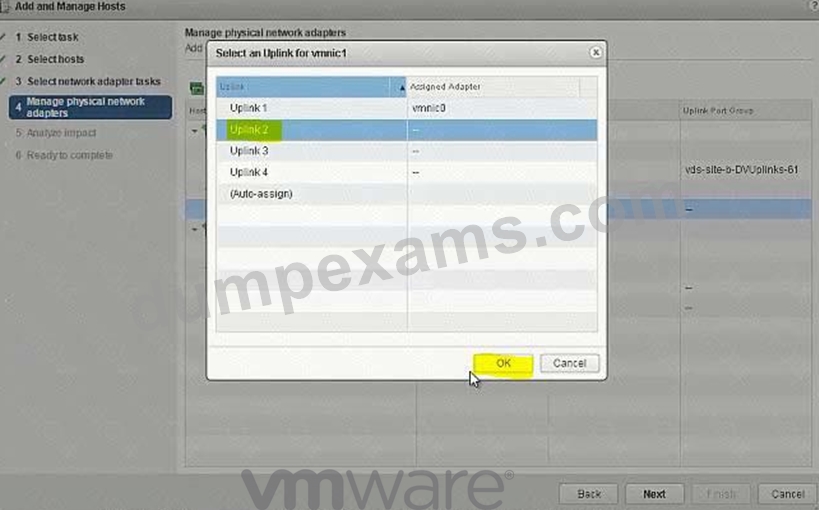
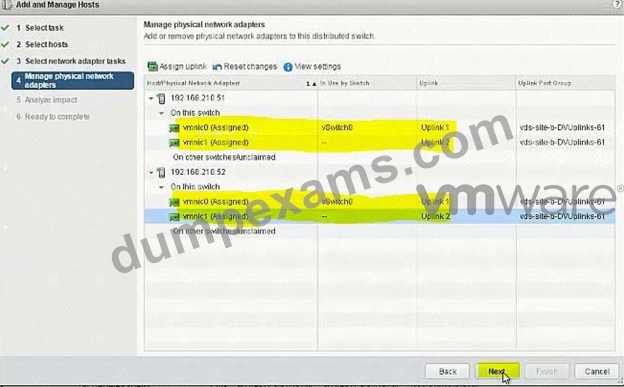
*Assign the remaining two used vmnics for the ESXi hosts to the newly imported vDS.
NOTE:
Do not migrate VMkernels from the standard switches on the hosts.
HOL LAB for Practice:
a http://docs.hol.vmware.com/hol-isim/HOL-2019/hol-1903-01-nsxinstall-p1.htm HOL-1903-01 Page 16 or you can directly Open a NSX manager in the lab and edit the existing settings bOpen PSC and NSX manager in HOL-1903-01 and look for NTP Server loand cation cExport existing vDS config and Import back the config for practice in HOL-1903-01 dNo Lab Module available See the explanation part for complete solution.
Answer:
Explanation:
SOLUTION:
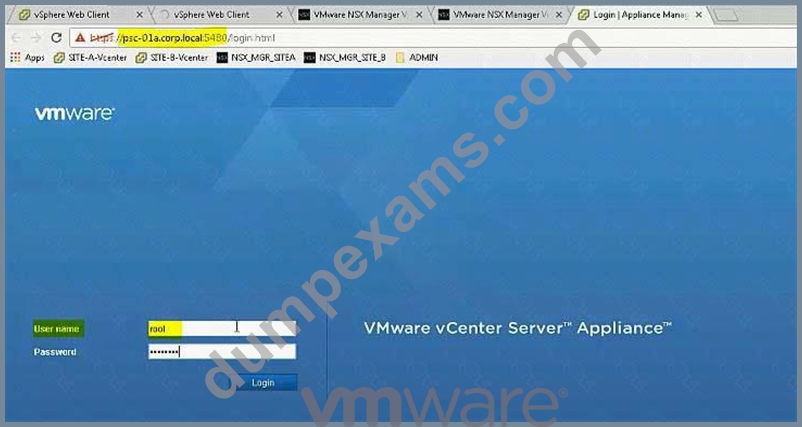
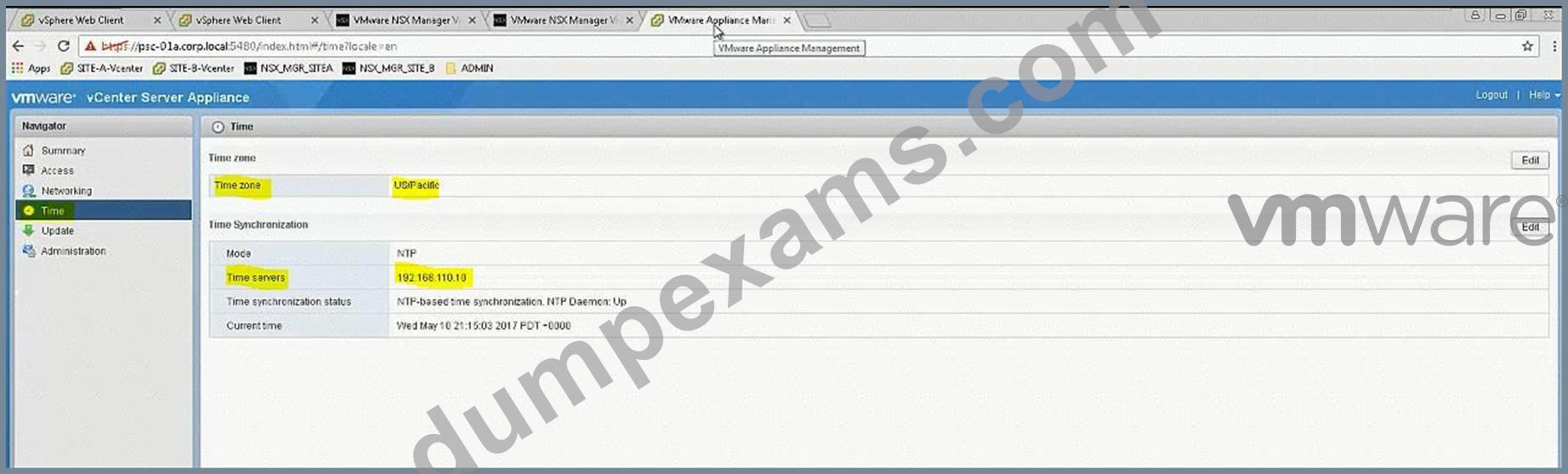
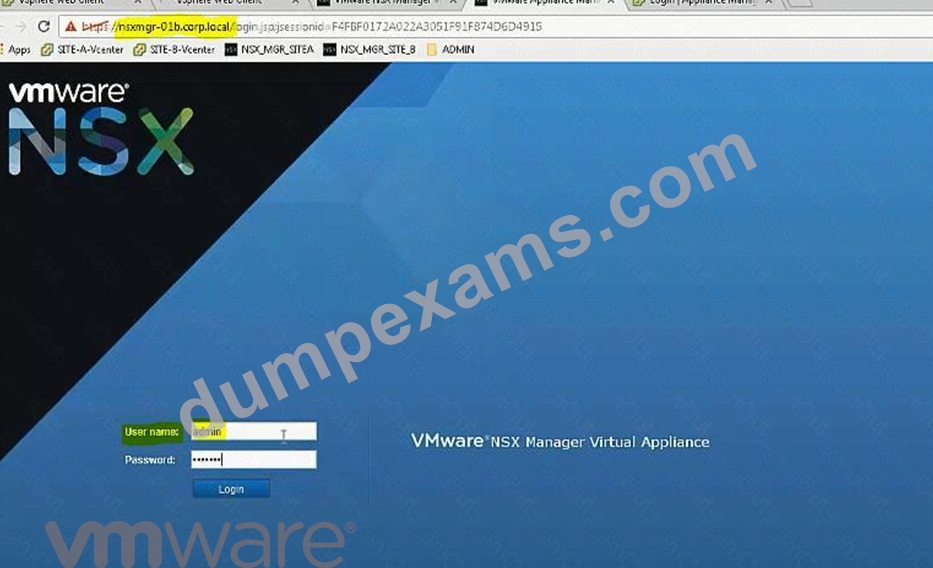
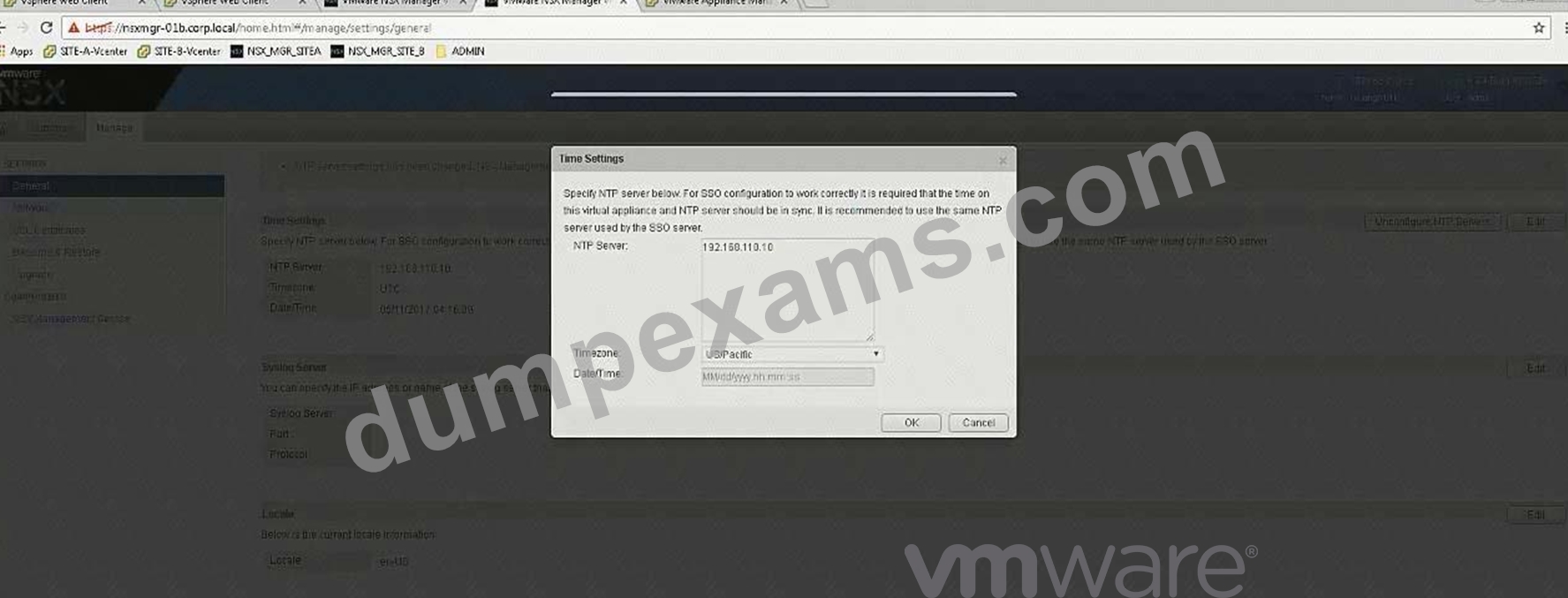
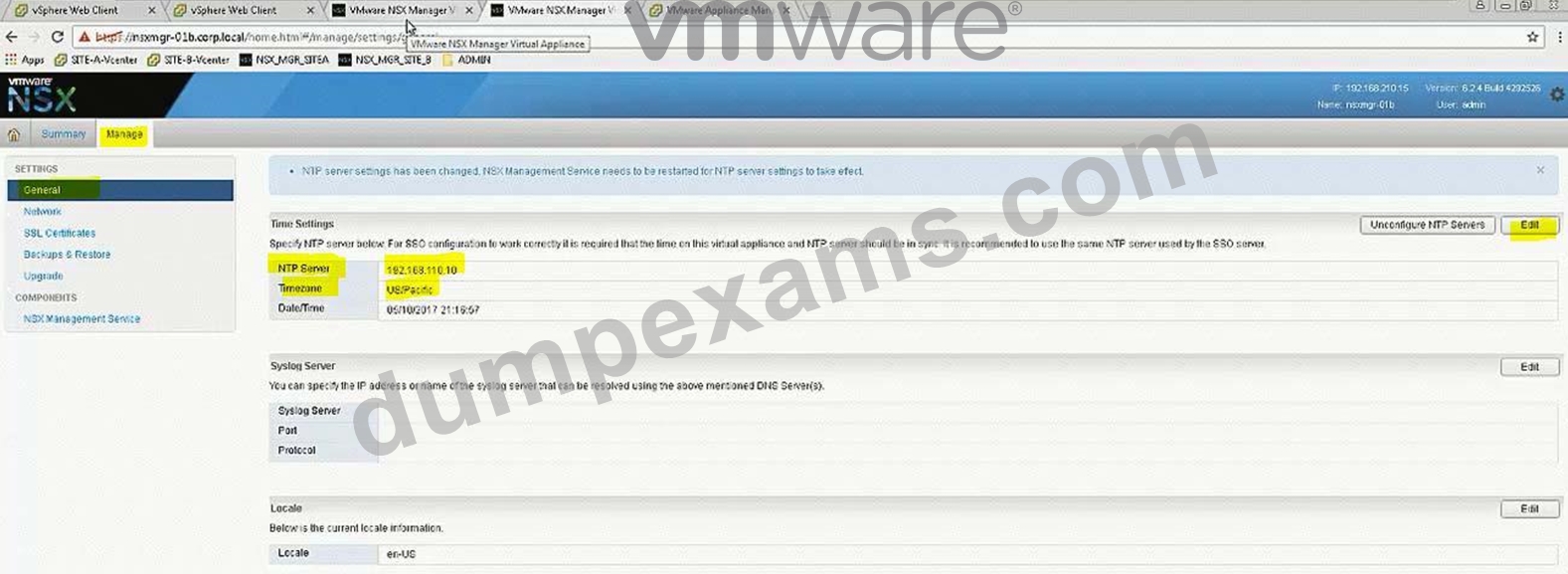
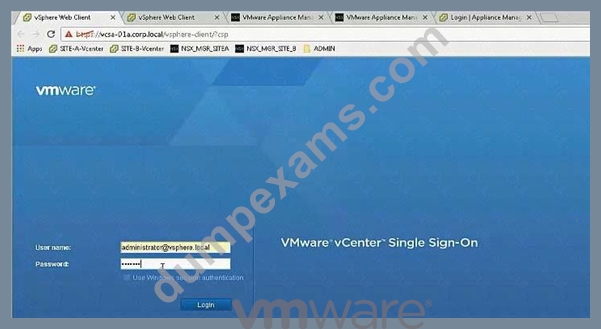
Step 1: Login to PSC using VAMI credentials and note down the time zone and server details and use the same in SiteB NSX Manager time settings.
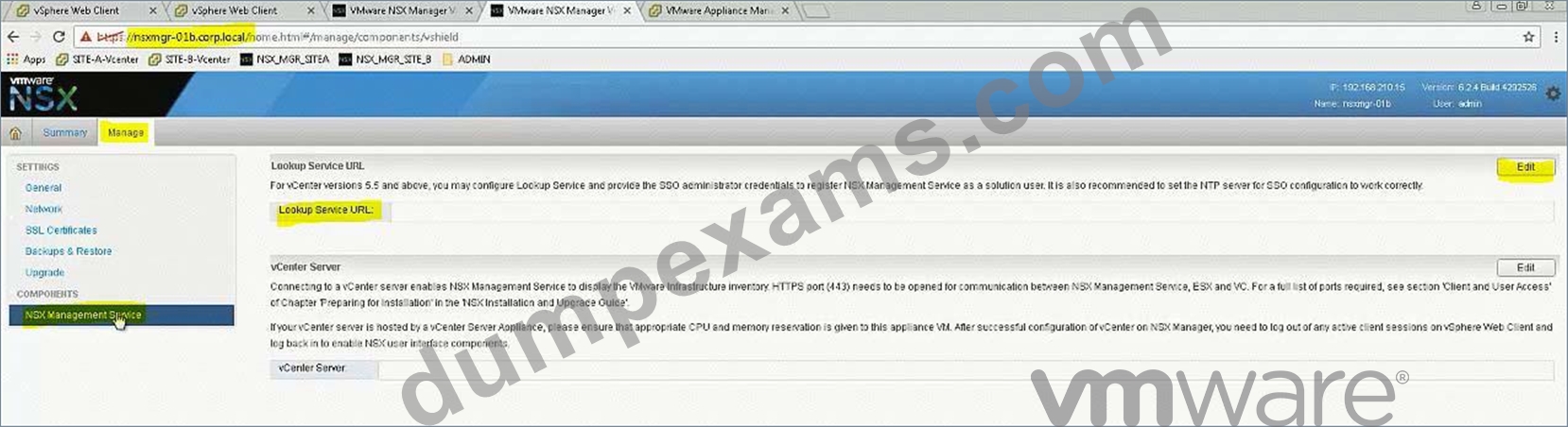
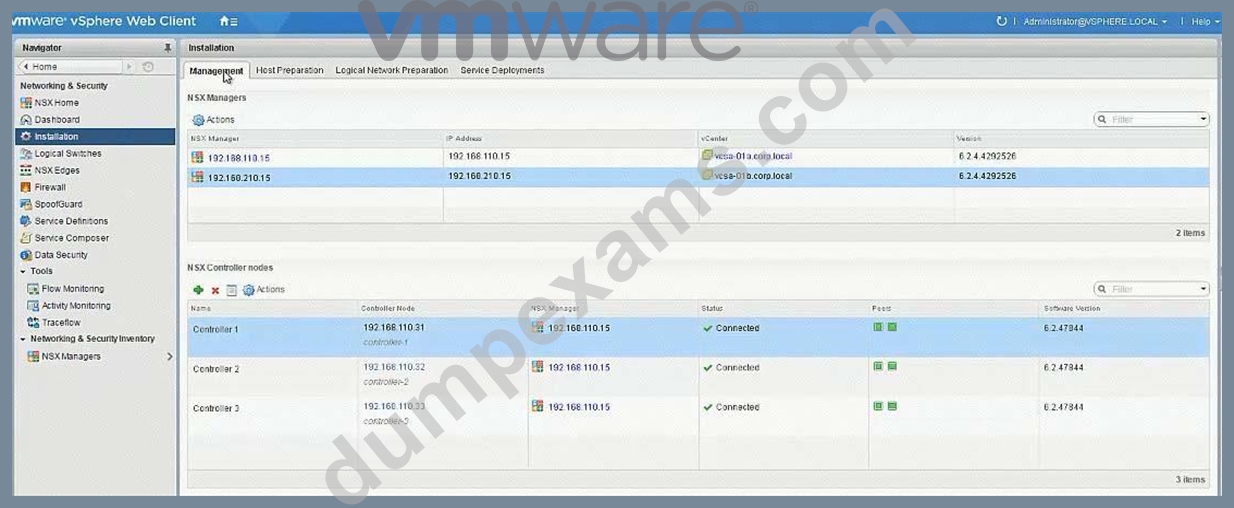
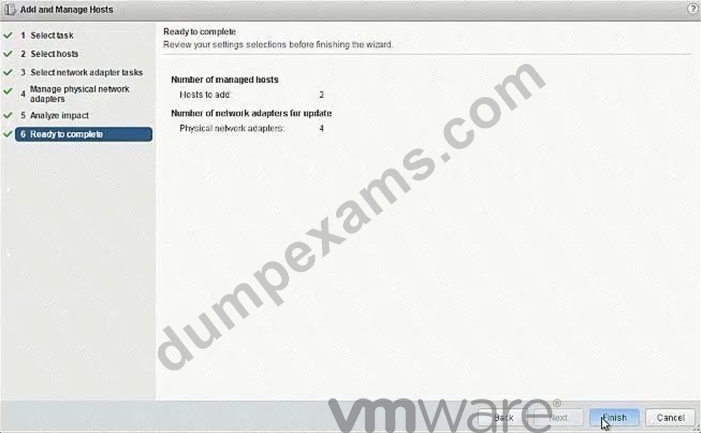
Step 2: Update the time settings, complete lookup service configuration, associate SiteB NSX manager to SiteB vCenter. Check the status from SiteA vCenter Webclient -> Networking & Security -> Installation -> Management.
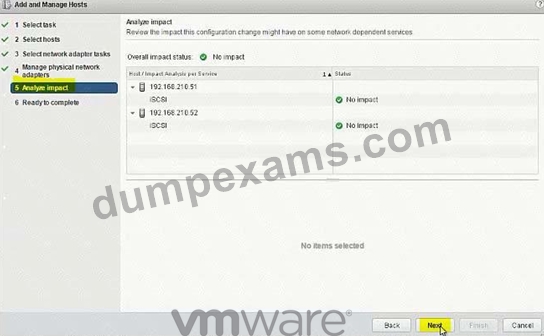
Step 3: Import the Distributed switch to Cluster B, add the hosts & assign the interfaces.
Login to https://psc-01a.corp.local:5480/ to check the NTP server details and note it down. Use the VAMI credentials given to login. Need to click on Edit to see the server details in here as it is not showing up in the main page (In exam, it is showing in the main page itself).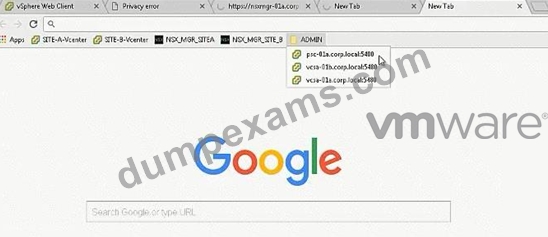
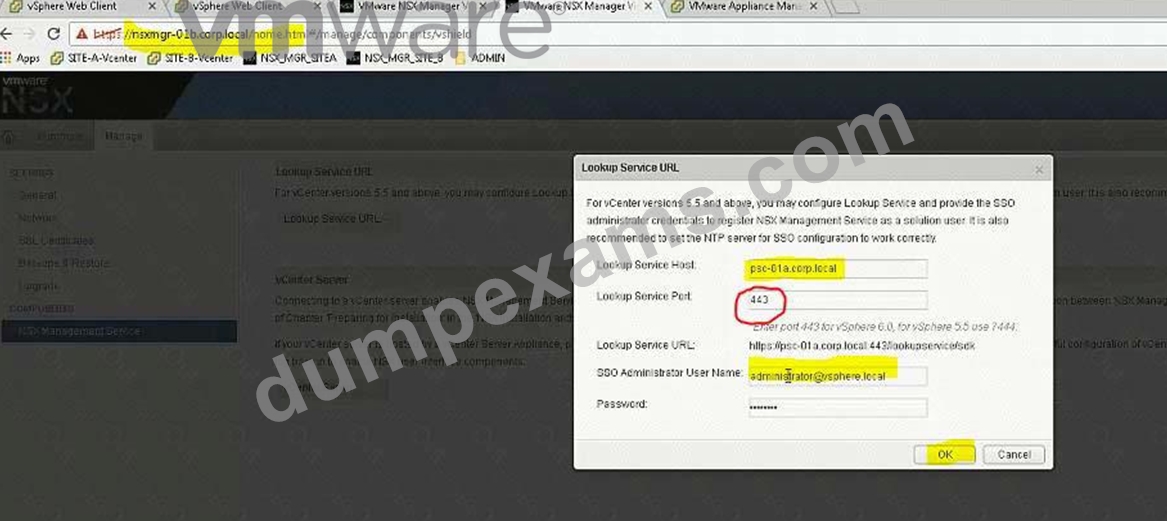
Important NOTE:
In exam change Lookup Service Port according to NSX Manager of Site A which is working one.
It's 7444 in exam.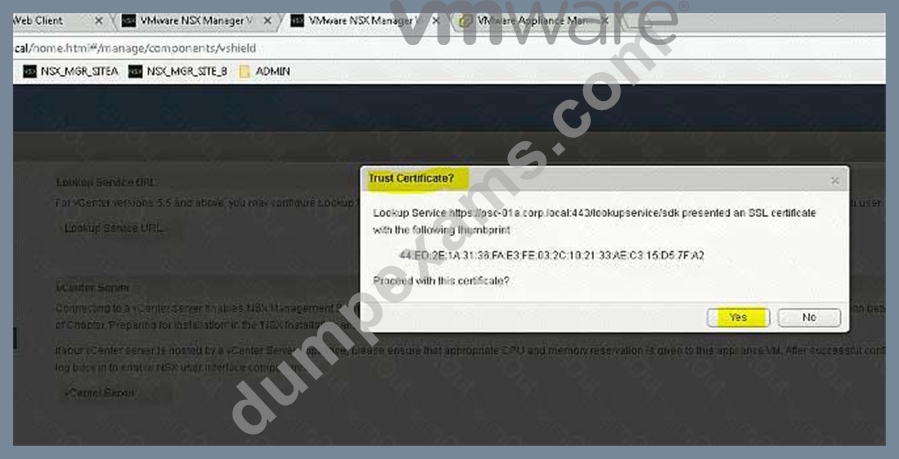
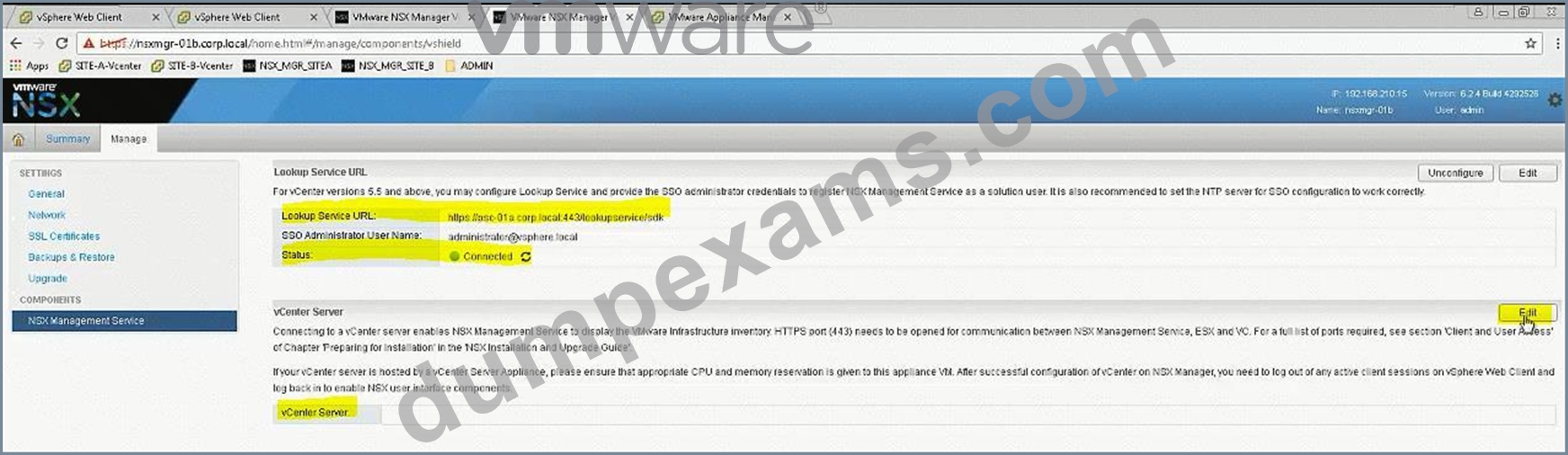
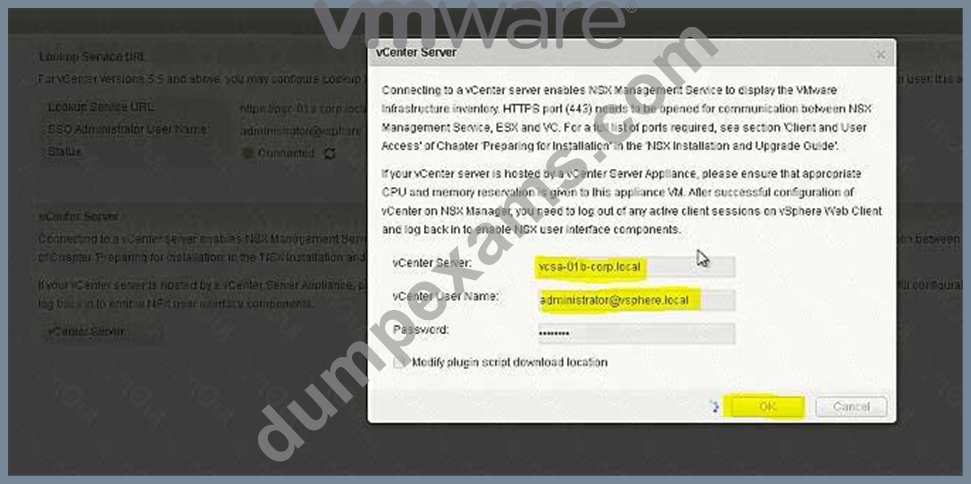
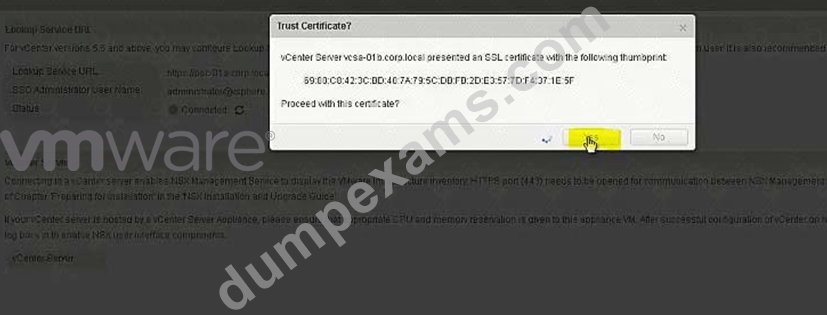
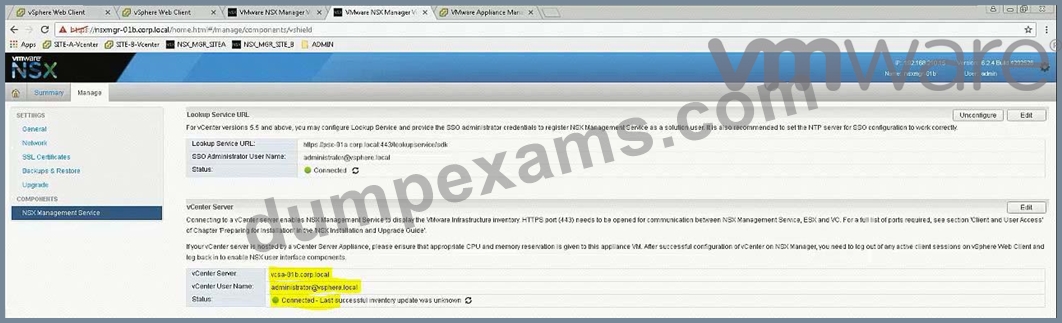
Click refresh if in case it shows as disconnected.
Login to SiteA vCenter using Web Client and confirm the status of both the NSX Managers: Installation -> Management.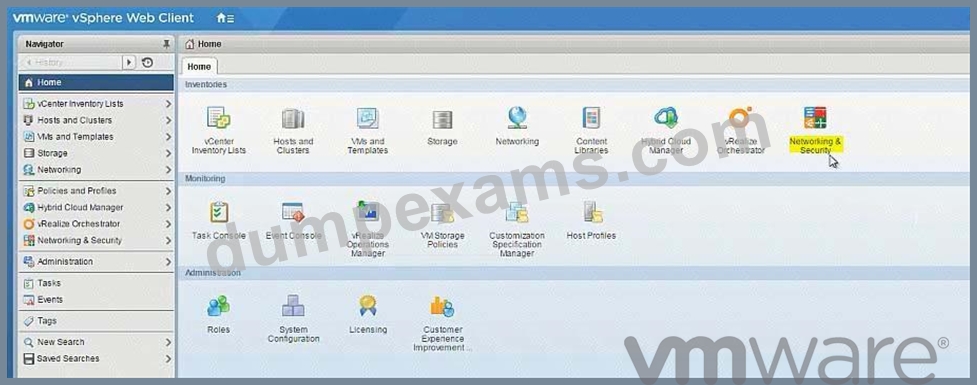
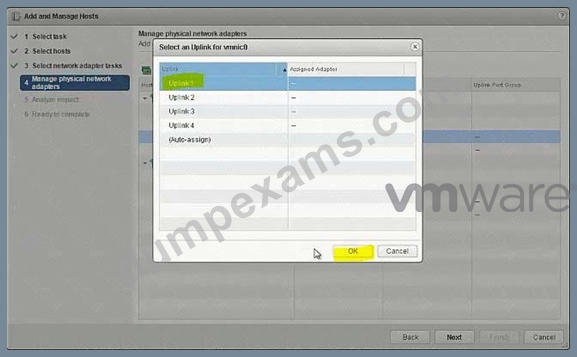
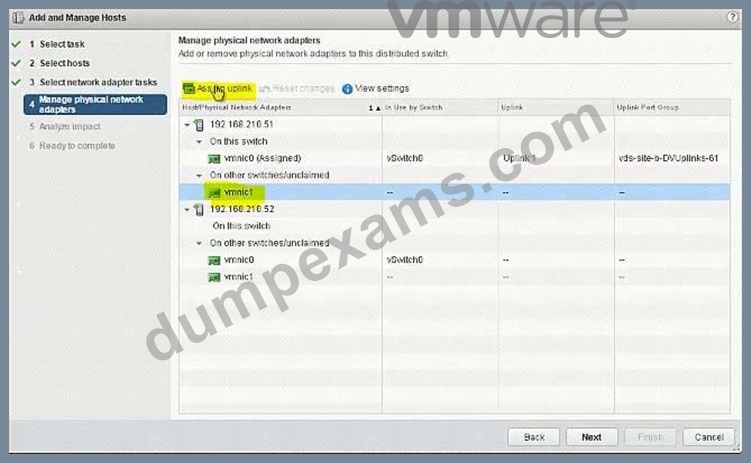
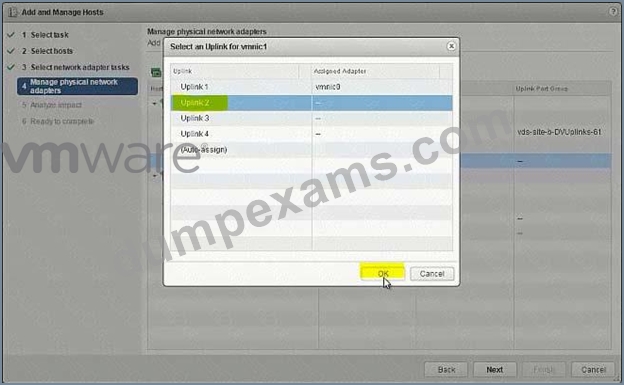
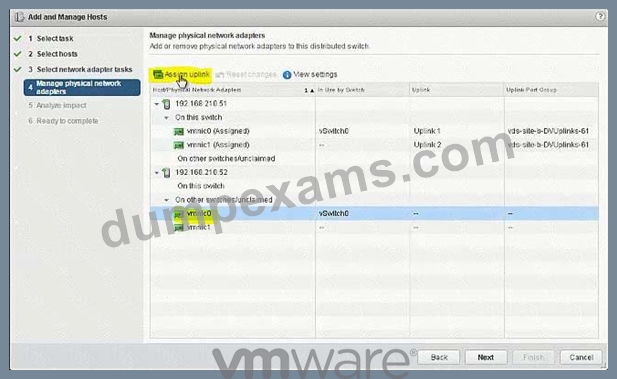
NEW QUESTION 20
The security team has requested that [email protected] have the ability to fully manage NSX Manager (192.168.210.15) for Site B.
Requirements:
vCenter: vcsa-01b.corp.local
Credentials: [email protected] / VMware1!
Ensure [email protected] has the ability to fully manage NSX Manager in SiteB.
NOTE:
You may have to log out of the web client and back in for 192.168.210.15 to show in web client.
HOL LAB for Practice:
See the explanation part for complete solution.
Answer:
Explanation:
SOLUTION:
NSX Manager in SiteB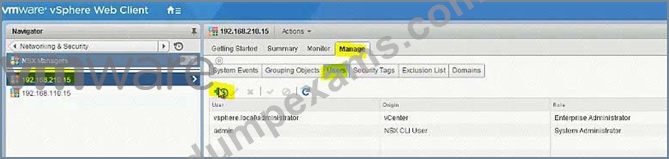
[email protected]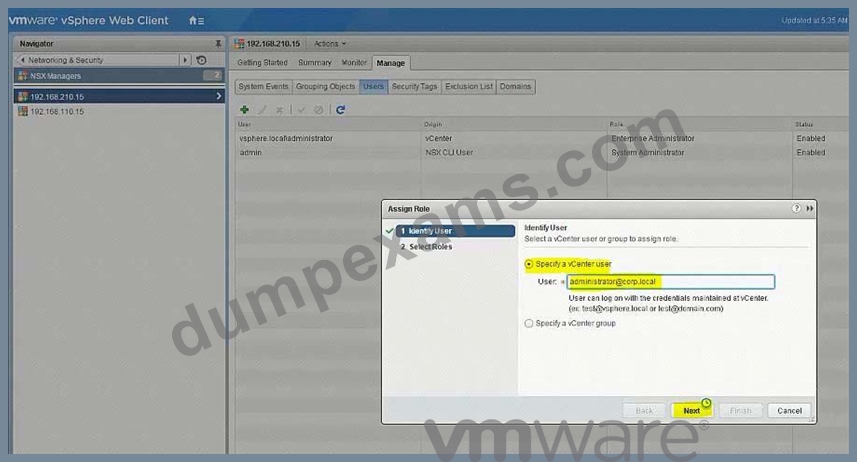
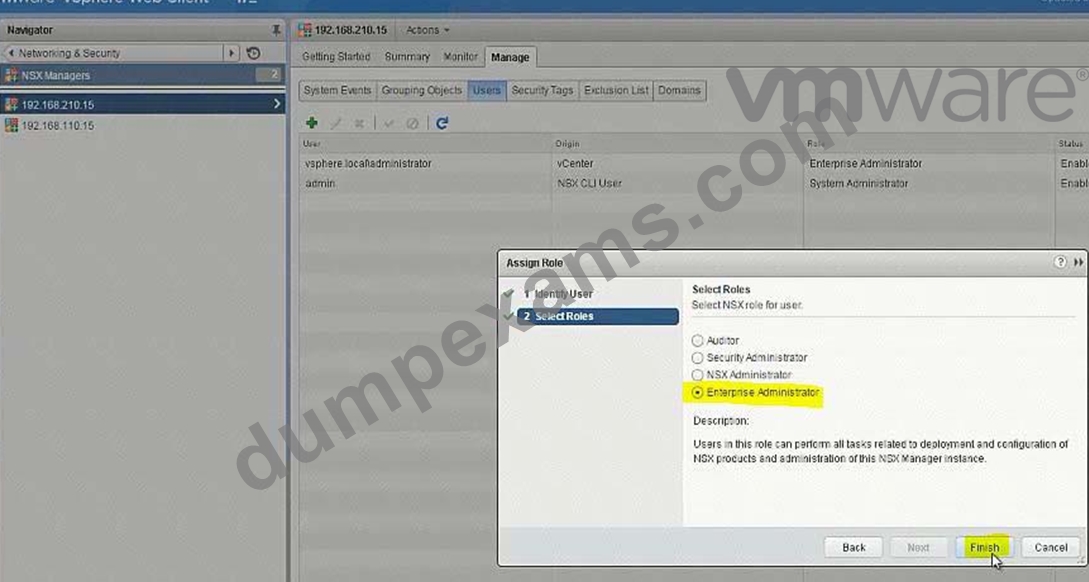
go to Nsx manager - b. select Manage Vcenter registration. check if lookup service is configured if not configured it will the details.
lookup service ip = Nsx Manager - a IP Address
Lookup service port = 7444
Lookup service= https://192.168.110.15:7444/lookupservice/sdk
SSO administrator = [email protected]
password = VMware1!
click on ok. click on yes.
NOTE: it will show u connected. if not connected. logout and login again
NEW QUESTION 21
......
VMware 3V0-643 Pre-Exam Practice Tests | Dumpexams: https://www.dumpexams.com/3V0-643-real-answers.html